
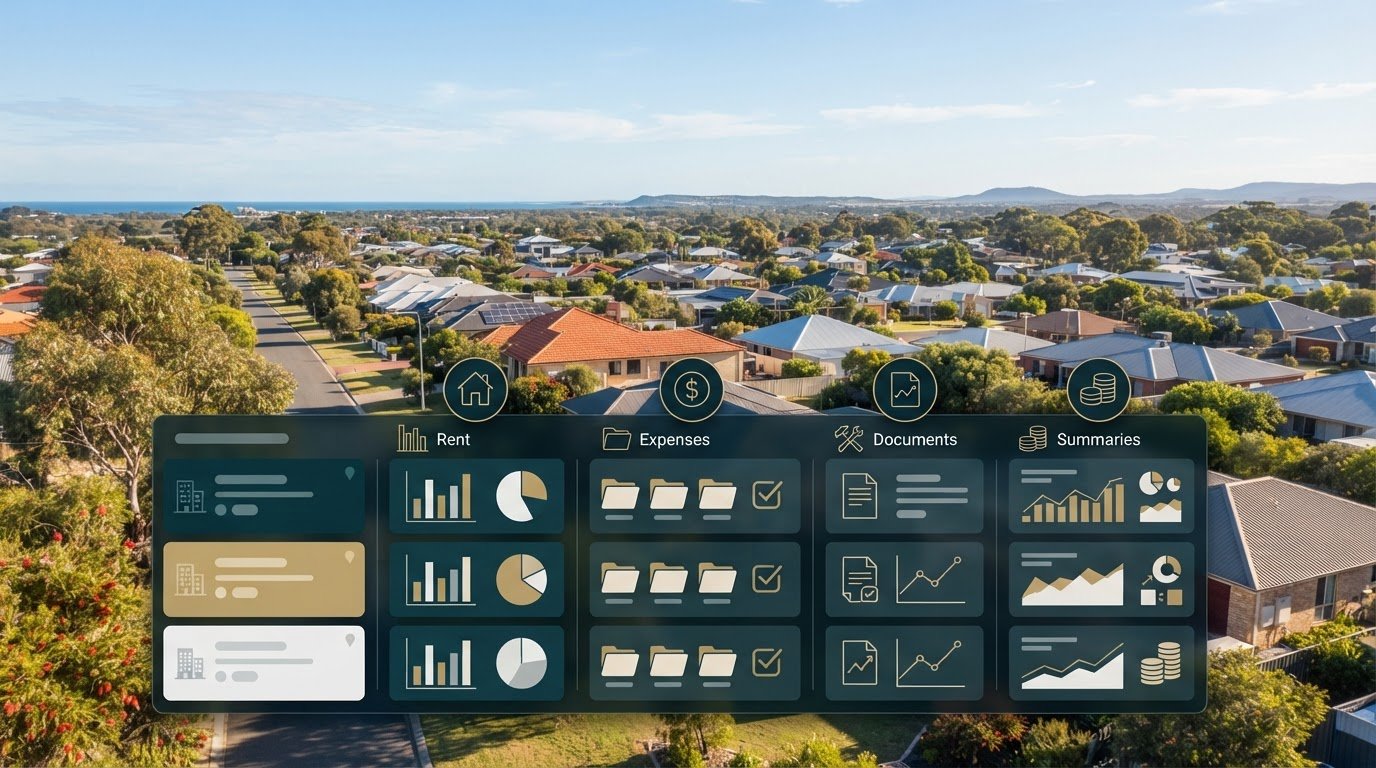
Tax-ready rental records should be organised by property, not buried in a portfolio total. Rental property tax record-keeping software in Australia should track rent received, arrears, income, repair and maintenance expenses, and loan interest, then produce clear reports for each property. Attach receipts and statements to the right property so every figure has supporting evidence.
This can become complicated when income and expenses flow through different accounts, agents and properties. The key distinction is purpose: tax-record software organises financial information and evidence, while property-management software also handles tenancy workflows. Some platforms cover both, so start by identifying the tasks you need them to handle.
This guide explains which features to look for, how tax and property-management tools differ, and what affects their cost. It also covers the records to keep separately for each Australian rental property, helping you choose a system that keeps your portfolio’s financial trail clear and manageable.
Key Takeaways
- Choose software that tracks rent, expenses and loan interest, with reports you can review by property.
- Separate tax record-keeping from tenancy management to identify which tasks your software needs to handle.
- Compare software costs against your portfolio size, required features and the time spent organising records manually.
- Keep each property’s income, expenses and supporting documents organised in its own record set.
- Use a consistent system to retain tax evidence and make records easier to retrieve when needed.
What should rental property accounting software do?
For Australian landlords, rental property tax record-keeping software should organise income, expenses and supporting evidence by property. It should also help distinguish immediate deductions from costs claimed over time.
Expense timing and deductions
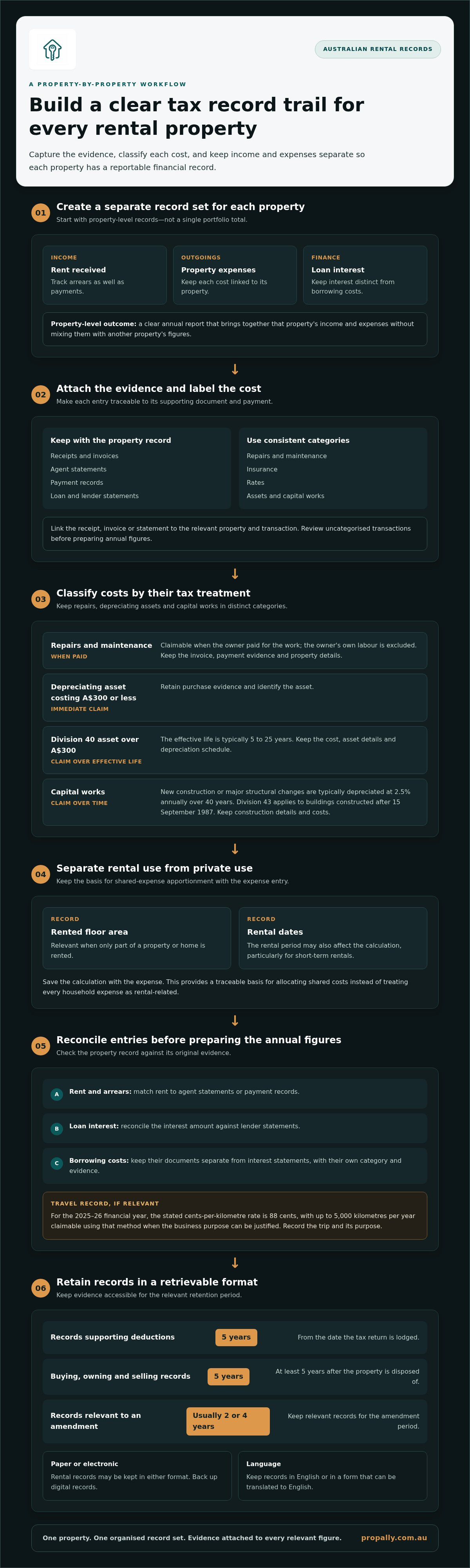
Timing is the key difference between an immediate expense and an asset claimed over time. Repairs and maintenance are claimable only when the owner paid for them, not for their own labour. Depreciating assets costing A$300 or less can be claimed immediately. Assets costing more than A$300 are generally claimed over their effective life, typically 5 to 25 years for Division 40 assets.
Building construction costs for new construction or major structural changes are typically depreciated at 2.5% annually over 40 years. Division 43 capital works depreciation applies to buildings constructed after 15 September 1987. Keep invoices and categorise each cost by property and type, so repairs, assets and capital works aren’t blended into one expense total.
| Cost type | Typical treatment | What to track |
|---|---|---|
| Repairs and maintenance | Claim when paid, excluding the owner’s labour | Invoice, payment and property |
| Depreciating asset costing A$300 or less | Claim immediately | Purchase evidence and asset |
| Division 40 asset over A$300 | Claim over its effective life | Cost, asset details and schedule |
| Capital works | Typically depreciated over time | Construction details and cost |
Choose software that lets you categorise each cost and retain the document supporting it.
Rental and personal-use apportionment
Apportionment separates rental activity from personal use. For a short-term rental of part of a home, calculate expenses using the rented floor area and the number of days it was rented. If only part of a property is rented, floor area is generally relevant, and the rental period may also affect the calculation.
For example, record the rented area and rental dates separately from private use. This creates a traceable basis for allocating shared expenses instead of treating every household cost as rental-related. Keep the calculation with the expense entry, particularly when rental availability and personal occupancy change during the year.
Receipt capture and expense categorisation
Receipt capture links each expense to its evidence, payment and property. Save receipts, invoices and agent statements under clear categories, such as repairs, insurance or rates. Use consistent labels across properties, then review uncategorised transactions before preparing annual figures.
Australian rental records may be kept electronically or on paper; digital records should have a backup. Keep them in English or in a form translatable to English. Owners should retain deduction records for 5 years from the date they lodge their tax return. Records about buying, owning and selling a property must be kept for at least 5 years after disposal.
For depreciation evidence, retain purchase and construction details that support the asset or capital works entry. An amendment may mean relevant records need to be kept for the amendment period, usually 2 or 4 years.
Income, expenses and loan-interest records
Record rent payments, arrears, property expenses and loan interest separately. Match rent to agent statements or payment records, and reconcile loan interest against lender statements. A property-level annual report should bring these entries together without mixing one property’s costs with another’s.
For travel, the stated cents-per-kilometre rate for the 2025-26 financial year is 88 cents, with up to 5,000 kilometres per year claimable using that method when the business purpose can be justified. Record the trip and its purpose. Keep borrowing-cost documents distinct from interest statements, so each amount has its own evidence and category.
Incomplete or inaccurate records make claimed amounts harder to substantiate. Reconcile entries with source documents before lodging. According to the Australian Taxation Office, an individual or trust that owns a rental property for more than 12 months before selling can reduce the capital gain by 50% before calculating tax.
Specialized accounting software for Australian rental properties
Specialist tools organise property finances around an investment portfolio, while general accounting apps focus on business accounts. Compare options by their reporting, workflow, integrations and suitability as your Australian portfolio grows.
Property management software and accounting apps
Property-management software focuses on tenancy workflows, such as rent payments, arrears and maintenance coordination. Accounting apps centre on transactions, reconciliations and financial reports. Rental accounting tools bring these needs together by grouping property income and expenses for portfolio reporting. Before choosing, list the work you need covered: tenancy administration, tax records, or both. This helps you avoid paying for workflows you won’t use.
| Option | Main focus | Useful comparison criteria |
|---|---|---|
| Property management software | Tenancy and operational workflows | Rent, arrears, repairs |
| Accounting app | Business accounts and transactions | Reconciliation, reporting |
| Rental accounting software | Property-level financial tracking | Portfolio views, tax categories |
| Spreadsheet | Manual entry and calculations | Control, upkeep, growth |
Accountant and property manager integrations
Integrations can reduce duplicate entry between the systems used by an owner, accountant and property manager. Check how the software transfers statements, transaction details and supporting documents. A useful workflow keeps each property identifiable after export, rather than merging transactions into one unexplained total. For example, an accountant should be able to distinguish a maintenance invoice from a management statement without manually rebuilding the records.
Automation and AI-driven insights
Automation can cut repetitive work such as importing transactions, sorting expenses and preparing regular reports. Treat AI-generated insights as an analysis layer, not a substitute for source documents or review. A system might flag an unusual expense or a missing transaction for investigation. Check the underlying entry against its statement or invoice before relying on an automated category or summary.
General business accounting software may suit investors who already use it for other activities. Its accounts, reconciliation and reporting tools can cover core finances, but property-specific categories and separate portfolio views become more important as holdings grow. Australian rental records should meet Australian Taxation Office requirements, so assess whether the system keeps evidence organised and easy to retrieve by property.
Compare software against your portfolio size, locations and budget. Then test a typical month: trace rent from statement to report, record a repair, and check that the relevant property remains clear throughout. Look for reporting that distinguishes each property while still showing the whole portfolio. If you plan to add properties, choose a setup that can scale without forcing a later migration.
For a central view of property cash flow, tax and compliance records, explore property portfolio tracking as part of your comparison. Choose the system that fits your actual workflow, rather than selecting features you won’t use.
Software costs and pricing
Compare software by its total cost and the work it removes from managing your rental portfolio. A free spreadsheet may suit one property, while several properties can require more tracking, reporting and document organisation. Include subscription charges, add-ons, setup effort and time spent correcting manual entries in your comparison.
Compare the full cost, not just the subscription
Start by listing the tasks you need each tool to handle: property-level income and expenses, receipt storage, loan tracking and annual reports. Compare each option against that list. A low subscription cost can still mean extra manual work if you have to sort every transaction or prepare separate reports yourself.
Include the time involved. For example, if rent statements arrive separately, note how long it takes to match each payment to a property. Compare that process with a system that consolidates statements. Include extra charges for users, document processing or integrations only when they apply to your chosen plan.
| Option | Cost considerations | Best fit to assess |
|---|---|---|
| Spreadsheet | Free option; manual setup and upkeep | Simple portfolio and confident record-keeper |
| General accounting app | Plan price and any add-ons | Investors already using accounting software |
| Rental accounting software | Subscription and property-specific functions | Property-level tracking and reports |
| Property management software | Subscription and tenancy workflows | Owners needing management functions |
| Combined workflow | Costs across connected tools | Investors using separate finance and tenancy systems |
Assess Xero plan pricing
When comparing Xero, check its current Australian plan price against the functions you’ll use for rental records, including any relevant add-ons. Confirm that the plan supports your accounts and reporting needs, then include the cost of any separate property-specific system you may need. A general accounting subscription may not cover the full rental workflow.
Next, compare the costs with the results for your portfolio. Reconcile rental income and expenses by property, then check whether each report shows cash flow clearly. A property with negative cash flow still needs accurate expense records: profit alone won’t show whether every transaction is categorised correctly.
Set a review point before renewing a plan or expanding your portfolio. Compare the current plan with the work completed during the year, including annual reporting and document handling. If a spreadsheet remains manageable, its free cost may be right for you. If manual work grows, weigh the effort against the software’s specific features and total subscription cost.
Keeping separate rental property records
Keep a separate financial record set for every Australian rental property. This lets you trace rent, expenses and cash flow without mixing one investment’s results with another’s. A portfolio summary can still show the overall position, but each figure should link back to the property and source document behind it.
Build a property-by-property structure
Create one folder or software record for each rental property or holiday home. Use consistent categories across your portfolio, and attach every transaction to the correct address. For example, label a plumber’s invoice with the property, payment date and repair category. Keep ownership and purchase documents with that property’s records, not in a general folder.
Separate income, operating expenses, loan interest and capital costs. This makes it easier to compare cash flow across investments and distinguish routine costs from improvements that may receive different tax treatment. Don’t combine transactions from a shared account into one property total without allocating each item to its source.
| Record group | Example | Property-level check |
|---|---|---|
| Rental income | Agent statement or rent payment | Match amount and rental period |
| Operating expense | Repair invoice or insurance payment | Confirm the property and category |
| Finance record | Loan interest statement | Identify the relevant loan and property |
| Capital cost | Renovation or structural work invoice | Keep project details with the asset |
Keep cash flow visible, not blended
Use a consistent process to bring together bank transactions, agent statements and invoices. First, assign each item to a property. Next, match the amount to its source document. Then review the property report before combining figures for the portfolio. For example, a negative cash flow result at one property shouldn’t disappear inside another property’s positive balance.
Clear separation also helps you review negative gearing calculations accurately, because each investment’s income and expenses remain traceable. The records show what was received and paid, rather than relying on a portfolio-wide estimate. Keep the supporting evidence with each entry so an accountant can follow the calculation.
Use a repeatable filing routine
Choose a naming format, such as property address, document type and date. File each new agent statement or invoice as it arrives, then review outstanding items regularly. Back up digital records; paper records can use matching property folders. Keep records in English or translatable to English, and retain separate records for each rental property or holiday home.
A practical test is to select a transaction and trace it from the source document to the correct property report. If the connection is unclear, fix the label or allocation before preparing annual figures. This keeps portfolio reporting useful without losing the detail behind each property’s investment.
What records must Australian rental property owners keep for tax purposes?
Keep a separate record set for every Australian rental property or holiday home. Include documents showing rental income received, expenses paid and the basis for each deduction. A useful record links the transaction, date, amount and property to supporting evidence, such as an agent statement matched to rent payments.
Keep income and expense evidence together
For each property, retain records supporting rental income and claimed expenses. These may include agent statements, rent records, invoices, receipts and loan statements. Match each document to the relevant transaction and property. For example, file a repair invoice with its payment record, not in a general household folder.
Keep documents for repairs, loan interest, assets and capital improvements separate. These categories can have different tax treatment, so retain enough detail to identify what each payment covered. A renovation invoice should describe the work and property, while a lender statement should identify the relevant loan account and interest period.
Apply the correct retention period
Keep records of rental deductions for 5 years from the date you lodge the tax return. Records relating to buying, owning and selling a property must be kept for at least 5 years after the property is disposed of. If you amend a return, relevant records may need to be retained for the amendment period, usually 2 or 4 years.
Record-retention periods can overlap. For example, a purchase document may relate to ownership and a later sale, while an expense receipt supports a deduction in a lodged return. Keep each document for the applicable period rather than deleting an entire year’s folder when one retention period ends.
Choose an accessible storage format
Australian rental property records can be kept electronically or on paper. Back up digital records, and make sure records are in English or translatable to English. A practical digital folder can be organised by property, financial year and document type. Paper folders can follow the same structure, making invoices easier to find.
Use a consistent file name, such as the property address, document type and date. Save an agent statement with the matching rental period, and store receipts with their transaction details. This makes it easier to connect source evidence with the figures used to prepare a tax return.
Keep property records distinct
Don’t merge several properties into one undifferentiated file. A portfolio summary can show combined results, but each property’s income, expenses and supporting records should remain identifiable. This matters when properties have different loans, agents, rental periods or ownership documents. A clear property-level record trail makes it easier to review a figure and find its evidence.
Start by creating a record set for each address, then file new documents as they arrive. Review each set before lodging a return and note missing evidence. Organise your rental property records in a system that keeps property information together and accessible.
PropAlly: Starter Plan
PropAlly brings rental property cash flow, tax records, compliance and bond evidence into one dashboard. It can automatically read statements from agents and inboxes, helping consolidate records across properties and Australian states. State-specific compliance checklists and bond authority workflows add operational context, while ATO-aligned tax calculations support property-level tracking.
The Starter Plan suits investors organising a smaller portfolio, while the Business Plan is available as record-keeping needs grow. Use the dashboard to keep a clear view of each property’s information rather than treating the portfolio as one undifferentiated set of records.
Explore PropAlly’s plans and choose the one that fits your rental property record-keeping workflow.
Make your record-keeping fit your next investment move
Your record system should keep pace as your Australian property portfolio changes. A new purchase, a change in how a property is rented or a different ownership structure can add information to organise. Review your workflow when these changes happen, and make sure each property still has a clear, usable record trail.
The right rental property tax record-keeping software in Australia should support how you manage property information, not create another disconnected process. PropAlly offers Starter Plan, Pro Plan and Business Plan options for investors with different portfolio needs. Choose the level that suits your record-keeping workflow and how you want to oversee your properties.
Set your next step: identify the part of your property administration you want to bring into clearer order, then explore a suitable approach with PropAlly. Contact PropAlly about your rental property and take a practical step towards more organised portfolio records.
Frequently Asked Questions
Which software programs help Australian landlords track rental property tax records?
Australian landlords can use spreadsheets, general accounting apps or rental-property platforms, depending on their portfolio and workflow. PropAlly’s PropertyTax module tracks ATO-categorised expenses and provides a downloadable tax pack for an accountant. For example, an investor can use the pack to share organised property tax information during tax preparation. Compare how each option handles property-specific records, supporting documents and reports before choosing a system.
Can Australian landlord software export reports or integrate with myTax and accounting software?
Some landlord tools provide reports or files for tax workflows, but don’t assume they connect directly to myTax. PropAlly’s PropertyTax module provides a downloadable tax pack for an accountant, while Cashflow offers printable reports. Check whether a tool supports direct integration with your accounting software or myTax, or whether you’ll need to transfer figures manually. Keep source documents available to support the amounts you enter or share.
What are the risks and ATO penalties for incomplete or inaccurate rental property records?
Incomplete or inaccurate records can make claimed amounts harder to substantiate. Reconcile entries against source documents before lodging.