
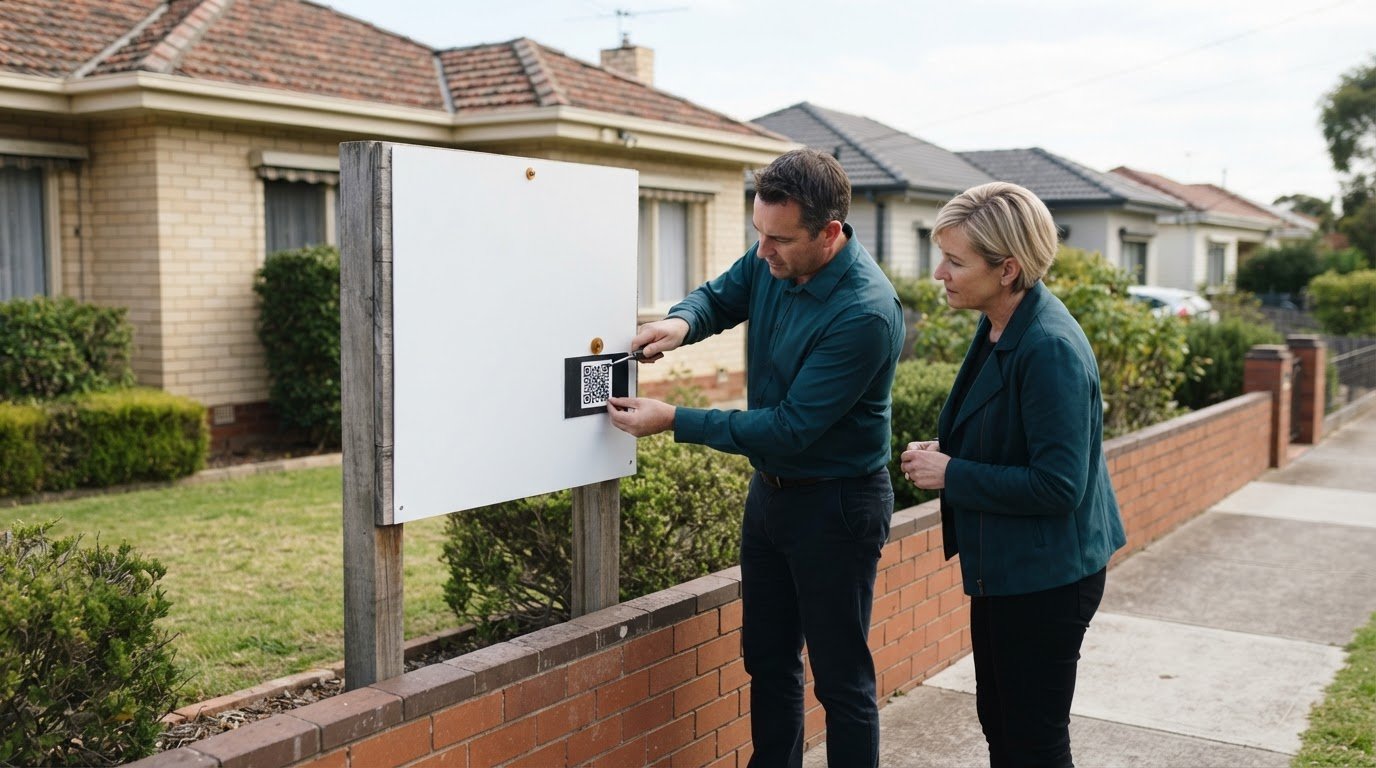
A Victorian Property Price Statement is more than a sale-price field. It must be prominently displayed in every online advertisement for a residential property for sale, while physical advertising must include a QR code or web address linking to it. Digital parsing for real estate statements in Australia can organise document information, such as sale prices and comparable-property details, into a clearer workflow.
Property information arrives in different formats and serves different purposes. A Property Price Statement for a sale is not the same as a rental agent’s statement, so identify the document type before extracting data. When information is spread across documents, manual handling can make records harder to organise.
This guide explains what Victorian Property Price Statements need to include, when the requirements apply and how digital parsing can support statement workflows. It also covers practical considerations for handling Australian property data, privacy and record-keeping, including where automation helps and where human review remains important.
Key Takeaways
- Identify whether a document is a Victorian Property Price Statement or a rental statement before deciding which details need to be captured.
- Learn how document format, field consistency and review processes affect the reliability of automated data extraction.
- See how a clear reconciliation workflow can connect parsed statement details with trust accounting records and flag differences for review.
- Understand the Australian privacy considerations involved in handling personal information with automated tools.
- Explore how PropAlly can organise agent statements and property data across multiple properties and states.
Which Australian real estate trust account statements and documents can be digitally parsed?
Digital parsing extracts structured fields from electronic property documents and scanned pages. For an Australian rental portfolio, these might include agent statements, trust account statements, rent summaries, invoices and bond records. Extracted details can be sorted by property, date, transaction type or agent, creating organised records from documents that might otherwise remain scattered across inboxes and folders.
Document purpose matters. A rental agent statement records activity for a tenanted property; a trust account statement shows transactions held in the trust account. An invoice supports a charge, while a bond record relates to a tenancy deposit. Parsing can capture visible details such as the property reference, statement period, transaction description and amount, helping distinguish one document from another.
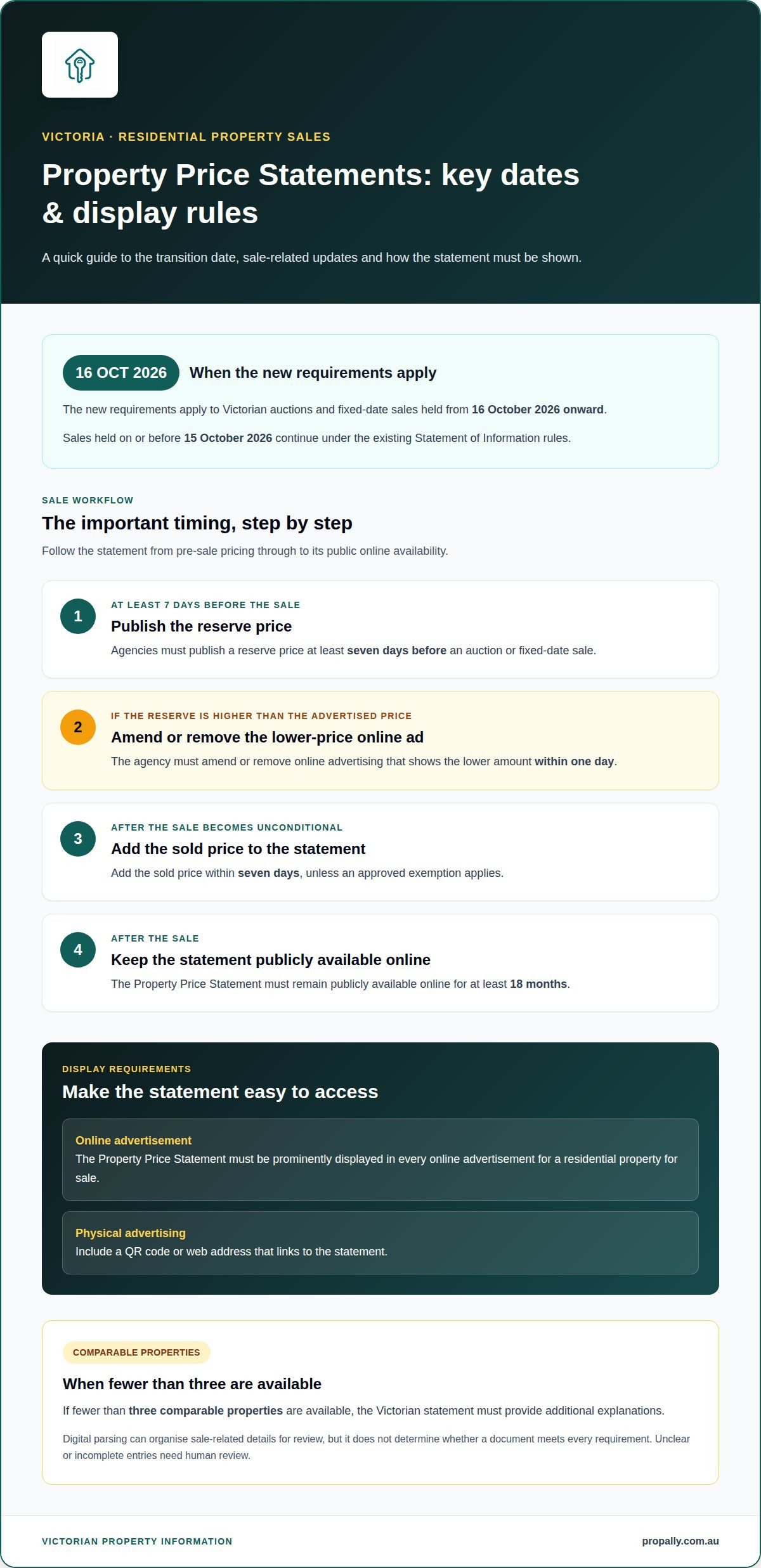
Property Price Statements belong to a different workflow. They concern residential property sales in Victoria, not rental income or trust account movements. From 16 October 2026 onward, the new requirements apply to Victorian auctions and fixed-date sales. Auctions and fixed-date sales held on or before 15 October 2026 continue under the existing Statement of Information rules.
A digital workflow can help organise sale-related details in a Property Price Statement for review. The statement must be prominently displayed in every online advertisement for a residential property for sale. Physical advertising must include a QR code or web address linking to it. Consistent digital records help manage the information associated with each sale.
- Rental records: agent statements, rent summaries and transaction statements, organised against the relevant property.
- Supporting records: invoices and bond documents, captured with their dates, descriptions and amounts.
- Sale documents: Victorian Property Price Statements, with reserve, comparable-property and sold-price details structured for review.
Victorian sale requirements also create time-sensitive updates. Agencies must publish a reserve price at least seven days before an auction or fixed-date sale. If the reserve exceeds the advertised price, the agency must amend or remove online advertising showing the lower amount within one day. The sold price must be added to the Property Price Statement within seven days after the sale becomes unconditional, unless an approved exemption applies. The statement must remain publicly available online for at least 18 months after sale.
If fewer than three comparable properties are available, the Victorian statement must provide additional explanations. Parsing can capture available comparison details and make the statement information searchable, but it does not determine whether a document meets every requirement. A practical workflow separates document types, extracts their fields and sends unclear or incomplete entries for human review.
What software in Australia can extract data from real estate statements?
Several software categories can extract information from Australian property documents. Optical character recognition (OCR) converts text in scanned pages into machine-readable text. Intelligent document processing adds classification and field extraction, such as identifying a statement date, property address or transaction amount. Accounting and property platforms can then organise the extracted fields for review or reporting.
Digital parsing for real estate statements in Australia works best when the software matches the documents and intended workflow. A portfolio receiving emailed agent statements may suit document-processing software that accepts PDF attachments and separates fields into records. A scanned trust account statement may need OCR first because its text is not directly searchable. A Victorian Property Price Statement needs a different template, with sale-related fields rather than rent and expense categories.
Before choosing a tool, map each document’s path from arrival to use. List the formats it receives, the fields you need and where each result should be stored. An agent statement, for example, might require a property identifier, statement period, rent received and expenses. Inconsistent labels may call for a configurable extraction template or a review step before using the data.
- OCR software reads text from scans and image-based PDFs.
- Document-processing software classifies files and extracts selected fields.
- Accounting or property software stores records and supports financial workflows.
- Investor dashboards can consolidate property information for portfolio oversight.
These software categories can work separately or as connected steps. OCR might read a scanned invoice, a document tool identify its supplier and amount, and an accounting system store the resulting entry. The hand-off matters: field names, property identifiers and date formats need to remain clear as information moves between tools.
Assess software using real Australian documents, not a generic demonstration file. Test an emailed rent statement, a scanned invoice and a statement with an unfamiliar layout. Check that the tool keeps source documents available, flags uncertain fields and lets you correct misread details. Also check whether you can group records by property and statement period.
Automation is most useful when it reduces repetitive entry without obscuring the original evidence. Staff should be able to trace an extracted amount to its source page, especially before using it for reconciliation or tax records. Keep sale and rental workflows distinct. For Victorian sale documents, test whether the process captures reserve prices and explanations about comparable properties, rather than treating every file as a rental statement.
Choosing digital parsing for real estate statements in Australia means matching document types to extraction features and defining how corrected fields are handled. Decide who reviews exceptions and how source files stay connected to extracted records. This creates a controlled workflow from incoming PDF to organised record.
How accurate is automated parsing of Australian property management statements?
No single accuracy percentage applies to every Australian property management statement. Results depend on the source file, layout, print quality and fields being extracted. A clean PDF with consistent headings is easier to process than a faded scan with handwritten notes. Accuracy also varies between recognising text and assigning it to the right property or transaction.
Consider an agent statement showing rent received, a management fee and a repair expense. Software might read each amount correctly but assign the repair expense to the wrong category. A statement using “maintenance” may also challenge a template expecting “repairs”. Review should therefore check both the extracted value and its meaning.
Errors can occur at several stages. OCR may confuse a character, such as a letter in a property reference. A date may be read in the wrong format, or a missed minus sign or decimal point may change how a transaction appears. Repeated headers, multi-page totals and low-resolution scans can also affect extraction.
Accuracy checks are most useful when they focus on fields with financial or organisational consequences. A practical review can compare:
- Property identity: confirm the extracted address or property reference matches the statement.
- Statement period: check that the captured dates cover the document’s stated period.
- Transaction values: inspect rent, fees and expenses against the source line.
- Classification: confirm each item, such as a repair invoice, has the intended category.
Test the software with documents from your actual workflow. Include a searchable PDF, a scanned statement and documents from agents using different layouts. Compare extracted fields with the visible source and record recurring errors. If a statement repeatedly mislabels a fee, adjust the field mapping or send that document type for review.
Confidence indicators can help direct staff attention, but they do not replace checking the underlying evidence. Review a low-confidence property address and any amount that differs from the visible transaction line. Keep the original document connected to its extracted record so staff can trace a question to the precise page and line, rather than relying on a standalone spreadsheet value.
Measure performance by field and document type instead of relying on one overall score. Track whether rent amounts, dates and property references need correction across different agent statement formats. This shows where extraction is reliable and where a template or review rule needs refinement. Reassess when source layouts change, as revised designs can alter field positions and labels.
Automated parsing is a structured first pass, not an accounting judgement. It can organise statement details for review while staff resolve ambiguous descriptions, unusual entries and mismatched property references. A controlled process saves time without treating every extracted value as correct.
How do Australian property managers reconcile parsed statements with trust accounting records
Reconciliation connects extracted statement details with corresponding entries in trust accounting records. Treat each parsed item as a candidate match, not an automatic confirmation. An agent statement might show rent received for a property during a particular period, while the trust ledger should contain a corresponding receipt linked to that property. Matching the amount alone is not enough: the property reference, transaction description and statement period also help identify the right entry.
A controlled workflow keeps each comparison traceable. First, group parsed records by property and statement period. Then match each transaction to its trust accounting entry using identifiers, dates, descriptions and amounts. Compare statement totals with the relevant ledger activity. If a statement records a management fee, check that the corresponding entry has the same property allocation and transaction meaning. Keep the source statement connected to the parsed record throughout review.
- Matched item: A rent receipt aligns with the property, period and amount recorded in the ledger.
- Possible timing difference: A statement and ledger show the same transaction under different dates. Hold it for review rather than treating it as a mismatch immediately.
- Unmatched statement item: A repair expense appears on the agent statement but has no clear corresponding ledger entry. Retain its description and source page for investigation.
- Duplicate candidate: The same transaction appears in more than one document. Compare references and dates before accepting both records.
Route exceptions consistently. Separate items with missing property references, changed descriptions or unclear amounts from records that match cleanly. A staff member can compare the extracted field with the source line, then correct the mapping or record the reason for a difference. “Maintenance” and “repairs” may describe related expenses, but the category should follow the established treatment in the accounting records.
Do not force a match just because two amounts look similar. A rent receipt and an expense can share an amount but relate to different properties or periods. Use the property identifier and transaction context to resolve the ambiguity. If a timing difference explains the variance, record that explanation with the reconciliation. If the source document does not resolve it, leave the item open for appropriate review.
A useful audit trail records the statement, extracted values, matched ledger entry and any correction. It should make the path from source document to final record clear. If a field changes, retain the original value and note why it was adjusted. This helps another reviewer distinguish a software misread from a staff correction to an accounting allocation.
Before closing the reconciliation period, review unmatched items and statement totals. A summary can show matched entries, outstanding differences and corrections awaiting approval. This gives Australian property teams a clear view of unresolved items without confusing extraction with reconciliation or treating parsed information as verified accounting evidence.
What Australian privacy, data security and record-keeping rules apply to digitally parsed real estate statements
Digitally parsed statements can contain tenants’ names, property addresses and financial details. Under APP 3, generating or inferring personal information using AI systems counts as collection and must comply with the Australian Privacy Act. That makes the data flow important: consider what information enters the system, why it is used, and who can access the resulting records.
From 10 December 2026, new APP 1.7 to 1.9 requirements require transparency about automated decision-making that substantially affects individuals. The OAIC launched a privacy compliance sweep in January 2026 targeting approximately 60 businesses across six sectors, including rental and property. These developments make clear records of automated processing increasingly relevant to Australian real estate workflows.
Keep personal information out of public AI tools. Do not enter client names, addresses or financial details. Instead, use a controlled process that limits access to statement files and extracted data. Assign access according to staff responsibilities, and avoid storing full statements in folders accessible to people who do not need them.
Privacy policy disclosures also matter. Privacy policy breaches can attract penalties of up to $66,000 per infringement in Australia. A clear explanation of how personal information is handled should reflect the actual workflow, including any AI-based extraction or use of automated decision-making that substantially affects individuals.
For each parsed document, retain a practical audit trail. Link extracted fields to the source statement, record corrections and note who reviewed an exception. If software misreads a tenant address, for example, keep the source, corrected value and review history together. This lets staff trace the record without relying on an unexplained spreadsheet entry.
- Limit collection: extract only the details needed for the property workflow.
- Restrict access: give staff access to records relevant to their responsibilities.
- Preserve traceability: keep source documents connected to extracted and corrected fields.
- Document automation: describe how information is processed and where human review occurs.
Record-keeping controls should distinguish source files from working data. Use consistent property references and statement periods so records can be retrieved and reviewed. Establish a process for correcting inaccurate fields and keep the reason for each material change with the record. These steps clarify how a figure moved from an agent statement into a portfolio record.
For a more organised way to manage statements and property records, streamline property statement workflows with a centralised digital process.
When preparing material for a public AI tool, remove client names, property addresses and financial details before entering or uploading it. If the agency needs those details for its work, keep them out of the public tool and use the controlled process instead.
PropAlly
PropAlly helps Australian property investors organise rental statements and property records in one dashboard. Its automated document processing reads statements from agents and inboxes, consolidating information across multiple properties and states. Cash flow, tax, compliance and bond evidence stay connected to each property, supporting a more orderly review workflow.
Turn to PropAlly when portfolio statements are becoming fragmented or you want property records alongside state-specific compliance checklists and bond authority workflows. The Starter Plan and Business Plan offer options for different portfolio sizes. PropAlly supports record organisation and tracking; it does not replace professional financial or tax advice.
Contact PropAlly to discuss organising your property statement workflow.
Make your property records easier to manage
Digital parsing for real estate statements in Australia works best when it supports a clear process, not just faster data entry. Decide how extracted information should move from the source document into your property records, who reviews exceptions, and how corrections remain traceable. A consistent approach can make statement handling easier to manage as your portfolio and document workflows change. PropAlly brings property information into a central dashboard, helping you organise records across properties and states. If you’re ready to make statement workflows more orderly, contact PropAlly about digital parsing. Take the next step towards a clearer view of your property information and a more structured way to manage it.
Frequently Asked Questions
What is digital parsing of real estate statements in Australia?
Digital parsing turns information in property documents into structured records. Software, for example, can extract a property address, statement period and transaction details from an agent’s PDF. You can then organise the information for portfolio tracking or further review. Extraction does not confirm that an entry is correct, so records used for financial decisions should remain traceable to their source document.
How much does real estate statement parsing software cost in Australia?
Costs depend on the subscription plan, portfolio size and document-processing needs. PropAlly offers a free plan and paid plans, with optional email document add-ons. Consider how many properties you track and how statements arrive, for example, through an inbox or as uploaded PDFs. These needs can help you choose a suitable plan and document-processing capacity without paying for more than your workflow requires.
How do manual data entry, OCR and AI parsing compare for Australian real estate statements?
Manual entry involves repetitive handling and can make records harder to organise. OCR converts text in scans into machine-readable text, while document-processing tools classify files and extract fields. The results still need review because layouts, scan quality and field meanings can cause errors.