
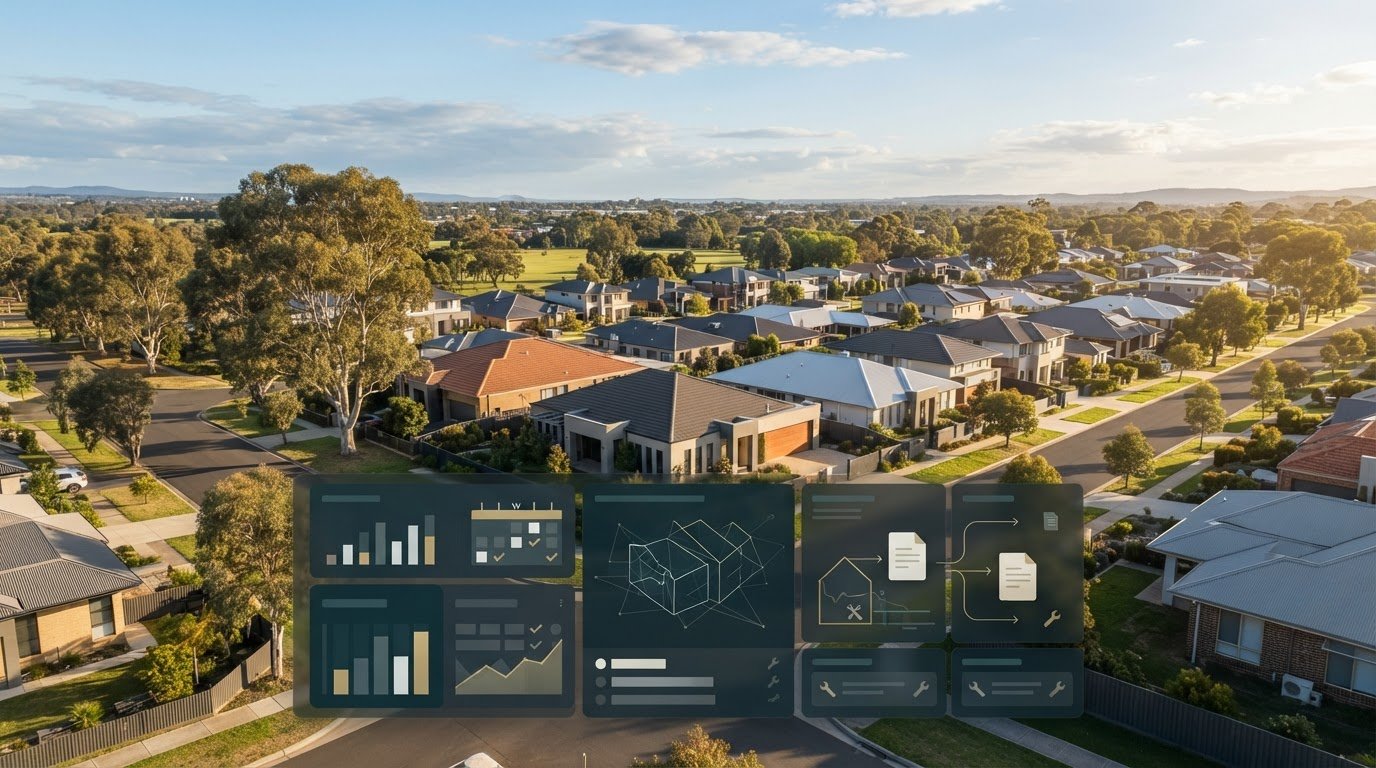
For self-managing landlords, residential tenancy compliance software in Australia should reflect the state or territory where each property is located. Prioritise state-specific bond workflows, notice and entry rules, minimum-standards tracking, and clear records for tax and evidence. Tenancy requirements vary between jurisdictions, so a single generic checklist can leave important details scattered.
Keeping rent, maintenance and compliance records organised takes more than a calendar reminder. You need a reliable view of what’s due, what’s been paid and what evidence is on file. This comparison explains which software features matter most for Australian self-managing landlords, including how to assess rent tracking, tribunal reports, maintenance records and data handling.
Different software suits different workloads, from basic record-keeping to broader property oversight. Use the criteria below to find a system that fits your portfolio and makes day-to-day administration easier to manage.
Key Takeaways
- Prioritise software with workflows tailored to the state or territory where each rental property is located.
- Look for rent records and arrears follow-ups that make payment activity easy to review.
- Keep condition reports, maintenance updates and supporting evidence organised for tribunal preparation.
- Compare data residency and support arrangements alongside the software’s core compliance features.
- Match the platform to your portfolio and record-keeping needs, then consider whether PropAlly’s plans suit your workflow.
What is the best property management software in Australia for landlords?
The right fit depends on whether you manage your own rentals or oversee an agency portfolio. Compare state-specific compliance coverage, rent and expense records, reporting, integrations and support before choosing.
Australian Property Management Platforms
Residential tenancy compliance software organises property records, deadlines and evidence so landlords can manage tenancy tasks in one place. Australian platforms range from landlord-focused tools to full agency management systems, which typically cover broader workflows. An agency managing a large rent roll, for example, may need a full platform rather than basic landlord software.
For investors, accounting features can help organise income and expenses across properties. Look for clear records and an annual tax summary, then check that the categories suit your accountant’s reporting needs.
Compliance Features and Integrations
Compare bond workflows, notice and entry reminders, minimum-standards tracking, rent records and document storage. Platforms also differ in how they connect with other property systems: some offer direct integrations, while others rely on exports or manual entry.
Government portal access varies. Don’t assume software submits information directly to a bond authority or government portal; distinguish portal workflows from record-keeping features. To implement a system, map each property, import lease and payment records, then test a sample workflow before applying it across the portfolio.
State and Territory Compliance Requirements
Tenancy rules are state-based, so bond processes, notice periods and minimum standards differ between jurisdictions. If you own properties in different states, assign records and reminders to each property’s location rather than relying on one national checklist.
There is no certification for Australian property management software companies that confirms compliance with trust accounting and other laws. Agencies should assess whether a trust account system has been audited by the relevant governing bodies and authorised trust account auditors in their state or territory.
Residential Compliance Software Costs
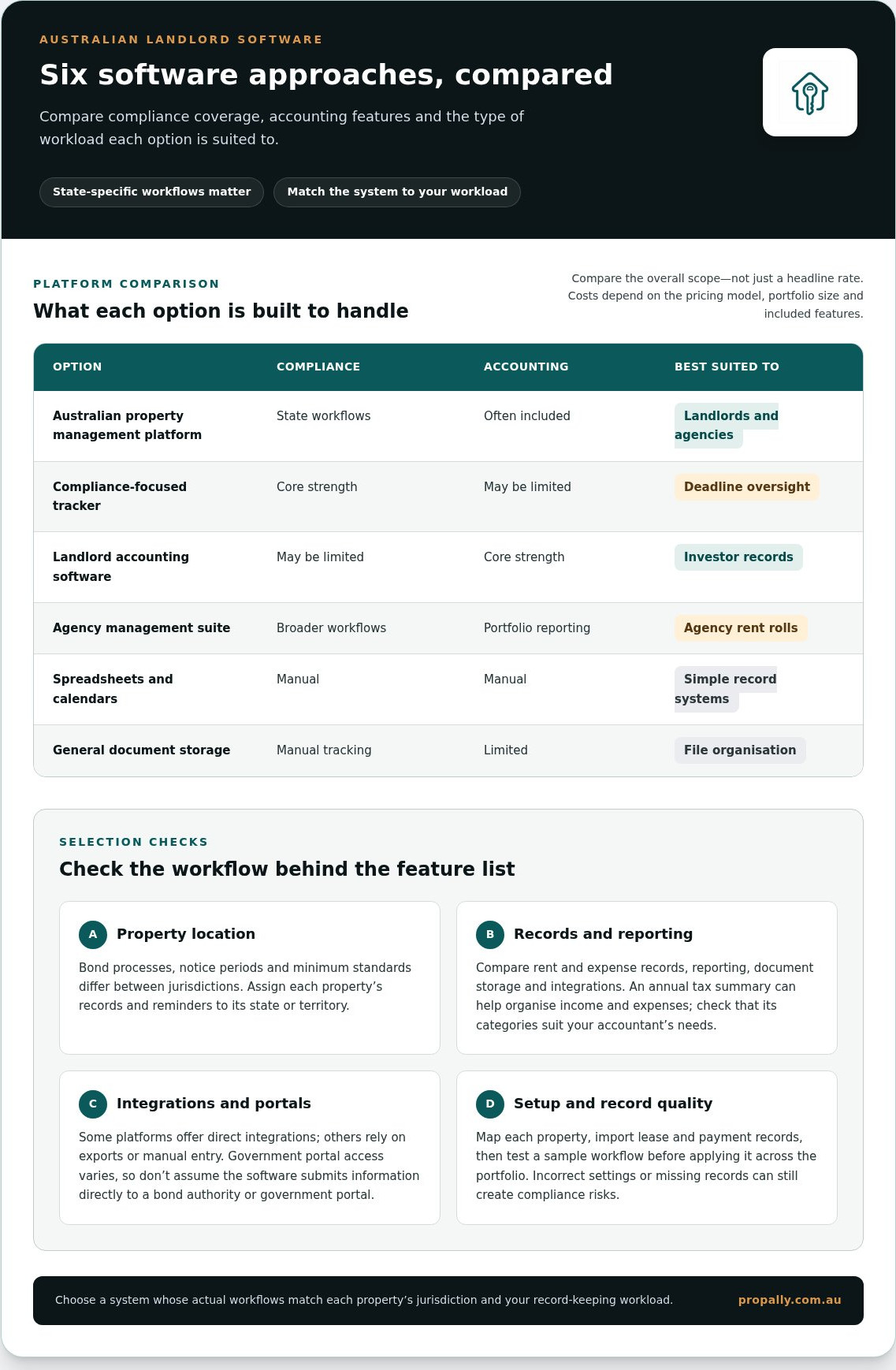
Software costs depend on the pricing model, portfolio size and included features, so compare the overall scope rather than a headline rate. Self-managing landlords often need organised records and automation rather than trust accounting, while agencies may need a broader system.
| Option | Compliance | Accounting | Best suited to |
|---|---|---|---|
| Australian property management platform | State workflows | Often included | Landlords and agencies |
| Compliance-focused tracker | Core strength | May be limited | Deadline oversight |
| Landlord accounting software | May be limited | Core strength | Investor records |
| Agency management suite | Broader workflows | Portfolio reporting | Agency rent rolls |
| Spreadsheets and calendars | Manual | Manual | Simple record systems |
| General document storage | Manual tracking | Limited | File organisation |
Software can organise tasks, but outdated templates, incorrect property settings or missing records can still create compliance risks. Match each property’s jurisdiction and workload to the platform’s actual workflows.
Automated rent receipting and arrears follow-ups
Rent workflows should link each payment to the correct tenancy and rental ledger. Compare receipt records, arrears reminders, payment history and rent-increase notice tracking.
Rent Collection and Rental Ledgers
Automated rent tracking records payments against a tenancy’s scheduled rent, while a rental ledger shows charges, receipts and balances over time. These features differ from general accounting software, which organises transactions by account category rather than by property and renter.
A landlord can use a ledger to compare a due date with a recorded payment and identify any outstanding balance. Check whether receipts can be generated and saved against the relevant tenancy. Keep bank statements and ledger entries aligned so each payment has a clear audit trail.
Rent Records and Payment History
A payment history makes it easier to see when rent was received, which period it covered and whether arrears remain. A useful record links each transaction to the property, tenancy and receipt instead of leaving the details across emails and spreadsheets.
Follow a consistent review process: match payments to the ledger, note discrepancies, then send an appropriate reminder. Automation can flag a missed or unmatched payment, but review the record before taking action. This matters when a bank transfer arrives with an unclear reference.
Rent-increase notices need their own compliance tracking. In Victoria, rent may be increased no more than once per 12 months, with 60 days’ written notice, according to Consumer Affairs Victoria. A checklist can record the last increase date, notice preparation and delivery, keeping the timeline with the tenancy file.
State-specific checklists help keep rent tasks distinct from other obligations. Assign each property to its jurisdiction, then link reminders to the relevant tenancy dates and records. Avoid generic calendar entries that don’t identify the rental or notice involved.
Agency management platforms may combine rent collection, ledgers and arrears workflows with reporting across the business. Self-managing landlords may prefer focused software that keeps payment history and accounting records clear without adding agency functions. Trust accounting is a separate requirement for agencies handling trust money, so assess it separately from ordinary investor income and expense tracking.
For a clearer view across rentals, organise Australian property cash-flow records alongside tenancy information.
Preparing reports for tribunals and legal proceedings
Tribunal preparation is easier when each rental property has an organised record trail. Before relying on a platform’s reports, compare its financial summaries, compliance history and condition evidence.
Income and End-of-Year Reporting
Income and expense reports organise rental transactions for review at tax time. Look for property-level summaries that separate rent received from expenses, and keep source documents linked to each entry. For example, a repair invoice should be traceable to the property and its payment record.
Useful landlord software can produce an annual tax summary and categorise expenses to meet the expectations of the landlord’s accountant and the ATO. Review categories before exporting the report. A clear summary helps an accountant follow the figures, while receipts and statements provide supporting detail when an entry needs explanation.
Compliance Reports and Audit Trails
Compliance reporting brings dates, actions and supporting files into a timeline. An audit trail should show what was recorded and when, such as a notice saved to a tenancy file or a checklist item marked complete. A basic reminder may show a due date without recording the related action or document.
For tribunal preparation, filter records by property and relevant event. A report might place a tenant communication, inspection record and follow-up action in sequence. Automation can reduce manual collation, but entries still need accurate dates, labels and attachments to make the report useful.
Condition Reports and Photos
Keep condition reports as written, form-based records, with photos as supporting evidence. During an inspection, organise observations by room or item, then attach images to the matching entry. A photo of a damaged window, for example, is easier to understand when its location and condition are described in the report.
Keep each property’s report and photos together. Consistent labels help distinguish an entry condition report from a later inspection or maintenance update. If a platform stores images without linking them to the relevant written form, the evidence can be harder to follow when preparing a tribunal bundle.
Audit-Ready Reports and Statements
Audit-ready reporting depends on clear records and suitable output formats. Check whether a platform can generate reports and statements in the formats you need, rather than only displaying figures on screen. A downloadable statement is most useful when its dates and transaction details match the rental ledger.
Before exporting, organise the file by tenancy and event, then check for missing documents or unexplained entries. Pair a rent statement with the relevant payment records, for example, and place inspection forms beside their supporting photos. This gives a tribunal reviewer a clearer account without treating software output as a substitute for complete evidence.
Maintenance records and tribunal evidence
A maintenance record should link the renter’s request to the action taken and evidence retained. Use a consistent process for each property, from the initial report through to resolution.
Maintenance Requests and Repair Records
A maintenance request records the reported issue, its location, when it was received and the follow-up. A repair record adds the work completed and related documents, such as an invoice or update. Unlike a general property note, it tracks one issue from report to resolution.
For example, log a leaking kitchen tap against the property, attach the renter’s message, then record the repair outcome. Keeping dates and documents together creates a clearer timeline if the issue later becomes part of a tribunal matter.
Inspections and Maintenance
Inspection records help connect observed property conditions with later maintenance requests. In Victoria, routine inspections require at least 24 hours’ notice and are limited to 4 per year. A landlord can record the inspection date, notice and any maintenance item identified in the same property file.
If an inspection identifies a damaged door latch, create a linked maintenance task rather than leaving the observation in a separate calendar entry. This preserves the sequence from inspection to repair and keeps routine property checks distinct from rent records.
For a self-managed portfolio, use a repeatable maintenance process: capture the request, assign a status, record communications, attach documents and close the task with its outcome. An agency managing a rent roll may need assignment and reporting across multiple properties, while a private landlord may prefer a simpler property-by-property view.
Good maintenance coordination depends on clear responsibility and progress records. Note who will follow up and what information is outstanding. For example, keep the renter’s original report alongside access arrangements and the completed repair record, rather than scattering evidence across messages.
When a dispute concerns an unresolved repair, chronology matters. Arrange the file by event: initial report, replies, inspection notes, repair updates and completion evidence. A dated sequence shows what was communicated and what action followed, without relying on memory to reconstruct the maintenance history.
Software can organise this record trail, but its usefulness depends on the quality of each entry. Use consistent issue names, identify the relevant room or fixture, and attach documents to the correct property. This makes it easier to retrieve evidence for one tenancy without mixing it with another rental’s records.
Australian data residency and support
Data residency concerns where rental records are stored; support concerns who can help resolve access or workflow problems. Assess both against the records your portfolio holds, from signed agreements and income summaries to arrears notes and maintenance evidence.
Separate the storage location from the location of the software company or its support team. An Australian business address alone doesn’t show where property data is hosted. Likewise, Australian support doesn’t establish where records are stored. Treat these as separate comparison criteria.
Before reviewing a platform’s data arrangements, map the information it holds. A tenancy file might contain a signed agreement, renter communications, payment history, inspection reports and repair invoices. Identify which records are uploaded, generated within the system or exported, then consider how each is accessed and managed.
Ask where data is stored, how backups are handled and how access is controlled. These details help distinguish local hosting from local customer support. For an agency managing properties across states, consider whether staff permissions can separate records by role or portfolio.
Support matters most when a workflow is blocked. An agency might need to locate an arrears record before following up on a payment or retrieve a signed document for a tenancy file. Clear help articles, in-platform guidance and an identifiable support channel can make the next step easier.
Compare support by the practical tasks it covers. Can users find guidance on importing income records, correcting property details or exporting documents? Is there a clear way to report an access issue? These questions focus on everyday landlord and agency workflows rather than broad claims about service quality.
Security and access controls also affect daily administration. Check whether users have individual logins, whether access can be limited by role and how access is removed for former staff. An agency, for instance, can assign property administration to the relevant team without making every portfolio record visible to all users.
Create a comparison record with separate fields for hosting location, backup arrangements, access controls, support channels and available guidance. Test a sample task on each platform, such as finding a signed lease or exporting an income report. This gives you a practical basis for comparing Australian tenancy software.
Choose the option whose data arrangements and support processes suit your records and workflow. Organise Australian rental property records in a central dashboard.
PropAlly: Starter Plan
PropAlly brings cash flow, compliance and bond evidence for Australian rental properties into one dashboard. Its Starter Plan suits self-managing landlords who want to organise records across states without adding agency management workflows.
The platform reads statements from agents and inboxes, consolidates information across multiple properties, and provides state-specific compliance checklists and bond authority workflows. ATO-aligned tax calculations help organise property figures, while the software supports record management rather than replacing professional tax advice.
For a larger portfolio, PropAlly also offers the Business Plan. Choose a plan that matches how you manage property information and which records you want to bring together.
Explore PropAlly’s plans and see how its dashboard can fit your rental record-keeping workflow.
Set up a system you can keep using
Decide how you’ll keep rental records organised as your portfolio changes. Set a consistent process for adding properties, recording tenancy activity and reviewing documents. A repeatable routine makes it easier to keep information current when responsibilities change or you add another rental.
Use residential tenancy compliance software in Australia as part of that process, not as a substitute for sound record-keeping. Assign responsibility for updates, keep property files organised and review how the system fits your day-to-day work. For self-managing landlords, a clear routine makes ongoing administration easier to manage.
If you want to explore how PropAlly could fit your Australian property records, contact PropAlly to discuss your needs. A well-organised workflow starts with a system that suits the way you manage your rentals.
Frequently Asked Questions
What features matter most for self-managing landlords?
Prioritise tools that connect property records with the tasks you handle. A landlord with an agent-managed property and a self-managed rental, for example, may need separate income records, document storage and state-specific reminders. Residential tenancy compliance software in Australia should make it easy to find a tenancy file, review its activity and export relevant records. Choose features around your actual workflow, not agency tools you won’t use.
Should I choose software with rent collection built in?
Choose built-in rent tools if you want payment records and arrears monitoring alongside other property information. Check what “rent collection” means in practice: RentSmart provides a rent ledger and arrears alerts, but that doesn’t mean the platform processes tenant payments. If your bank or agent already handles collection, a clear ledger and receipt records may matter more.
Which Australian tenancy laws and state-specific rules do compliance platforms cover?
Coverage varies by platform, so compare the jurisdictions and obligations included in its checklists. PropAlly’s ComplianceTracker provides state-specific checklists across Queensland, New South Wales, Victoria, South Australia, Western Australia, Tasmania, the Northern Territory and the ACT. Its monitoring includes smoke alarms, pool safety, RCD testing and gas certificates. For a portfolio across states, assign each property to its jurisdiction before relying on reminders.
What features should property managers look for in tenancy compliance software?
Agencies should assess whether software supports their staff workflows, document handling and reporting needs. PropAlly’s AI Email Automation reads Gmail or Outlook attachments through read-only access, categorises documents by property and drafts replies for a user to review before sending. This can help organise incoming records, while agency teams remain responsible for reviewing information and communicating with renters.
Which residential tenancy compliance software providers operate in Australia?
PropAlly serves Australian residential property investors and landlords, including those managing rentals themselves or through agents. Its dashboard brings property cash flow, compliance and bond evidence together, with Starter, Pro and Business plans. Residential tenancy compliance software in Australia also includes landlord-focused tools and agency management platforms. Compare each option by its intended user, state coverage and the records it helps organise.