
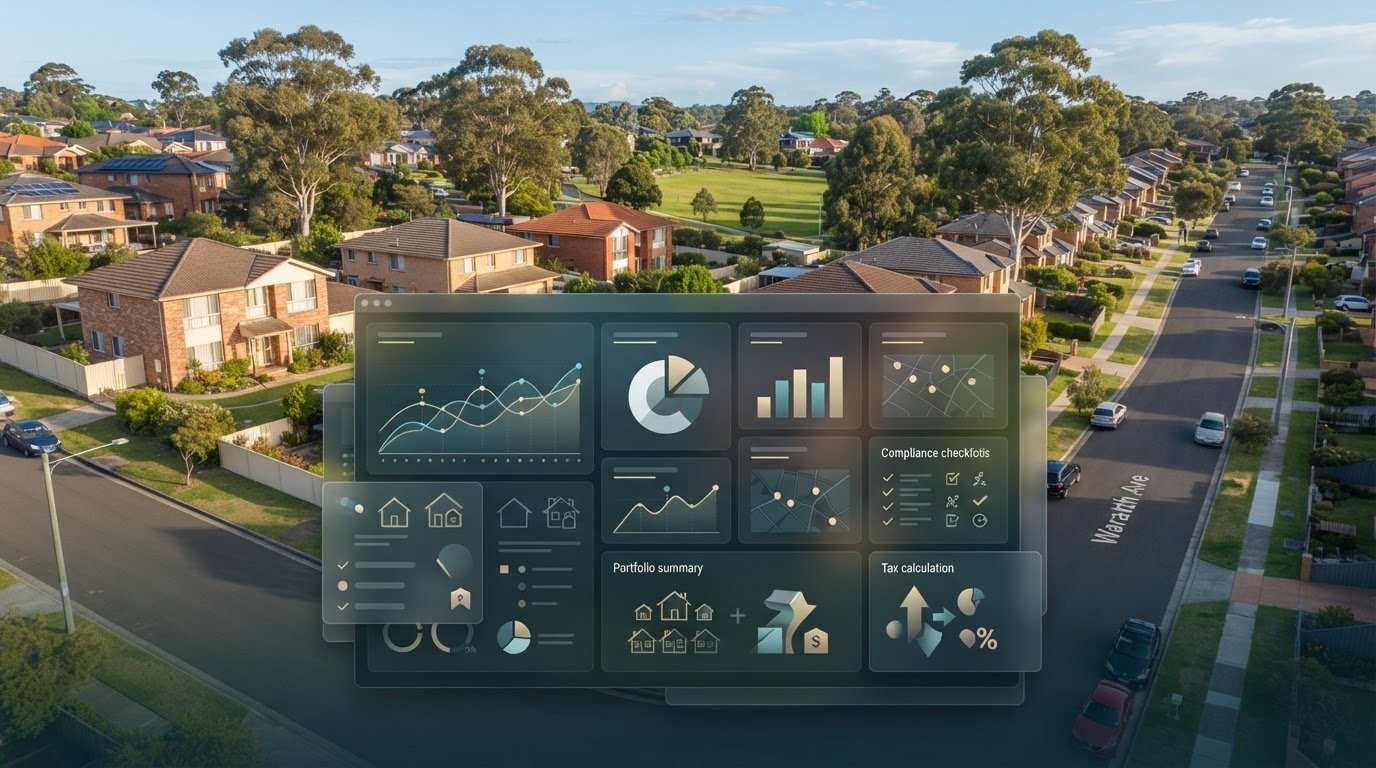
A longer feature list won’t fix a system built around another country’s rental and tax workflows. Stessa is currently available only to US-based residential income property owners. If you’re comparing Stessa alternatives for Australian rental properties, focus on which option fits the way you track an Australian portfolio.
It’s understandable to want more than a new dashboard. Rental income, agent statements, invoices and compliance records can end up scattered across inboxes and separate systems. Switching can feel like another administrative project, particularly if you’re concerned about keeping your records accessible.
This guide gives you a practical framework for comparing Australian-focused tools: how they bring property finances and documents together, support state-specific compliance workflows and help keep records organised. It also introduces PropAlly, an Australian-focused dashboard for rental cash flow, documents, compliance and ATO-aligned tax calculations. Use the steps below to assess your needs, remembering that software can organise information but doesn’t replace professional tax advice.
Key Takeaways
- Assess stessa alternatives for australian rental properties against the tasks your portfolio actually requires, not just the length of a feature list.
- Use a consistent framework to compare local tax-record support, document handling, portfolio visibility, state coverage and setup effort.
- Compare investor-focused platforms with spreadsheets, general expense tools and agency software to see which category fits your workflow.
- Make a measured switch: map your existing process, gather records, test a sample and keep original statements and supporting documents.
- Once you’ve set your criteria, consider whether an Australian-focused dashboard such as PropAlly suits your approach to rental-property administration.
Why Australian investors look beyond Stessa for rental-property software
Property software is shaped by the market it serves. A platform built around one country’s tax reporting and rental processes may not map neatly to Australian records, state-based compliance tasks or portfolio structures. That mismatch matters more than a long feature list. The useful question is not which tool has the most functions, but which one supports the work you need to do.
An Australian-fit property platform helps organise the records and workflows your portfolio relies on, from rental income tracking to locally relevant tax and compliance administration. Use that as your starting point when assessing Stessa alternatives for Australian rental properties. Your priorities will depend on how many properties you own, whether agents manage them or you self-manage, and how you collect and review information.
What should a Stessa alternative do for an Australian investor?
Start with recurring tasks: monitor cash flow for each property, keep supporting records together and review how the portfolio is performing. Then consider local requirements. Australian tax records and state-specific compliance workflows deserve particular attention because a general income-and-expense tracker may not organise information in the way you need to review it.
Keep the tool’s role clear. Property tracking software can help organise portfolio information, but it isn’t a property manager, tenant communications service or leasing platform. A tax calculation or organised record also doesn’t replace professional tax advice. These distinctions help you assess software for its actual purpose: making property information easier to manage.
When does it make sense to compare alternatives?
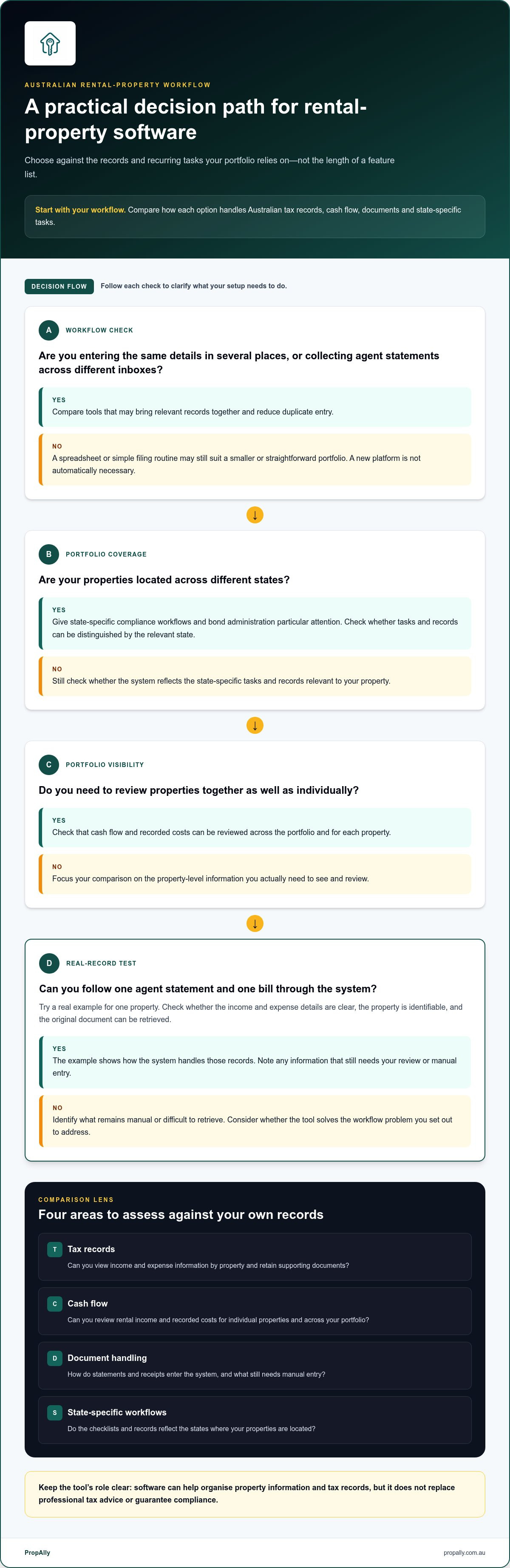
A comparison is useful when you enter the same details in several places, agent statements sit in different inboxes, or you piece together a portfolio view manually. These are practical signs that your current setup may be creating avoidable administration. They don’t automatically mean you need a new platform. A spreadsheet or simple filing routine may still suit a smaller or straightforward portfolio.
It can also make sense to compare tools before adding a property or changing how you manage existing ones. For example, an investor holding properties across different states may want a clearer way to separate records and compliance tasks. Someone with one property and a manageable record system may have different priorities. Automated document handling and paid subscriptions aren’t necessities for everyone. The right choice should solve a real workflow problem without adding complexity.
Before comparing options, list the tasks you repeat and the information you need at review time. Then test whether a tool can reduce duplicate entry, bring relevant records together and make your portfolio easier to oversee. Compare how platforms handle Australian tax records and state-specific workflows, but don’t treat software as a compliance guarantee.
The Australian rental-property features to assess before choosing an alternative
Compare systems against your actual records and workflows, not a generic feature checklist. A document-capture tool may reduce manual filing, for example, but that alone doesn’t show whether it helps you review rental income, organise Australian tax records or track state-specific tasks. The Real Estate Institute of Australia (REIA) provides national industry context. Your own portfolio needs should guide the software comparison.
Use a simple framework to separate useful functions from features you may never use. For each criterion, decide what information you need to see, store or review.
| Criteria | Why it matters | Questions to answer |
|---|---|---|
| Tax records | Organised income and expense information can make records easier to review. | Can you view information by property and retain supporting documents? |
| Cash flow | A consistent view can help you understand rental income and recorded costs across your portfolio. | Can you review properties together as well as individually? |
| Document handling | Statements and receipts may arrive through different channels. | How do documents enter the system, and what still needs manual entry? |
| State-specific workflows | Compliance processes and bond administration can vary by state. | Do checklists and records reflect the states where your properties are located? |
Tax records, cash flow and document handling
Test a real example, such as an agent statement and a bill for one property. Check whether you can later find the income and expense details, identify the relevant property and retrieve the original document. If the system captures information from statements or inbox documents, note what still needs your review or manual entry. Software can organise tax records; it can’t advise you how to treat them. You remain responsible for checking your records and seeking suitable tax advice. For more context, see this guide to the ATO rental property records app.
State-specific compliance and rental bond workflows
Generic reminders may not be enough for a portfolio spread across states. Look for a way to distinguish relevant state-specific tasks, organise bond authority information and retain supporting evidence alongside the right property. A useful test is whether you can identify what a record relates to and retrieve it when reviewing that property’s administration. An Australian investment property compliance checklist can help you map the processes you need to track.
Once your criteria are clear, assess whether an Australian-focused dashboard fits your workflow. PropAlly’s property-investor dashboard brings rental cash flow, tax, compliance and bond evidence into a portfolio view, with state-specific checklists and bond authority workflows.
Compare Stessa alternatives by workflow, not by feature count
Different tools solve different problems. Stessa is a US-focused property platform, spreadsheets are owner-maintained records, general expense apps centre on transactions, and Australian-focused property platforms are designed around local investor workflows. These categories aren’t interchangeable, and specific capabilities vary between products. Compare them by the work you need to complete rather than assuming every platform in a category offers the same functions.
The table is a starting point, not a rating. For each option, look for product information that answers your needs. If a feature or workflow isn’t clearly described, record it as unknown rather than treating it as included.
| Workflow | Stessa | Spreadsheet | General expense tool | Australian-focused property platform |
|---|---|---|---|---|
| Local workflows | Check how its US market focus fits the Australian tasks you need to manage. | Can be shaped to your process, but you maintain the structure. | Assess its transaction focus against your property-specific needs. | Designed for Australian investor workflows; check the functions of each product. |
| Document handling | Verify how your Australian records can be added and retrieved. | Depends on your filing method and how consistently you maintain it. | Check whether supporting property documents fit its intended use. | Compare the stated document workflows, not assumed automation. |
| Portfolio visibility | Check whether the available views answer your portfolio questions. | Requires a structure that lets you review properties together. | Assess whether you can connect transactions to individual properties. | Check how the platform presents property-level and portfolio information. |
| State coverage | Establish how relevant its workflows are to Australian state processes. | You can add state-specific fields, then maintain them yourself. | Don’t assume it covers property compliance by state. | Check whether state-specific processes are addressed. |
| Setup effort | Allow for assessing fit and organising your records for use. | Setup is flexible; ongoing upkeep rests with you. | Consider categorisation and any manual steps in your workflow. | Assess initial record organisation and routine review effort. |
How spreadsheets and general expense apps differ from property platforms
A spreadsheet gives you control over columns, categories and summaries, but that flexibility depends on keeping its structure accurate and consistent. A general expense app may help organise transactions, yet that alone doesn’t establish support for property-level records, state workflows or portfolio reporting. Decide whether you need a basic record of income and costs or a consolidated view across properties. For metric ideas, see this property portfolio performance tracker guide.
How to make a fair Stessa-versus-alternative comparison
Use the same sample property and recurring tasks in each option: enter or locate an agent statement, review a cost, then retrieve its supporting record. Note what’s verified, what remains unknown and where manual steps occur. This makes the comparison of stessa alternatives for australian rental properties practical: you’re measuring the effort required to capture, review and find information, rather than comparing feature counts in isolation.
Finish by asking whether each system gives you a usable view of the records you need, with an upkeep routine you can sustain. A feature that doesn’t support a recurring task may add clutter rather than value.
Plan a low-stress move from Stessa to another property tracking system
A platform change is easier to manage when you treat it as a workflow transition, not a bulk data task. First establish what you rely on today. Then test whether the replacement handles those tasks while keeping your original records accessible. Validate a new workflow with a small sample before relying on it across your portfolio.
Use this sequence to keep the transition controlled:
- List your workflows. Note how you record rental income and expenses, file agent statements and receipts, and review information for each property. Include recurring tasks and records you need to retrieve later.
- Gather your source records. Collect the statements, receipts and supporting documents you currently use. Keep original statements and supporting documents in their existing safe location during the transition. Treat the new platform as an additional working system until you’ve checked the sample process.
- Test a sample. Use one representative property and a small set of documents, such as an agent statement and a receipt. Check whether you can capture the information, review the resulting totals and locate the source documents clearly.
- Set a review routine. Decide how often you’ll check new entries, resolve anything that needs manual handling and confirm records remain organised. A consistent routine makes it easier to spot gaps before relying on the system for a broader portfolio view.
Prepare records and define the essential workflow
Build a property-by-property inventory before comparing migration effort or platform features. Include recurring agent statements, receipts, bills and any other records you need to organise. Then write down how each item moves from arrival to review: where it comes from, how you record its income or expense details, and where its supporting document is stored. This makes the essential workflow visible and helps you prioritise what the replacement needs to handle.
Test the replacement before changing the whole process
Keep the first test small and representative. Check that the information you enter or capture can be reviewed against the source statement and that the source document remains easy to find. Write down any steps that stay manual, including corrections or filing outside the platform. A smooth test with one document doesn’t prove every record type will work the same way, so expand gradually as you understand the process.
If document capture is part of your planned workflow, this guide to automating rental property data entry can help you identify where manual handling occurs. Keep a simple transition log: what you moved, what you tested and what still needs attention. That record can reduce uncertainty as you compare stessa alternatives for australian rental properties and decide whether to extend the new process to more properties.
For an Australian-focused way to organise rental cash flow, tax, compliance and bond evidence, explore PropAlly’s property-investor dashboard as part of your comparison.
Consider PropAlly for an Australian-focused rental-property workflow
Once you’ve defined the records and tasks that matter to your portfolio, assess PropAlly against those criteria. It’s an Australian property-investor dashboard that brings rental cash flow, tax, compliance and bond evidence into one view across properties. It helps investors organise information without providing tenant management or leasing services.
For anyone comparing stessa alternatives for australian rental properties, the practical question is whether a system fits the way Australian rental records are collected and reviewed. PropAlly can automatically read agent statements and inbox documents, helping consolidate information from different sources into the portfolio workflow. You can review property information through the dashboard instead of relying only on separate inboxes and records.
Where PropAlly aligns with Australian investor workflows
The dashboard covers rental cash flow, tax, compliance and bond evidence. Its tax calculations are ATO-aligned, while state-specific compliance checklists and bond authority workflows help organise relevant property records. These tools support record-keeping, but they don’t guarantee compliance or replace professional tax advice.
Consider how these capabilities fit your routine. If you receive statements from agents and documents by email, automated document reading can help bring those records together. If you hold properties across states, state-specific checklists help organise compliance-related tasks by location. Bond authority workflows and evidence tracking address another distinct record-keeping need. The value comes from how these functions fit together for your portfolio, not from having features you won’t use.
Choose a starting point that matches your portfolio
The Free Plan covers one property. Paid plans support portfolios of up to twenty properties. Optional Email Basic and Email Unlimited add-ons provide email document handling. Consider the scale of your portfolio and whether document processing belongs in your workflow, rather than assuming every investor needs the same setup.
A manageable next step is to compare one property’s recurring records against the tasks you identified earlier. Consider whether the dashboard, document reading and local workflows address an actual administrative gap. Keep your source documents available and continue reviewing records yourself. Organised information is useful, but decisions about tax treatment and compliance remain separate responsibilities.
If those capabilities align with your criteria, explore PropAlly's property investor platform as an Australian-focused option for bringing rental records and portfolio information together. Start with the workflow you most want to organise, then consider how the platform could fit your broader property administration. Start organising your Australian property records with PropAlly.
Make your next property-software decision with confidence
The best choice isn’t necessarily the tool with the most functions. It’s the one that makes regular property-admin tasks easier and leaves you confident about where to find the underlying records. Before settling on a new setup, choose one recurring task and use it to judge whether the workflow feels clear, manageable and suited to your Australian portfolio.
That practical test can turn a broad search for stessa alternatives for australian rental properties into a decision grounded in your own needs. Keep your priorities visible as your portfolio changes, too. A system that suits your records now should still make sense as you add properties or adjust how you oversee them.
If an Australian-focused investor dashboard fits the criteria you’ve set, take a closer look at PropAlly and consider how it could support your record-keeping workflow. Explore PropAlly's Australian property investor platform.
Choose a manageable next step and build from there. Clear records make the work easier to oversee.
Frequently Asked Questions
Is Stessa suitable for Australian rental properties?
Stessa is not designed for Australian rental workflows: as of October 2026, it’s available only to US-based residential income property owners. Its US focus means Australian investors should consider whether its reporting and processes match the records they need to maintain locally. A tool’s general usefulness for tracking property finances doesn’t automatically make its reports or workflows suitable for Australian rental-property administration.
What is the best Stessa alternative for Australian landlords?
There’s no single best option for every portfolio. The right choice depends on whether you need a basic record of income and costs, a consolidated view across properties, or help organising Australian tax and compliance records. Among stessa alternatives for australian rental properties, PropAlly is an Australian-focused option for investors seeking a dashboard for property information. Compare it with your actual tasks before deciding.
Can I use Stessa in Australia?
Stessa is currently available only to US-based residential income property owners, so Australian investors shouldn’t assume they can sign up for a supported Australian service. Availability is different from simply being able to view a website. Before relying on any platform, consider whether its intended users, reports and workflows match your location and the records you need for your Australian rental properties.
How do I compare Stessa alternatives for an Australian property portfolio?
Choose one property and trace a typical month of activity: an agent statement arrives, you record the rent and expenses, then locate the supporting documents for review. Apply the same test to each option. Note which steps are manual, whether records stay connected to the right property and whether you can view the information in the way you need. Record unknown capabilities as unknown, not as included.
Can property software replace an accountant or tax adviser?
No. Property software can help organise information and may support calculations, but it can’t replace advice tailored to your circumstances. For example, a dashboard might group rental income and expenses by property, while an accountant can help you understand how the information applies to your tax position. Keep source documents available and seek professional guidance when you need a decision about tax treatment.
How can I move my rental-property records to a new platform?
Keep a separate copy of your original statements and supporting documents before changing systems. Make an inventory of properties, records and the period you’re moving, then test a small sample in the new platform. Compare the information against its source and note any entries that need manual attention. Avoid treating a transfer as complete until you can still retrieve the originals and review the records clearly.
Does PropAlly offer a free plan for Australian property investors?
Yes. PropAlly’s Free Plan covers one property, making it a starting option for an investor who wants to explore how a property dashboard fits their record-keeping. Paid plans support portfolios of up to twenty properties. Consider the size of your portfolio and your intended workflow when choosing a plan; the platform’s subscription doesn’t replace checking your records or seeking professional tax advice.
Does property tracking software provide tax advice?
No. Property tracking software helps organise property information, but that isn’t the same as advice about your tax circumstances. PropAlly provides ATO-aligned tax calculations, which can support how you review rental-property information. They shouldn’t be treated as confirmation of how an item applies to your situation. If you’re unsure about tax treatment, consult a suitably qualified tax professional.
To organise rental cash flow, tax, compliance and bond evidence in an Australian-focused dashboard, explore PropAlly.