
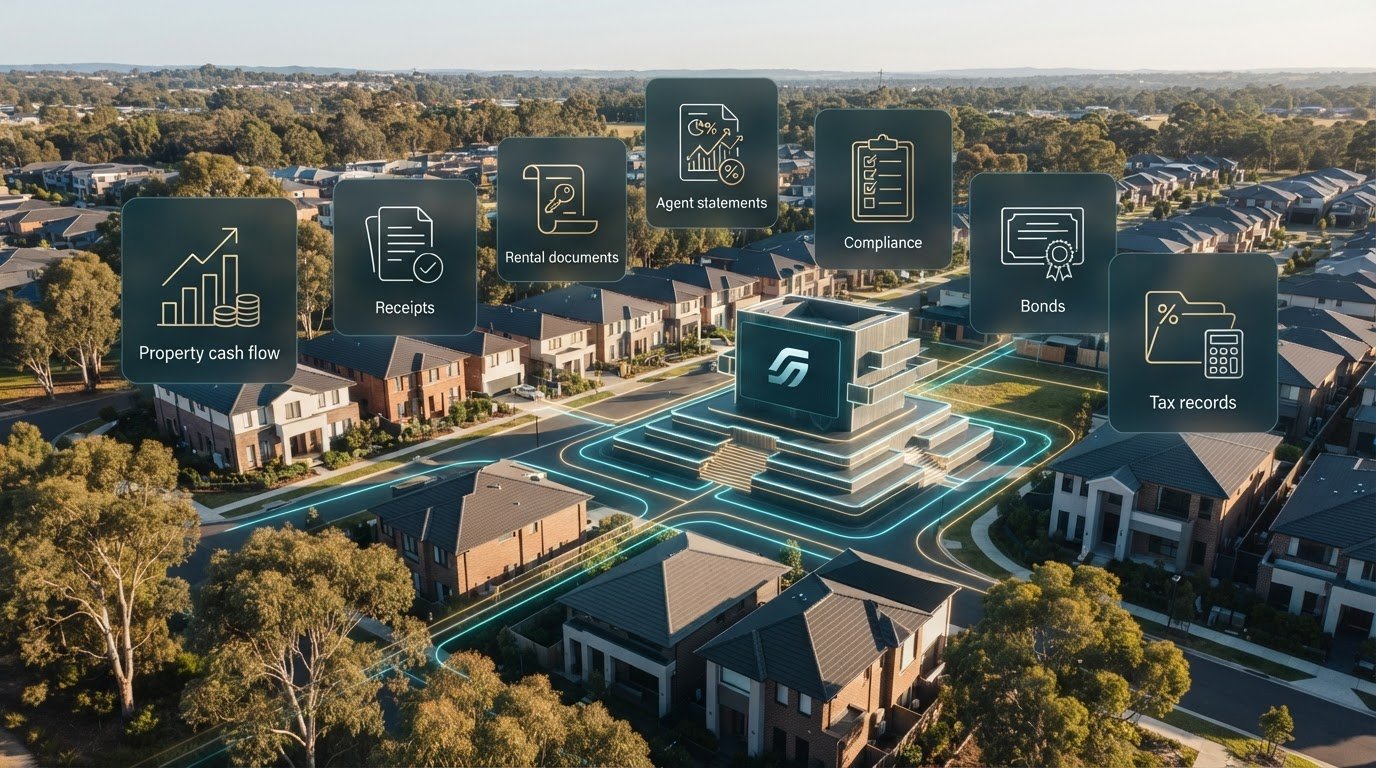
Replacing Xero with landlord specific property software doesn’t have to mean abandoning a useful accounting workflow. Xero handles general bookkeeping, but tracking income and expenses by property, sorting agent statements and keeping rental documents together can take extra manual effort. If you’re weighing up a switch, first decide which tool should handle each job.
It’s reasonable to want one clear view of your portfolio without losing financial records and processes you already rely on. A practical setup can separate general accounting from property administration, rather than expecting one system to do everything. For Australian investors, that distinction matters when rental records, state-specific compliance tasks and bond evidence all need to be organised.
This guide compares Xero’s general accounting role with the property-level workflows specialist software can support. You’ll see what to assess, including cash flow by property, agent statements, receipts, compliance records and tax-related information. Then we’ll map out a manageable transition: what to move, how to test the new workflow and how to keep historical records accessible. The goal is a clearer property-records hub while preserving useful accounting processes.
Key Takeaways
- Decide whether your priority is general bookkeeping, property-level records or both before changing systems.
- Compare software by how it handles rental cash flow, agent statements, documents, compliance tasks and bond evidence.
- When replacing xero with landlord specific property software, map your records and essential workflows first, then keep accessible copies during the transition.
- Separate property administration from non-property bookkeeping so each system has a clear role.
- Use PropAlly as a property-records hub for cash flow, tax, compliance and bond evidence across your rentals.
Replacing Xero for rental properties: what problem are you solving?
Before replacing Xero with landlord specific property software, identify the task that needs to change. You might keep Xero for general bookkeeping, move rental-property records into a specialist tool, or assess each part of your workflow separately. These options can work together: a property-focused system doesn’t have to take over every accounting function.
A general ledger records financial transactions; a property-records hub organises transactions and documents around each rental. This distinction helps you pinpoint whether the issue is bookkeeping itself or the effort of connecting each entry to the property, supporting documents and investor tasks it relates to.
The Australian property market includes varied ownership and investment arrangements, so there isn’t one software setup that suits every landlord. An investor with other business activity may have different bookkeeping needs from someone focused solely on rentals. Start with the work your records need to support, rather than assuming one platform must do it all.
Where Xero fits in an Australian rental-property workflow
Xero is general accounting software. It can suit landlords who manage bookkeeping alongside wider business finances, and it isn’t automatically the wrong choice for rental records. The practical question is how easily you can see activity property by property. That may require deliberate setup, such as using tracking categories, and consistent allocation of each transaction. If you categorise similar costs differently over time, comparing properties becomes harder.
Keep the boundary clear. Business income and expenses outside your rentals may belong in your general books, while property administration involves organising rental records and workflows. If you also run a separate business, assess those bookkeeping needs independently before deciding what to move.
What investors mean by landlord-specific software
Landlord-specific software is organised around rental properties and investor workflows. It can bring property-level income and expenses together with related documents and portfolio views, making it easier to identify what belongs to each holding. For Australian investors, relevant records may include property manager statements, bond evidence and state-based compliance tasks. The focus is on organising property information, not automatically replacing a general ledger.
Purpose-built doesn’t mean all-purpose. Property software isn’t automatically a complete accounting system, property manager or tax service. Its role depends on the features it provides. A property-records dashboard, for example, can bring cash flow, tax-related records, compliance tasks and bond evidence into one view, while other accounting needs remain separate. Define the gap first: do you need clearer property-by-property reporting, simpler document handling, a place to organise workflows, or a better connection between them?
Use that answer to plan a change without disrupting useful bookkeeping. List the records you need to see for each property, the tasks you want to organise and the accounting functions you still rely on. Then compare systems against that list. The aim isn’t a wholesale change for its own sake; it’s a clear division of work that keeps Australian rental records orderly.
What landlord-specific property software adds beyond a general ledger
Judge specialist software by the work it organises, not by the number of features on a checklist. For an Australian investor, a practical benefit is a clearer link between each property, its cash flow, supporting documents and recurring administration. That makes it easier to review your portfolio without piecing together statements and receipts from separate folders.
A landlord-software hub connects each rental property to its financial activity, documents and investor workflows. It can improve operational visibility, but it isn’t automatically a complete accounting system, tax-return service or source of tax advice. If you’re replacing xero with landlord specific property software, identify the property tasks you want to organise and the bookkeeping functions that still need a general ledger.
Property records, cash flow and agent statements
A property-level view lets you review rental income and expenses for each holding, then compare activity across your portfolio. Instead of relying on one combined total, you can see which property a statement or expense relates to. Where software reads agent statements and inbox documents automatically, it can also reduce repeated manual handling. Check extracted details against the original document, particularly when reviewing a transaction’s amount, property allocation or category. A dedicated guide to automating rental-property data entry can help you identify which repetitive steps are suitable for automation.
The aim is dependable oversight, not simply fewer keystrokes. A statement attached to the right property is easier to retrieve, and a consistent record trail makes portfolio reviews more straightforward. Consider whether a tool brings together the documents and cash-flow information you currently manage across separate folders or spreadsheets.
Australian tax records, compliance and bond evidence
Australian rental administration involves records and workflows that are easier to organise when connected to the relevant property. These may include tax-related documents, bond evidence and compliance tasks that vary by state. State-specific checklists and bond authority workflows help keep relevant items visible without treating the same process as applicable everywhere. For broader investment context, ASIC’s Moneysmart.gov.au property investment guide is a useful independent reference.
Keep the distinction clear: software can organise records and surface workflow information, but tax-related features don’t provide tax advice or prepare a tax return. For detail on which rental records to retain, consult a dedicated Australian Taxation Office rental-property records guide. When comparing systems, assess whether relevant documents and tasks are straightforward to find and review.
- Cash flow: Review income and expenses by property.
- Documents: Connect statements and receipts to the right holding.
- Workflows: Keep compliance tasks and bond evidence organised.
- Accounting: Retain separate bookkeeping processes where your wider finances need them.
PropAlly brings rental-property cash flow, tax-related records, compliance and bond evidence into one dashboard. It can automatically read agent statements and documents sent to your inbox. If those are the workflows you want to organise, explore PropAlly’s property-records dashboard.
Xero or landlord-specific property software? Compare the fit before switching
The right setup depends on what your current system handles well and where it creates extra effort. Xero’s general-accounting role may remain useful, while property-specific software can focus on rental records and investor workflows. Compare the jobs each system needs to do, not just the product names. Preserve what works and address the gaps that matter to your portfolio.
Use this matrix to identify where each system may fit. A specialist tool’s role depends on its features, so treat the property-software column as a guide to the types of workflow it can support, not a promise that every product handles every task.
| Task | Xero’s general-accounting role | Property-software role | Decision prompt |
|---|---|---|---|
| Property-level visibility | Can organise accounting data, but property-by-property reporting may require deliberate setup and consistent transaction allocation. | Can group cash flow and records around individual rentals and the portfolio. | Can you review each property without extra sorting or manual reconciliation? |
| Documents and agent statements | Supports bookkeeping records, while locating a particular property’s statement or receipt may involve separate handling. | May connect property documents to the relevant holding, with statement-reading automation available in some tools. | How much time goes into sorting, entering and finding rental documents? |
| Australian compliance and bond evidence | Provides a general accounting environment, rather than a dedicated state-based property workflow. | May organise state-specific checklists and bond evidence or authority processes. | Would a property-centred view make these tasks easier to track? |
| Non-property bookkeeping | Can support broader business accounting processes alongside rental transactions. | Usually focuses on investor and rental-property workflows. | Which existing business processes must remain intact? |
Property software may present tax-related records or calculations, but neither organised records nor software calculations replace professional tax advice or tax-return preparation. Decide how those outputs fit with your existing accounting and tax processes. A property-records hub can be useful without replacing your general ledger.
When keeping Xero may still make sense
If Xero already supports wider business bookkeeping or established processes, keeping it may avoid unnecessary disruption. Document how transactions are categorised, reviewed and shared with your accountant. Then assess a specialist property tool against the rental tasks that remain awkward. Replacing Xero with landlord specific property software doesn’t require removing every accounting workflow you rely on.
When a property-specific hub may be the better fit
A dedicated hub may suit investors whose cash-flow view is split across property files, agent statements and separate compliance or bond records. Test how quickly you can connect a rental transaction to its property and supporting evidence. If portfolio performance is hard to see, a consistent property-level view can help you review the information behind each holding. Use an Australian property portfolio performance tracker guide to refine what you want to monitor.
Make the decision against your actual workflow: keep Xero where general bookkeeping matters, and use specialist software to add structure to rental administration. A good fit preserves reliable accounting processes while making property records easier to review. No single tool is automatically right for every Australian investor.
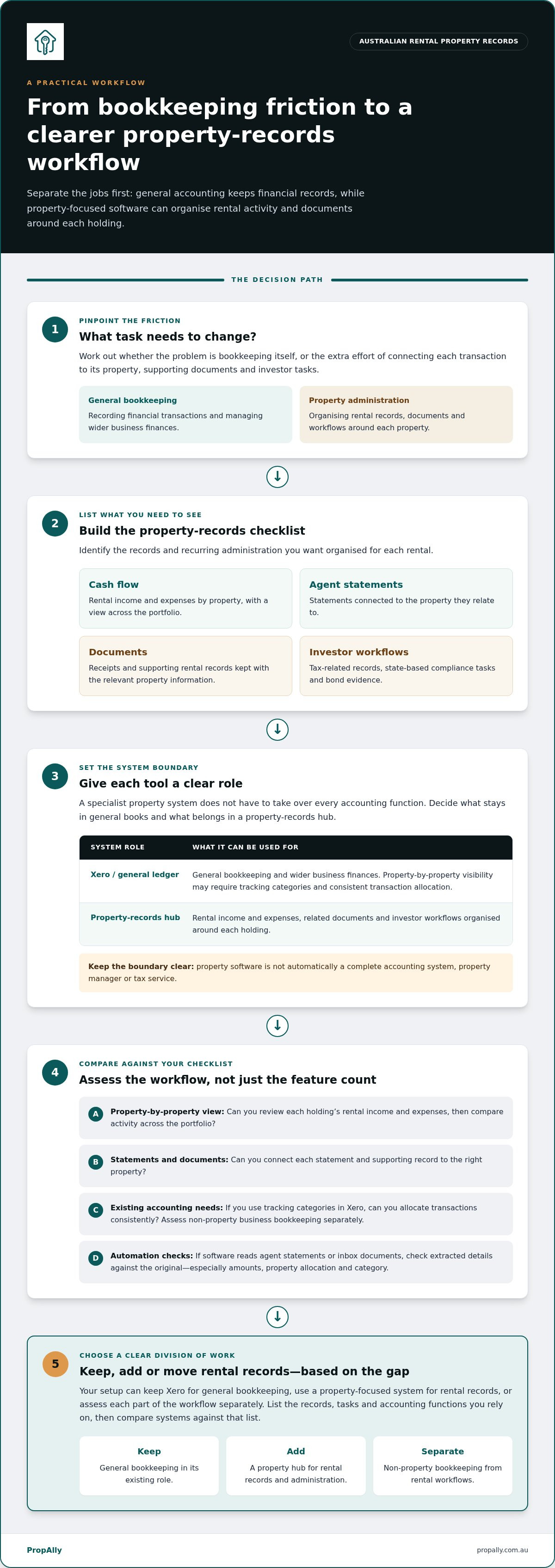
How to move from Xero to landlord property software
A controlled changeover starts with a record map, not an immediate data dump. Before replacing xero with landlord specific property software, decide which information must carry forward, which workflows need to change and what your accountant needs to receive. Treat the move as a staged review so you can spot gaps before relying on the new process across your portfolio.
Inventory records and workflows before changing tools
Make a working inventory of your rentals and the records attached to them. Include income and expense categories, agent statements, receipts, existing reports, compliance tasks and bond evidence. Separate rental-property information from other business accounts and personal financial records. This boundary helps prevent unrelated information from entering a property workflow or rental documents from being overlooked.
- Properties: Record each holding and the period covered by its records.
- Transactions: Note income and expense categories, including how you currently allocate them.
- Documents: Identify agent statements, receipts and reports, and where the originals are stored.
- Workflows: Mark compliance and bond-evidence tasks, noting where processes differ across Australian states.
- Hand-off: Write down what your accountant expects to receive and in what format or routine.
Discuss the hand-off with your accountant before changing established reporting routines. Agree which records they need, how to group them and how often to provide them. This is an administration step, not tax advice. It also gives you a practical standard for checking whether the new workflow produces the information your accountant relies on.
Move in stages and protect record continuity
Organise source documents by property and relevant period before importing or re-entering information. Keep accessible copies of statements, receipts and existing property records throughout the transition. Don’t assume every historical item will move into the new system. Maintain an archive so you can retrieve records that aren’t part of the active workflow.
- Map the current setup. Document where each record lives and how you review rental activity today.
- Choose essential workflows. Prioritise the records and tasks the new property system must handle, rather than trying to change everything at once.
- Test one property. Set up a sample property using its existing source documents. Compare the resulting records with the originals, checking that income, expenses, statements and supporting files are assigned correctly.
- Review before expanding. Check whether the sample workflow supports your reporting routine and accountant hand-off. Fix missing or misclassified information before reorganising the rest of the portfolio.
Keep the old process available until you’ve reviewed key records and reporting routines. It gives you a reference point if an amount, document or category is unclear and avoids relying on an untested workflow too soon. Once the sample is consistent, use the same organised approach for other properties and retain your archive for future reference.
For a structured place to organise rental-property cash flow, documents, compliance and bond evidence, set up your property-records workflow with PropAlly.
Use PropAlly as your Australian property-records hub
Once you’ve mapped the records and workflows you want to improve, PropAlly gives you a property-focused place to organise them. It’s an Australian property-investor dashboard for rental-property cash flow, tax, compliance and bond evidence. Its role is to bring property information together, not to replace every function of a general-purpose accounting ledger.
How PropAlly supports property-specific administration
Use the dashboard to view property records and cash-flow information in a rental-investment context. PropAlly can automatically read agent statements and documents sent to your inbox, helping consolidate information that might otherwise need repeated manual handling. Review those records alongside compliance tasks and bond evidence. State-specific checklists and bond authority workflows help organise different administration needs across an Australian portfolio.
PropAlly also provides ATO-aligned tax calculations to support the organisation of property-related tax information. These calculations and records aren’t financial or tax advice, and they don’t replace professional advice or tax-return preparation. Keep that distinction clear when deciding which work belongs in your property hub and which remains part of your accounting or tax process.
For investors replacing xero with landlord specific property software, the practical question is whether a property-centred dashboard will make rental administration clearer while preserving the general bookkeeping workflows they still need. PropAlly is designed around the property-records side of that decision: cash flow, documents, compliance and bond evidence in one view.
Choose a plan around your portfolio workflow
PropAlly offers a Free Plan, Starter Plan, Pro Plan and Business Plan. The Starter Plan is a suitable next step for investors seeking a dedicated property-records hub. Consider the number of properties you want to track and the workflows you want to bring together. PropAlly has a free tier for one property and paid plans for portfolios of up to twenty properties. Optional email document add-ons support automated reading of agent statements and inbox documents. Use the PropAlly Starter Plan guide to understand how that plan fits your intended setup.
Before moving your wider portfolio, follow the staged approach from the previous section: organise source records, test a property workflow and review the result against your existing documents. This helps you assess whether the dashboard supports the property-level view you need before changing established routines. Keep copies of key records accessible and maintain any separate general-accounting processes that remain useful.
Bring rental-property cash flow, documents, compliance and bond evidence into a dedicated workflow with PropAlly.
Set up a clearer system for your next property decision
Think of the software decision as setting a reliable operating model for your portfolio, not simply swapping one platform for another. Decide where each type of record belongs, who keeps it current and how you’ll review it as your investment needs change. Clear ownership and consistent filing can reduce duplicated effort and make future changes easier to manage.
Replacing xero with landlord specific property software doesn’t have to be an all-or-nothing move. Choose a setup that supports property administration while preserving the accounting processes you still depend on. A deliberate decision gives you a stronger foundation as your portfolio evolves.
Ready to organise your rental-property workflow in one dedicated place? Explore PropAlly’s property-investor dashboard.
Frequently Asked Questions
Is Xero designed specifically for Australian rental property investors?
No. Xero is general accounting software, not a product built specifically for Australian rental-property investors. To assess its fit, check whether your reports are clear without repeated interpretation or adjustments. Note how often you need to explain a transaction’s purpose or locate its supporting evidence for your accountant. That gives you a practical measure of whether your setup supports investor workflows as well as recording transactions.
Can landlord-specific software replace Xero for all my finances?
Not automatically. Before relying on a property-focused tool for all financial administration, list the non-rental activity you currently manage, such as business purchases, payroll or GST records where relevant. Decide where those records will be maintained and who is responsible for reviewing them. This helps prevent a change to rental administration from leaving other financial tasks without a clear process.
Will switching property software change my tax obligations?
No, changing software by itself doesn’t change your tax obligations. However, a mid-year change makes it important to check that year-to-date totals and category mappings are consistent across your old and new processes. Ask your tax professional to review any uncertainty before relying on those figures. Treat software calculations as working information, not a determination of your final tax position.
Can one property dashboard organise rentals across different Australian states?
Yes, a portfolio dashboard can provide one place to view rentals in different states. Keep each record tied to the correct property and state, and use consistent labels across documents and internal notes. This helps prevent a receipt, task or bond reference from being confused with another holding, particularly when reviewing several properties together.
Does landlord-specific property software prepare and lodge my tax return?
Not necessarily. A property tool may help assemble figures, but don’t assume it prepares or lodges a return. Establish who will review the figures, prepare the return and submit it. Keep questions about how an item should be treated with your tax professional, and use the software as an administrative record rather than a substitute for that work.
What should I do with my Xero records before moving to another workflow?
Set a clear cut-off date for the old workflow and decide how to handle transactions that cross that point. During any overlap, record which system is the source of truth for each transaction to reduce the risk of duplicate entries or omissions. Once the new process is running, compare the first reporting period with the relevant bank activity and source documents, then resolve discrepancies before expanding the change.