
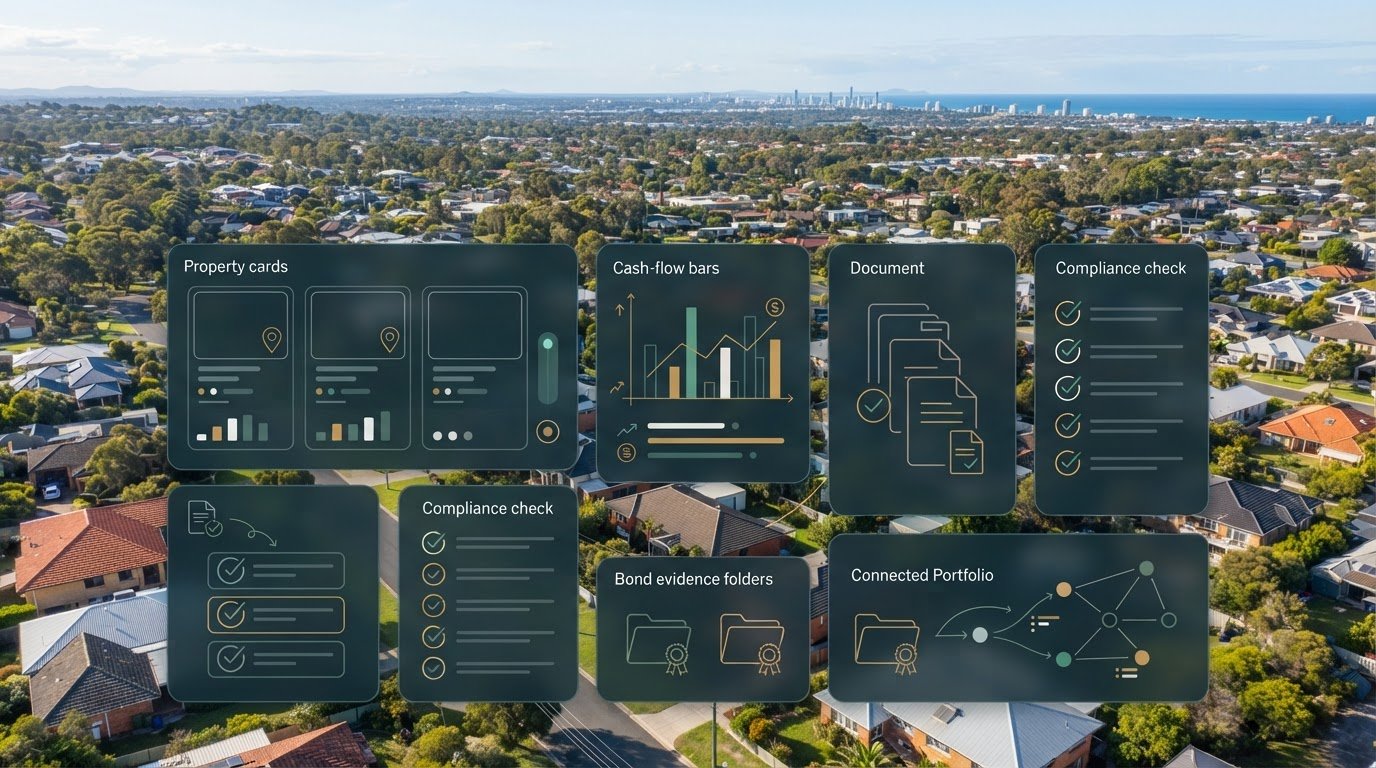
The best RentingSmart alternative may not be the platform with the longest feature list. This rentingsmart alternative australia comparison starts with the work behind each property: tracking rent and expenses, organising agent statements and tax records, and keeping bond evidence and compliance tasks together. When those details are scattered across inboxes and spreadsheets, it’s hard to tell whether a tool will genuinely simplify your administration.
Landlord management software and investor tracking tools can support different workflows. The right fit depends on whether you need help with tenancy tasks, tax-focused records or a clear view across a multi-property portfolio, including properties in different states.
This guide compares RentingSmart and alternatives such as Rental 360 by their practical focus, then looks at how PropAlly brings cash flow, tax, compliance and bond evidence into one investor dashboard. Use the comparisons to identify the workflows that matter to your portfolio, without mistaking software for a property manager or tax professional.
Key Takeaways
- Choose a RentingSmart alternative by matching its workflows to your portfolio tasks, not by counting features.
- Separate investor tracking dashboards from tools focused on tenants, leases and day-to-day property operations.
- Compare how each option handles cash flow, agent statements, tax records, compliance and bond evidence.
- Map your properties, agents and states before comparing document capture, automation and manual record-keeping.
- Consider whether a single workspace for cash flow, tax, compliance and bond evidence would make your property administration more organised.
Rentingsmart alternatives in Australia: what are investors actually comparing?
A RentingSmart alternative isn’t simply another landlord app. It’s a tool whose workflows match how you track a portfolio: where income and expenses are recorded, how documents are gathered, and how property-level information stays organised. The practical question is not which platform has the most features. It’s which one supports the records you need to maintain.
That distinction matters because real estate investing involves more than tenant interactions. An investor may want a clear view of cash flow and organised tax records, while a self-managing landlord may prioritise tasks connected with tenants, leases or property operations. Some tools overlap, but their main purpose can differ.
Is an investor dashboard the same as property management software?
Not necessarily. An investor dashboard centres on portfolio information and administration: tracking figures, organising documents and bringing records together. Property management software focuses more on operational tasks such as managing tenants or leases. Rental 360 is positioned for self-managing landlords, while PropAlly supports investor administration and tracking. PropAlly isn’t a property management service.
An investor dashboard brings together the financial, document and compliance workflows an owner uses to keep rental property records organised.
Why Australian rental workflows change the comparison
Australian investors may hold properties across different states, work with multiple agents and need to organise records around differing state-based requirements. A useful tool should help keep each property’s information distinct and make relevant documents easier to find when preparing for tax or compliance tasks. Organised records can support those processes, but they don’t guarantee a particular tax or compliance outcome.
PropAlly brings cash flow, tax records, compliance and bond evidence into one investor dashboard. Its state-specific compliance checklists and bond authority workflows help organise records across state contexts. The dashboard can also read agent statements and inbox documents to consolidate portfolio data.
Use these workflows to compare alternatives and focus on what your portfolio actually relies on:
- Cash flow: how rental income and expenses are tracked.
- Documents: how agent statements and other records are captured or entered.
- Tax organisation: how property records are arranged for tax-related tasks.
- Compliance and bonds: how state-based checklists and bond evidence fit into the workflow.
- Portfolio size: whether the tool suits your number of properties and how they’re administered.
Compare RentingSmart alternatives by the workflows your portfolio needs
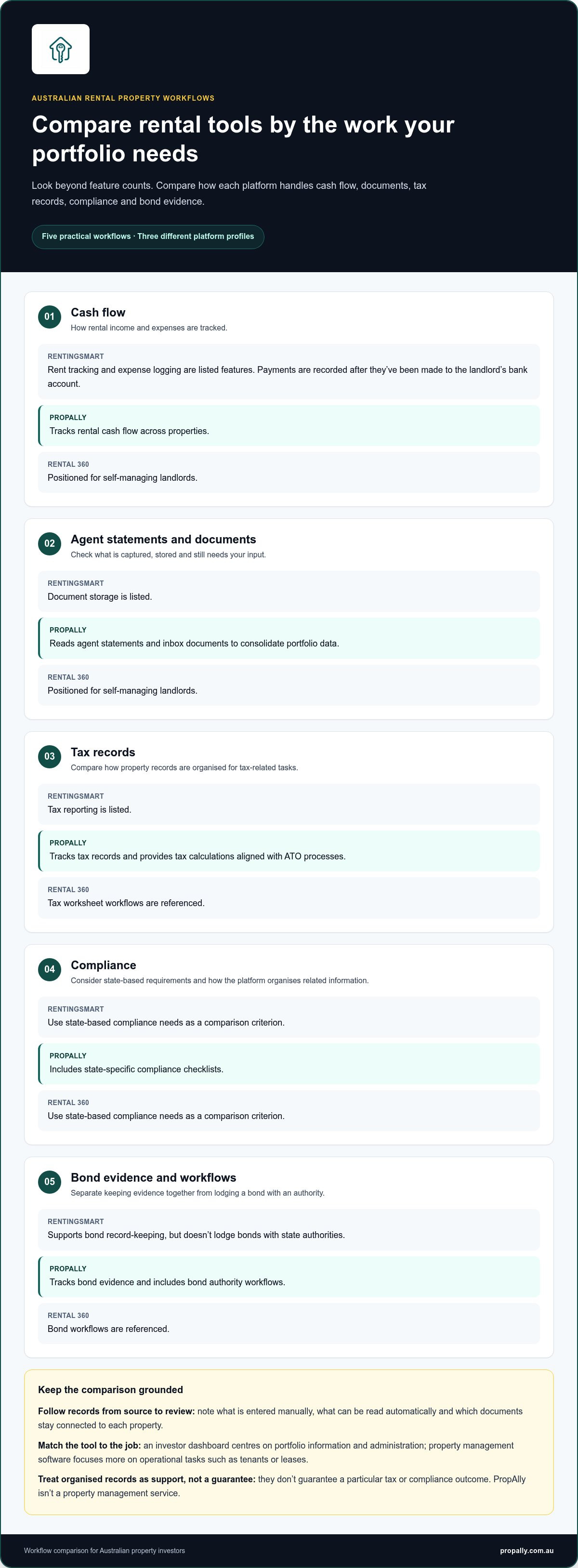
Follow the records from source to review. Note whether rent and expenses are entered manually, whether agent statements can be read automatically, and how supporting documents stay connected to each property. The table summarises the workflows described for each platform.
| Workflow | RentingSmart | PropAlly | Rental 360 |
|---|---|---|---|
| Cash flow | Rent tracking and expense logging are listed features; payments are recorded after being made to the landlord’s bank account. | Tracks rental cash flow across properties. | Positioned for self-managing landlords. |
| Agent statements | Document storage is listed. | Reads agent statements and inbox documents to consolidate portfolio data. | Positioned for self-managing landlords. |
| Tax records | Tax reporting is listed. | Tracks tax records and provides tax calculations aligned with ATO processes. | Tax worksheet workflows are referenced. |
| Compliance | Use state-based compliance needs as a comparison criterion. | Includes state-specific compliance checklists. | Use state-based compliance needs as a comparison criterion. |
| Bond evidence | Supports bond record-keeping, but doesn’t lodge bonds with state authorities. | Tracks bond evidence and includes bond authority workflows. | Bond workflows are referenced. |
Which records and automation features matter most?
Start with the documents you handle repeatedly: rent and expense records, agent statements, invoices and other property-related paperwork. Automatic document reading can reduce re-keying, while manual entry leaves more of the capture process in your hands. PropAlly can read agent statements and inbox documents. In your comparison, look at what each tool reads, what it stores and what still requires your input.
How should tax, compliance and bond workflows be compared?
The Australian Taxation Office explains considerations for managing your rental property records. Compare how each tool organises supporting records, rather than assuming that a tax report replaces your own review or professional advice. For compliance and bonds, distinguish a checklist or evidence workflow from completing an action with the relevant authority.
Feature fit depends on the records you hold and the workflow your portfolio needs. Multi-property and multi-state organisation matters if it reflects your holdings; otherwise, prioritise the records you actually manage. To see how one dashboard brings investor administration together, explore PropAlly’s property investor dashboard.
RentingSmart vs alternatives: assess fit without relying on feature counts
Compare each tool against the same tasks, separating its main purpose from the specific workflows you need. The matrix below distinguishes investor record-keeping from landlord operations.
| Workflow or fit criterion | RentingSmart | PropAlly | Rental 360 |
|---|---|---|---|
| Portfolio cash flow | Rent tracking and expense logging are listed. | Tracks rental cash flow across properties. | Positioned for self-managing landlords. |
| Documents and statements | Document storage is listed. | Reads agent statements and inbox documents. | Positioned for self-managing landlords. |
| Tax organisation | Tax reporting is listed. | Tracks tax records and provides calculations aligned with ATO processes. | Tax worksheet workflows are referenced. |
| Compliance and bond records | Bond record-keeping is listed; it doesn’t lodge bonds with state authorities. | Includes state-specific compliance checklists and bond authority workflows. | Bond-related workflows are referenced. |
| Primary positioning | Self-managing landlord platform. | Investor administration and tracking dashboard. | Positioned for self-managing landlords. |
When does an investor-focused dashboard make more sense?
If your priority is seeing portfolio cash flow and keeping tax, compliance and bond records organised, start by comparing dashboard workflows. PropAlly brings these records together and can read agent statements and inbox documents. It supports administration, but doesn’t replace a qualified tax professional or provide financial advice. The PropAlly Starter Plan guide explains its investor-focused approach.
When might a self-managing landlord platform be a closer fit?
If your main workload is tenant and lease operations, compare those tasks directly, including what the platform automates and what you handle yourself. RentingSmart lists tenant communication alongside rent tracking, expense logging, tax reporting and document storage. Rental 360 is positioned for self-managing landlords.
Plan structure matters too. RentingSmart’s published information includes property-based plans and a trial. PropAlly offers a free tier for one property, with paid plans covering portfolios of up to twenty properties. Compare property limits, document capture and any add-ons against your workflow. The ATO guide to residential rental properties is a useful reference for understanding the Australian tax context behind your records.
A sound rentingsmart alternative australia decision comes from matching the workflows you need to the platform’s stated capabilities, not declaring a winner from a feature count.
How to choose a RentingSmart alternative for an Australian portfolio
Make the decision against your actual admin, not a polished feature list. Start with the records you handle, the properties they relate to and the steps you want to simplify. That gives you a consistent way to assess any rentingsmart alternative australia for your setup.
How do you map your rental property admin before switching?
First, take stock of your current process. Count your properties and note whether records come from multiple agents or span different states. Then list where you keep spreadsheets, agent statements, receipts, tax records, compliance dates and bond evidence. Include both digital files and details you currently enter by hand.
Look for friction. Do you re-enter figures from statements? Are documents split across inboxes and property folders? Is it difficult to see which records belong to which property? These recurring tasks show where automation may help and where information is becoming fragmented. If document handling is a key pain point, explore ways to automate rental property data entry as part of your workflow review.
What should a fair product trial or review cover?
Use a small, representative set of property records to walk through the tasks you identified. Check whether you can find each property’s income, expenses and supporting documents without losing context. Follow an agent statement from receipt through to the point where its information appears in your portfolio view. Review tax, compliance and bond workflows separately, and note which steps are automated and which need manual attention.
Then use this four-step process:
- Map tasks: Write down the regular admin you manage and what you’d like to streamline.
- List essential records: Identify the statements, receipts, tax information, compliance details and bond evidence you need organised.
- Compare workflows: Match each must-have task to a stated product capability. Treat broad automation claims as prompts to test, not proof of fit.
- Test the fit: Check navigation, data visibility and everyday usability with representative records. Compare plan limits and add-on terms with your needs.
Keep essentials distinct from nice-to-haves. A multi-state view may matter if your properties sit under different state-based workflows; it may not be a priority for a simpler portfolio. PropAlly is designed for investor administration, bringing cash flow, tax, compliance and bond evidence together. Explore the PropAlly Starter Plan to see how its dashboard approach aligns with your records and routines.
Move from RentingSmart research to a more organised property portfolio
The strongest choice is the tool that fits your investor workflows and has capabilities you can assess against your needs. Before switching, make sure it handles the records you rely on and suits your property count. A long feature list is less useful than a clear process for keeping portfolio information organised.
What does PropAlly bring together for Australian investors?
PropAlly is an investor administration dashboard for tracking rental cash flow, tax records, compliance and bond evidence across properties. It can read agent statements and inbox documents, helping consolidate portfolio data instead of leaving key information scattered across separate files.
Its state-specific compliance checklists and bond authority workflows help organise these records around Australian property administration. They support record-keeping and workflow management, not legal or tax advice. PropAlly also provides tax calculations aligned with ATO processes, but it doesn’t replace a qualified tax professional.
Plan fit depends on portfolio size. The free tier covers one property, while paid plans support portfolios of up to twenty properties. Consider how many properties you need to track and whether centralising cash flow, documents, compliance and bond evidence addresses your day-to-day administration needs.
What is a practical next step after comparing alternatives?
Review the Starter Plan against your property count and priorities. Identify which records you want together, such as agent statements, income and expenses, tax information or bond evidence. Then assess whether the dashboard’s workflows match the way you organise those records. This keeps the decision grounded in practical fit rather than a broad software label.
If a central view of portfolio records is what you’re looking for, explore the Australian property portfolio performance tracker guide and see how it relates to your administration needs. To take the next step, explore PropAlly and organise your property records.
Choose a clearer system for your property records
The right rentingsmart alternative australia depends on the work your portfolio actually needs. Compare tools by how they organise cash flow, tax records, documents, compliance and bond evidence, then match their stated capabilities to your property count and day-to-day administration.
For investors who want a central view of those records, PropAlly brings cash flow, tax, compliance and bond evidence together in an Australian property investor dashboard. It can automatically read agent statements and inbox documents, while state-specific compliance checklists and bond authority workflows help keep relevant information organised. It supports investor administration, not property management or professional tax advice.
A clear system makes it easier to see which records belong in one workspace and which need your attention. If this approach fits your priorities, explore PropAlly’s Starter Plan and see how it could support a more organised portfolio.
Frequently Asked Questions
What is the best RentingSmart alternative in Australia?
The best option depends on whether your priority is investor record-keeping or managing tenancy tasks. PropAlly is an Australian investor dashboard for tracking rental cash flow, tax, compliance and bond evidence, while other platforms may focus more on self-management workflows. To choose a rentingsmart alternative australia investors can use confidently, compare each platform’s workflows with your property count, records and regular admin tasks rather than relying on a feature tally.
Is PropAlly a property management platform like RentingSmart?
No. PropAlly is an investor administration dashboard, not a property management service. It brings together portfolio cash flow, tax records, compliance information and bond evidence, and can read agent statements and inbox documents. RentingSmart is positioned for self-managing landlords. The distinction is useful: a dashboard helps organise investment records, while property management involves operational tasks. PropAlly doesn’t replace a property manager or provide financial or tax advice.
Can I use PropAlly to track rental properties in different Australian states?
PropAlly can consolidate information across multiple properties and states. Its state-specific compliance checklists and bond authority workflows help organise records around state-based administration. This can be relevant if your portfolio spans more than one state, but a checklist isn’t legal advice and doesn’t itself complete a bond process. Keep each property’s records clearly associated with the relevant property and state.
How do I compare RentingSmart alternatives for a rental portfolio?
Start by listing your properties, agents and the records you handle, such as rent and expenses, agent statements, tax documents, compliance information and bond evidence. Then compare how each tool captures and organises those records, what it automates and what requires manual entry. Compare plan limits and add-on terms too. This keeps the decision focused on the workflows your portfolio needs.
Does PropAlly automatically read rental property statements?
Yes. PropAlly can automatically read statements from agents and documents in inboxes, helping consolidate information across a property portfolio. Document processing doesn’t guarantee that every record is interpreted without review. Keep the original statements and check the extracted information as part of your normal record-keeping. The feature supports investor administration, not professional review of tax records or financial decisions.
Is there a free alternative to RentingSmart for Australian property investors?
PropAlly offers a free tier for one property, giving investors a way to organise records for a single rental. Paid plans support portfolios of up to twenty properties. Whether that suits you depends on your portfolio size and the workflows you need. Compare plan terms and included capabilities, especially if you need document processing or want to track multiple properties.
Will switching from RentingSmart move my existing property records automatically?
Don’t assume your existing records will transfer automatically. PropAlly can read agent statements and inbox documents, but that’s different from importing a complete account or migrating records from another platform. Before changing tools, keep copies of important statements and documents, then use the platform’s import options to organise them. Check that key property details and records are present and correctly organised before relying on the new workspace.