
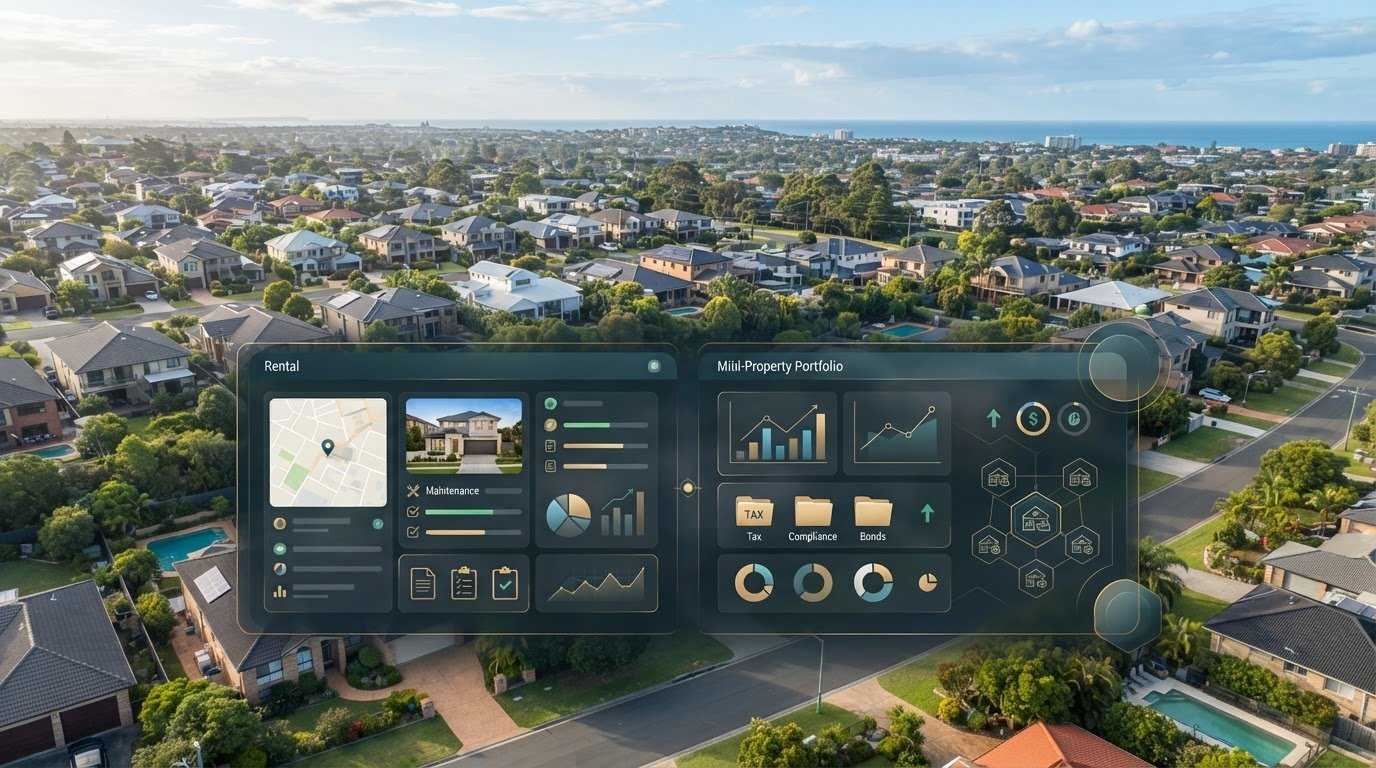
Does your owner portal contain the records you need, or do you also need a separate investor record? That’s the key distinction in the propertyme owner portal vs PropAlly dashboard comparison. PropertyMe’s Owner Portal gives you visibility into properties managed by an agency using PropertyMe. PropAlly is an investor dashboard designed to bring records from multiple properties and sources into one place.
PropertyMe Owner Access can include multiple properties from different participating agencies in one account. Each agency must enable or link Owner Access using the same email address, and the owner must accept the invitations. See PropertyMe’s guidance on linking a new agency.
If your rental information is scattered across agent statements, emails and property records, it’s easy to confuse access to an agent’s updates with oversight of your investments. They’re different jobs, and one doesn’t replace the other. This article will help you identify which view fits your day-to-day needs and how each platform can support your workflow.
We’ll compare the agency portal with the portfolio dashboard, including the records and property information each is built to organise. You’ll also see how PropAlly’s automated statement reading can help consolidate cash flow, tax, compliance and bond evidence across Australian rental properties, whether they’re managed by one agent, several agents or yourself.
Key Takeaways
- Use the propertyme owner portal vs propally dashboard comparison to match each tool to its role: agency-shared property information or investor portfolio oversight.
- Map the records you need to see together, especially when rental statements arrive from different agents or inboxes.
- Choose based on your recurring admin: agency updates for an individual property workflow, or consolidated cash flow, tax, compliance and bond records across a portfolio.
- Keep agency access and investor oversight distinct. They can complement each other without one replacing the other.
- PropAlly has a free tier for one property, with paid plans for portfolios of up to twenty properties.
PropertyMe owner portal vs PropAlly dashboard: two tools with different jobs
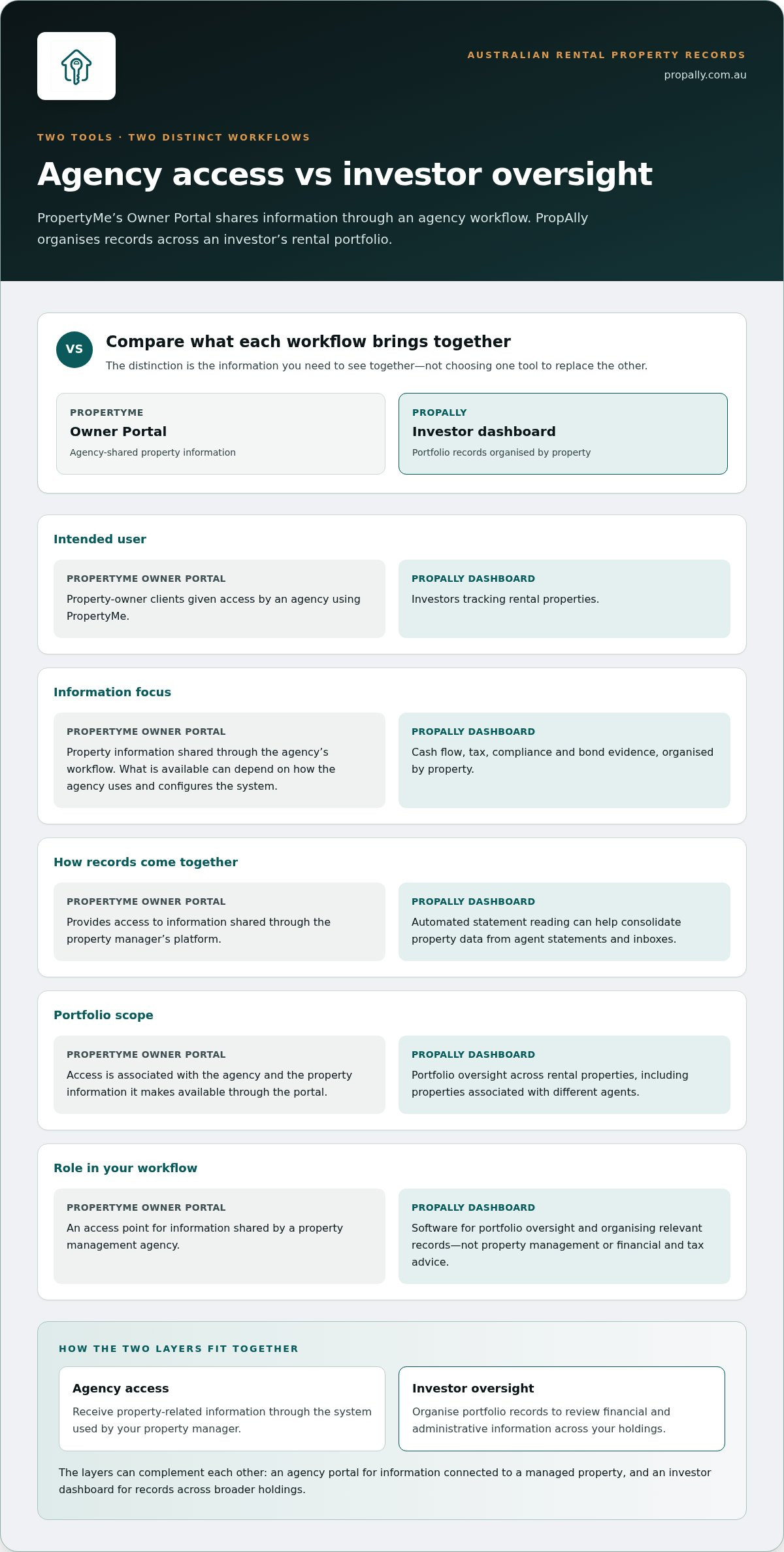
An owner portal is an access point for information shared by a property management agency; an investor dashboard organises oversight across an investor’s rental portfolio. That distinction matters if you’re an Australian property owner receiving updates from an agent while trying to keep a broader view of your investments. The propertyme owner portal vs propally dashboard comparison is about which workflow you need, rather than choosing a replacement tool.
Comprehensive property systems support wider real estate agency operations. Dedicated owner portals typically act as client access points associated with agency systems, rather than standalone investor tools designed to bring unrelated properties together. A property management system can support different operational needs, as outlined in this overview of a property management system. The practical question is whether you need access to agency information or a separate view of your portfolio.
What does a standard owner portal represent?
Client portals give property-owner clients an access point to information shared through the platform used by their agent. Access depends on the property manager providing portal access. The portal is therefore tied to the agency’s workflow and the relationship around a managed property. The information an owner can see may vary according to how the agency configures and uses the system.
What does the PropAlly dashboard help investors oversee?
PropAlly is designed for investors tracking rental properties. It brings cash flow, tax, compliance and bond evidence into a property-by-property portfolio view. Automated reading of agent statements can help organise information that might otherwise arrive through different channels. This makes the dashboard useful when you want to bring records together across properties, agents or Australian states, alongside the information made available through your agents’ portals.
Think of the distinction as two layers of administration:
- Agency access: receive property-related information through the system used by your property manager.
- Investor oversight: organise portfolio records so you can review financial and administrative information across your holdings.
The layers can complement each other. You might use an agency portal for information connected to a managed property, while using an investor dashboard to organise records across your broader holdings. That separation helps avoid expecting an agency access point to consolidate information from other sources, or treating a dashboard as the party managing a tenancy.
PropAlly is software for portfolio oversight, not property management or financial and tax advice. It helps organise relevant records; managing a property and interpreting your financial position remain separate tasks. If you have agent updates alongside scattered records, identify which layer is missing to start building a clearer workflow.
Compare PropertyMe and PropAlly by the information each workflow brings together
The useful comparison isn’t a checklist of identical features. It’s what information each workflow is designed to bring together. PropertyMe supports real estate agency operations, and its Owner Portal is a client access point associated with an agency using the platform. PropAlly is built around an investor’s records across rental properties. The propertyme owner portal vs propally dashboard decision depends on whether you need agency-shared information, portfolio-wide organisation, or both.
| Comparison | PropertyMe and its Owner Portal | PropAlly dashboard |
|---|---|---|
| Intended user | PropertyMe supports real estate agency operations; the portal is for property-owner clients given access by an agency. | Investors tracking rental properties. |
| Information focus | Agency-related property information. The specific content available can depend on the agency’s workflow. | Cash flow, tax, compliance and bond evidence, organised by property. |
| Workflow | Access information shared through the property manager’s platform. | Consolidate property data, including information from agent statements and inboxes. |
| Portfolio scope | Access is associated with the agency and property information it makes available through the portal. | Portfolio oversight across an investor’s rental properties, including properties associated with different agents. |
Agency-shared information versus investor records
Consider an Australian investor with more than one rental property. They may receive information through an agency portal for one managed property, while other records arrive separately by email or from another agent. The portal provides access within the agency’s process; it isn’t designed to gather every record across the investor’s holdings. The information and functions available through PropertyMe’s Owner Portal can also vary with the agency workflow, so focus on the information your agency shares rather than assuming every portal is set up identically.
PropAlly approaches the task from the portfolio level. Its automated statement reading can consolidate property data from agents and inboxes, helping you bring scattered records into a property-by-property view. This organises information without changing who manages a tenancy.
Statements, tax records and compliance information
For tax-time organisation, PropAlly includes ATO-aligned tax calculations alongside cash-flow tracking. “ATO-aligned” describes the calculation approach; it doesn’t make the dashboard financial or tax advice. You can use organised records as part of your own administration and seek separate advice where needed. Moneysmart’s Australian property investment guidance offers broader context on investment considerations, distinct from software features.
For Australian portfolio administration, PropAlly also includes state-specific compliance checklists and bond authority workflows. These help organise relevant information by property and state; they don’t, by themselves, establish a legal outcome or confirm that you’ve met a requirement. To see how this portfolio-record approach fits your workflow, explore the PropAlly investor dashboard.
How each option fits Australian investors managing more than one property
As a portfolio grows, consistency becomes as important as access. If each rental is labelled differently in your records, it can take time to work out which property a document relates to or what period it covers. A simple portfolio register can give you a common reference point: property name, ownership notes, managing agent and the location of key records. This is an investor-controlled organising method, not a feature claim about either platform.
PropertyMe’s Owner Portal remains relevant to information an agency shares with its owner clients. If your portfolio involves different agencies, check which properties are already linked to your Owner Access account and which records still need a separate home, then decide how to maintain a consistent view of every holding. A property portfolio performance tracker guide can help you consider what to review across a portfolio, rather than focusing only on one property at a time.
Tracking property information across agents and inboxes
Separate communication channels can make it hard to spot gaps in your records. Log each incoming item against the property, date received and period it covers. This creates a straightforward record of what has arrived and what may still need attention, without relying on memory or searching through unrelated correspondence.
PropAlly’s automated statement reading supports this kind of administration by extracting information from agent statements and inbox documents. You can make records easier to review by using consistent property names and checking documents as part of a regular routine, especially when they arrive at different times. The guide to automating rental property data entry explores ways to make routine record handling more systematic.
Keeping tax, compliance and bond evidence organised
For a portfolio across Australian states, use a repeatable review process that keeps each property’s records distinct. Group material by property and financial period, then note any item that needs follow-up. This makes it easier to prepare for a portfolio review or gather a defined set of records without treating every rental as though its administration is identical.
A useful review is not just about storing documents. Note what you’re checking, which period the information covers and whether anything needs clarification. PropAlly provides property-level tracking for investor administration, while its records remain a tool for organising information rather than a substitute for professional advice. An Australian investment property compliance checklist can help you structure your own review process.
The best multi-property workflow is one you can repeat. Decide how you’ll label records, review each holding and note outstanding questions. Then use agency access and investor-side organisation for the tasks they suit, without expecting one workflow to cover everything.
Choose the right fit by matching the software to your investor workflow
Start with the task you need to make easier. Are you looking for information an agency shares about a managed property, or a consolidated way to oversee records across your investments? The propertyme owner portal vs propally dashboard choice isn’t necessarily either-or. An agency portal and an investor dashboard can support different parts of the same property workflow.
Use this sequence to clarify what you need:
- Identify the user. Is the information for you as an agency client, or are you organising records as the investor?
- Name the records. Do you need agency-shared property information, or a wider view of cash flow, tax, compliance and bond evidence?
- Set the portfolio scope. Is your immediate task tied to one agency relationship, or do you need to bring together information across properties, agents or states?
- Pinpoint the recurring admin. Is it accessing agency updates, or sorting statements and records arriving through multiple channels?
When an owner portal may meet the immediate need
If your immediate task is accessing information your property manager shares, an owner portal may be enough for that part of your workflow. PropertyMe’s Owner Portal is associated with an agency using its platform, so access depends on the agency relationship. The information available can reflect that agency’s processes. Assess what your portal provides for the property you’re reviewing, rather than assuming every agency offers the same content or functions.
This can suit an owner whose administration centres on one managed property and whose main need is agency-related access. It doesn’t automatically answer a separate question: how do the records for all your investments fit together?
When a separate investor dashboard may add oversight
A separate dashboard may be useful when you want to organise information across rental properties, particularly if agents send statements to different inboxes or your portfolio spans Australian states. PropAlly’s automated statement reading can consolidate property data, while its portfolio view brings cash flow, tax, compliance and bond evidence together. Its ATO-aligned calculations are for tracking, not financial or tax advice, and its checklists don’t guarantee compliance.
Use this quick guide:
- Agency access is the priority: start with the portal provided through your property manager.
- Portfolio organisation is the priority: consider a dashboard built to bring investor records together.
- You need both views: keep agency access for agency-shared information and use a dashboard for broader oversight.
To see how the Starter Plan is positioned for Australian investors, explore the PropAlly Starter Plan overview. If portfolio-level record keeping is the gap in your workflow, explore PropAlly’s investor dashboard.
Use PropAlly to build a clearer Australian rental property dashboard
A useful dashboard starts with a clear picture of how you want to manage your records. Before setting up a new workflow, decide how you’ll label each property, which periods you’ll review and where you’ll note items that need follow-up. A consistent routine makes portfolio information easier to interpret and gives you a practical way to spot gaps in your records.
What to expect from PropAlly’s investor-focused view
Use the dashboard to establish a repeatable review habit. Check that records are associated with the right property and that outstanding admin hasn’t been overlooked. Clear labels and a consistent approach help keep the information useful as your investment circumstances change.
This is about organising your own oversight, not changing how an agency manages a tenancy. Keep your property-management arrangements clear, and use your investor workflow to maintain the records you want to review across your holdings.
A practical next step for portfolio oversight
Start with one question: what do you most often need to find, compare or follow up? Write down the answer, then use it to shape a simple routine for reviewing your portfolio. A defined process can turn scattered admin into a manageable task, without trying to overhaul every part of your record keeping at once.
If you’re ready to put that investor workflow into practice, explore the PropAlly dashboard and consider how it could fit your approach to Australian rental property oversight.
Make your next property admin task easier to manage
Choose your next step by looking at where your current process slows down. Is it unclear where to find an update from your property manager, or do you lose time gathering information across your investments? That distinction can help you decide whether to focus on agency access, portfolio oversight or both.
For the next month, note the rental admin tasks that send you searching through emails, statements or separate records. Use the list to shape a workflow that gives each property’s information a clear place. The propertyme owner portal vs propally dashboard choice isn’t about adopting more software for its own sake. It’s about making the information you rely on easier to locate and review.
If a portfolio-focused view fits the way you want to manage your Australian rentals, explore the PropAlly dashboard. Start with one practical step, then build a clearer process from there.
Frequently Asked Questions
Is the PropertyMe owner portal the same as the PropAlly dashboard?
No. They aren’t the same product or access point. If you’re deciding which one to use for a particular task, write down the information you need and who provides it. That helps clarify whether you’re trying to retrieve something from your agency relationship or maintain your own investor records. This distinction is useful when setting up an admin routine, so you don’t expect one system to answer every property-related question.
Can I use PropertyMe and PropAlly at the same time?
Yes, you can use both as part of your property administration. Treat them as separate tools and don’t assume information entered in one will appear in the other. Decide which is your reference point for each type of record, then check that key details remain consistent when you review your paperwork. This reduces the risk of relying on an outdated copy.
What information can an owner see in the PropertyMe portal?
PropertyMe’s owner information describes access to financial status, past statements and bills, maintenance tracking, and inspection reports with photos and comments. What you can access in practice depends on the agency’s setup and the property information it shares. For a task such as checking an inspection record, use the portal available to you and compare its contents with direct correspondence from your agency if details appear different.
How does PropAlly help organise rental property statements?
PropAlly can read agent statements and inbox documents, helping turn incoming paperwork into organised property information. Use consistent property names and check that each document relates to the correct rental and period. This verification step is useful whenever information is extracted from source documents. Keep the original statement available as the source record for your reference.
Does PropAlly replace a property manager or agency software?
No. PropAlly is an investor dashboard, not a property manager or agency software. Questions about a tenancy or a maintenance request remain part of your relationship with your property manager, while organising your own records is an investor administration task. Keeping those responsibilities distinct helps you use the dashboard for portfolio oversight without expecting it to take action on a managed property.
Is there a free PropAlly plan for a single rental property?
Yes, PropAlly has a free tier for one property. If you’re considering it for a single rental, first identify what you want to keep organised and how often you’ll review those records. That gives you a simple way to assess whether the workflow suits your current admin. If your portfolio changes, compare the available plan options with the number of properties you want to track.
Can PropAlly track properties across different Australian states?
Yes. PropAlly is designed for investors with properties across Australian states. To keep your records clear, maintain a distinct property entry for each rental and note the state associated with it. This makes it easier to retrieve information in context when reviewing your portfolio. The dashboard supports record organisation; it doesn’t determine your legal position or replace advice about state-specific requirements.