
Moving rental records out of Excel doesn’t mean abandoning the history and evidence you rely on. If you’re ready to migrate from Excel to the PropAlly property dashboard, a staged transition lets you keep your original workbook as a reference while organising key information property by property.
It’s reasonable to be cautious. Rental details can be spread across workbook tabs, agent statements, emails and separate files. Formulas and older records may also need context before they’re useful in a new workflow. Rather than trying to move everything at once, identify the records that matter, organise them by property and review them as you go.
This guide covers how to prepare your workbook, sort cash flow, tax, compliance and bond evidence, and establish a practical record-keeping routine in PropAlly. The dashboard organises information by property, while automated reading of agent statements and inbox documents can support ongoing portfolio oversight across properties and states.
Key Takeaways
- Keep Excel as a historical reference while deciding which records you need for ongoing portfolio oversight.
- Organise rental information around each property, with clear categories for cash flow, tax, compliance and bond evidence.
- Compare the purpose of your source workbook with the information you want to review regularly in a property dashboard.
- Take a staged approach to migrating from Excel to the PropAlly property dashboard, reviewing and sorting records before reconciling property information.
- Use property-by-property oversight and state-specific workflows to bring a varied Australian portfolio into view.
Why migrate from Excel to the PropAlly property dashboard?
An Excel tracker can be familiar, flexible and useful while your rental records are manageable. You can customise columns, add notes and review figures in a format you already understand. Moving to a dashboard doesn’t mean your spreadsheet has failed. It means you’re changing how you organise and maintain records as your oversight needs evolve.
The challenge often comes from information accumulating in different places. One workbook may have a tab for each property, agent statements may be saved elsewhere, and important emails or bond records may be difficult to locate. Even when formulas work as intended, you may need to switch between several sources to understand one property’s position.
A property dashboard gives you a central view of operating records organised around each rental. PropAlly brings cash flow, tax, compliance and bond evidence into property-specific oversight, rather than leaving you to assemble the picture from general workbook tabs.
This structure can make portfolio reviews more orderly, particularly when properties have different records and compliance needs across Australian states. It also helps distinguish historical material from the information you use to oversee your portfolio now.
What changes when a property tracker outgrows Excel?
A workbook presents information in rows, columns and tabs. That structure works well for recording transactions or calculating totals. A dashboard groups operating information by property, so you can consider cash flow, tax, compliance and bond evidence in the context of the relevant rental.
Consider a statement saved in one folder, a bond record attached to an email, and a workbook entry using a shortened property name. Any one of these records may be accurate, but finding and matching them takes extra effort. That becomes more noticeable when you’re reviewing multiple properties or records from different states.
General property management software covers a broad category of tools. PropAlly is designed for investor oversight: a property-by-property view of key rental records, rather than day-to-day tenancy management.
Is a dashboard migration worth the effort?
Weigh the ongoing upkeep against the value of a more centralised workflow. If you regularly update several tabs, reconcile figures across files or search your inbox for supporting documents, organising ongoing records by property can make portfolio reviews clearer. If your tracker is still easy to maintain, there’s no need to rush into a full transition.
Keep the original workbook as a reference. It gives you a source for checking past entries and formulas while you decide which information belongs in your ongoing workflow. You can prioritise useful records rather than trying to recreate every historical note at once. For guidance on what a tracker should cover, see The Ultimate Property Portfolio Performance Tracker Guide for Australian Investors.
Treat a decision to migrate from Excel to the PropAlly property dashboard as a staged change in your record-keeping routine. Review, organise and reconcile information before relying on the dashboard for ongoing oversight. Use your workbook to identify relevant records, then organise those records in PropAlly by property and purpose.
How PropAlly organises rental records across your properties
PropAlly organises rental-property oversight around four practical areas: cash flow, tax, compliance and bond evidence. Each property has a place within those categories, so you can review records in context, including the property’s state and relevant state-specific compliance information.
Property-level organisation helps you find rental records in one dashboard, grouped around the property they relate to. This is useful when you’re overseeing a portfolio with different properties, documents and state requirements. The aim isn’t to reproduce every spreadsheet column. It’s to organise the information that supports ongoing oversight.
Map spreadsheet records to property-level categories
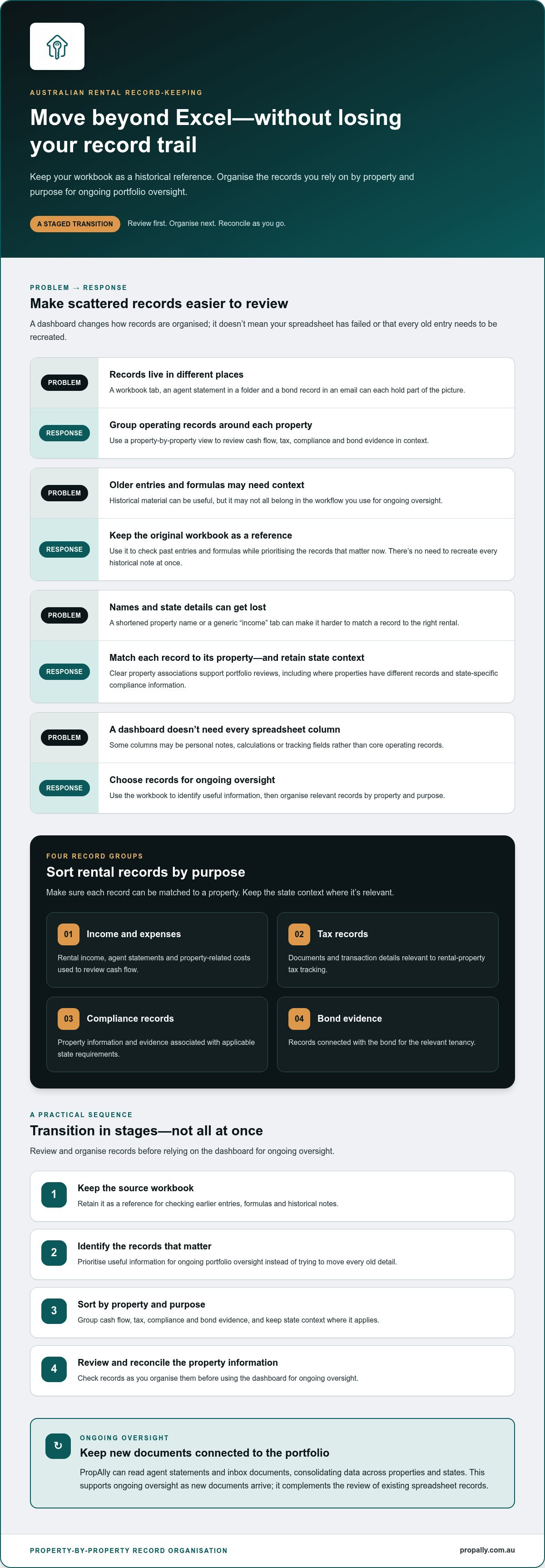
Before organising records in a new workflow, sort them by purpose and property. A useful first pass is to group relevant material as:
- Income and expenses: rental income, agent statements and property-related costs used to review cash flow.
- Tax records: documents and transaction details relevant to rental-property tax tracking.
- Compliance records: property information and evidence associated with applicable state requirements.
- Bond evidence: records connected with the bond for the relevant tenancy.
Make sure each record can be matched to a property. If you own rentals in different states, retain the state context too. For example, an agent statement saved under a generic “income” tab needs a clear property association to be useful in a property-by-property review.
Not every spreadsheet heading needs a direct equivalent in the dashboard. Some columns may contain personal notes, calculations or tracking fields rather than core operating records. Use the workbook to identify and organise the information you want to oversee in PropAlly.
Understand where automated document reading fits
PropAlly can read agent statements and inbox documents, consolidating data across properties and states. This supports ongoing oversight as new documents arrive. It complements the work of reviewing and organising your existing spreadsheet records, rather than replacing that review.
Keep historical spreadsheet material as a reference, and use the dashboard to organise the records you want to oversee. For a closer look at ongoing document workflows, How to Automate Rental Property Data Entry for Your Australian Portfolio explores how structured document handling can support routine oversight.
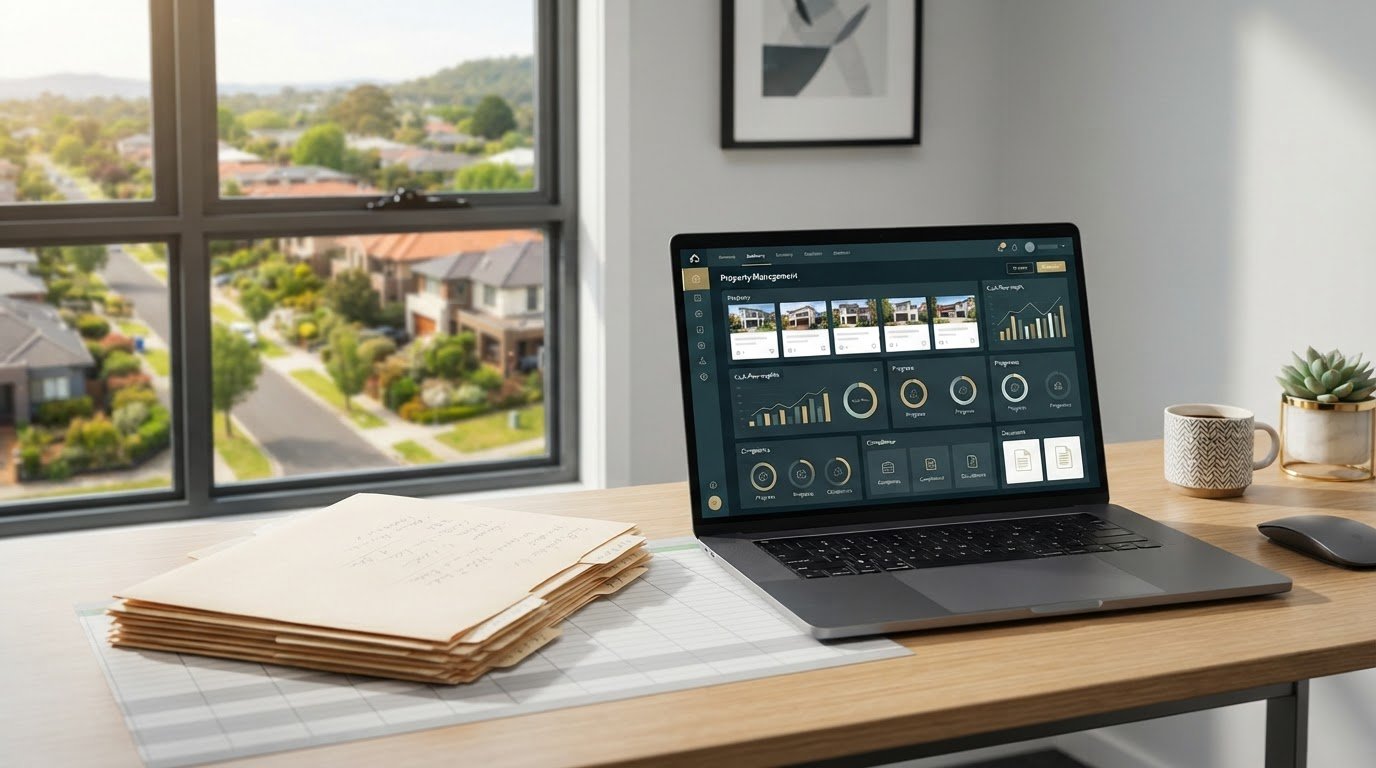
The PropAlly property dashboard brings cash flow, tax, compliance and bond evidence together by property.
Excel tracker vs PropAlly dashboard: what belongs in each?
Excel and a property dashboard can serve different purposes during and after a transition. Your workbook may hold years of useful history, custom calculations and notes. PropAlly supports ongoing rental-property oversight by bringing property-specific records into a central view. You can keep both, using each for the work it suits.
Use this comparison to decide where each type of information fits:
| Record or task | Excel tracker | PropAlly dashboard |
|---|---|---|
| Historical reference | Retain past entries, formulas and notes for review. | Use for current property-level oversight, organising relevant information by property. |
| Ongoing tracking | Can support one-off calculations or analysis you’ve built into the workbook. | Organises rental cash flow and tax records by property. |
| Document evidence | Can point to files or include attachments, depending on how your workbook is set up. | Brings bond evidence and compliance records into property-specific oversight. Agent statements and inbox documents can also be read as part of an ongoing workflow. |
| Portfolio visibility | May rely on separate tabs, summaries or manual comparisons. | Provides a property-by-property view across a portfolio, including properties in different states. |
Which spreadsheet information should you retain?
Keep your original workbook unchanged and save a dated copy before making transition edits. The original gives you a reference point for checking a past entry, formula or note. It also lets you organise records in stages instead of trying to reproduce the entire workbook at once.
Review formulas before relying on their results. Check what each calculation includes, whether its assumptions still suit your records, and whether a note needs extra context. Keep relevant historical entries, and flag items that need verification. Don’t assume formulas or attachments will move with a record when you change your record-keeping workflow.
Which work is better suited to a central dashboard?
A dashboard is useful for recurring oversight: reviewing property cash flow, keeping tax-related records together, and locating compliance or bond evidence by rental. Excel can remain handy for a one-off calculation or a custom analysis, while the dashboard provides an organised view of ongoing property records.
This division can help with a portfolio spread across states. Rather than relying on one general tab, you can review each property’s records in context. If you plan to migrate from excel to propally property dashboard, treat the workbook as a source for review, not as a package that will transfer unchanged.
A dashboard helps organise records; it doesn’t replace tax or financial advice. For Australian record-keeping context, The ATO Rental Property Records App: The 2026 Investor’s Guide to Compliance can help you understand the role of organised rental records. Use the dashboard for oversight, and seek appropriate advice for decisions about your individual tax or financial circumstances.
How to migrate from Excel to PropAlly in practical stages
A controlled transition starts with understanding what you have, not copying every cell into a new system. Work through one property first, review its records, then apply the same approach to the rest of your Australian portfolio. Keep the original workbook unchanged as your reference.
Use this five-stage sequence to prepare and organise your records:
- Inventory your records. List each workbook and note its tabs, properties, date ranges and record types. Include relevant agent statements, emails and document folders so you can see what sits outside the spreadsheet too.
- Clean the source carefully. Flag apparent duplicates, inconsistent property labels, and blank or unclear entries. Before removing anything, compare it with the source document and check whether a formula refers to it. Put unresolved items on a separate query list rather than filling gaps with guesses.
- Categorise what matters. Sort priority records into income, expenses, tax records, compliance records and bond evidence. Note the related property and its state where applicable. Keep useful historical material, but distinguish it from information you need for ongoing oversight.
- Set up property records. Establish the property structure in PropAlly, then focus on the records you want to oversee for each rental. Start with one property and organise its information by the relevant categories.
- Reconcile before extending. Compare key totals and document references in the property record with your source workbook and supporting records. Investigate differences and note what remains unresolved. Once you’ve reviewed the first property, repeat the process for the rest of the portfolio.
Prepare and check the workbook before changing systems
Make a dated working copy, then label which file is the original and which one you’ve reviewed. Your inventory should show where each record came from and what period it covers. Review formulas and notes in context: a figure may rely on a cell elsewhere in the workbook, and a brief label may only make sense alongside an agent statement or email.
Be deliberate when cleaning up. Removing an entry because it looks duplicated can change a total or erase useful context. Check the source first. If you can’t establish what a record means, leave it out of your priority list for now and keep the question visible for follow-up.
Set up, populate and reconcile property records
For the first property, select a manageable set of current records across the categories you intend to track. Organise them in PropAlly, then compare dates, figures and document references with the source. Reconciliation is a record check, not a tax assessment. Resolve inconsistencies before treating the dashboard as your regular reference point.
Once the first pass is sound, use the same inventory and review approach across your other properties, including those in different states. Set up your PropAlly property dashboard to establish a property-by-property workflow.
Make PropAlly your ongoing Australian property dashboard
Migration is the starting point. The lasting value comes from a clear workflow for reviewing rental records and monitoring what may affect your portfolio. With the Reserve Bank of Australia’s cash rate at 4.60% from 30 September 2026, cash flow remains a timely consideration for investors. PropAlly brings rental cash flow, tax, compliance and bond evidence into property-by-property oversight, helping keep relevant records in view as circumstances change.
This structure can support a varied Australian portfolio. State-specific compliance checklists and bond authority workflows keep records connected to the relevant property and state, rather than blending them into a generic spreadsheet view. The dashboard supports organisation and oversight, but it doesn’t replace professional advice about your circumstances.
Build a repeatable record-keeping rhythm
Choose a review routine that suits how your portfolio operates. Revisit property records as part of your regular oversight, check unresolved items and associate new information with the right rental.
Agent statements and inbox documents can form part of that ongoing workflow. PropAlly can read these documents to consolidate information across properties and states. Keep your original workbook available for historical context while you establish the new routine. Consistency matters more than trying to review every record in one sitting.
A review can focus on whether current income and expense records are up to date, whether supporting documents are easy to locate, and whether compliance or bond evidence needs follow-up. This connects property oversight to the records behind it.
Choose a PropAlly plan for your portfolio
Choose a plan based on the number of properties you want to oversee. The Free Plan covers one property, while paid plans support portfolios of up to twenty properties. Consider your portfolio size and focus your dashboard workflow on relevant, reviewed records.
After the transition, use the dashboard as your regular reference for property-level oversight, with your spreadsheet available for historical context.
For an overview of the dashboard, visit PropAlly.
Make your next property review simpler
A migration is useful when it leads to a routine you can maintain. Choose one property record to review next, decide what information you’ll check, and keep unresolved questions visible rather than letting them disappear into another spreadsheet tab. That habit helps turn a completed transition into a dependable approach to portfolio oversight.
For Australian investors, PropAlly brings cash flow, tax, compliance and bond evidence into a property-specific dashboard, with state-specific compliance checklists and bond authority workflows. The Free Plan covers one property, while paid plans support portfolios of up to twenty properties. You can align your dashboard setup with the size of your portfolio.
If you’re ready to migrate from excel to propally property dashboard, start organising your property records with PropAlly.
Frequently Asked Questions
Can I keep my Excel spreadsheet after moving to a property dashboard?
Yes. Keep your workbook as a reference rather than treating the move as a reason to delete it. Save an unchanged copy and label any working version clearly, so you can distinguish original records from later review notes. If you need to check a past figure, the surrounding formulas and context will still be available. Avoid updating both systems indefinitely, though, as parallel records can become difficult to reconcile.
What should I do with several years of rental-property records?
Preserve historical files and supporting documents, then identify which records you need for ongoing oversight. For example, you might prioritise current income and expense information while keeping older agent statements and correspondence in an orderly archive. Don’t discard records simply because they’re not part of your first dashboard setup. If you’re unsure how long particular records should be retained, ask your accountant about your circumstances.
Can PropAlly track properties in different Australian states?
Yes. PropAlly supports property oversight across states, with state-specific compliance checklists and bond authority workflows. Associate each rental’s location with its records so you can review the relevant property context rather than treating the portfolio as one uniform set. These tools support organisation and oversight; they don’t determine your obligations in a particular situation or replace checking applicable state requirements.
Does PropAlly replace my accountant or property manager?
No. PropAlly is an investor dashboard, not an accountant or a property manager. It helps you organise information such as cash flow, tax records, compliance and bond evidence, giving you a clearer view of your rentals. An accountant can advise on your tax position, while a property manager handles the management work covered by your arrangement. The dashboard supports your oversight without taking over either role.
How can I avoid duplicate entries during a spreadsheet migration?
Before organising a record, compare its property, date, amount and source document with the information already associated with that rental. For instance, check an agent statement against the matching workbook entry rather than relying on a similar description alone. Keep a separate list of possible duplicates until you’ve verified them. As you migrate from Excel to the PropAlly property dashboard, don’t remove uncertain entries or assume matching figures mean records are identical.
Can I use PropAlly for a single rental property?
Yes. The Free Plan is for one property, making it an option for an investor who wants to organise records for a single Australian rental. Use the property-specific view for the information you’re overseeing, and keep your existing workbook available as historical context while you establish a routine. If your portfolio changes, review plan options against the number of properties you want to track.
Is moving from Excel to a dashboard a tax-advice decision?
No. Choosing a record-keeping workflow is an administrative decision, not tax advice. A dashboard can help organise rental information, but it doesn’t decide which expenses are deductible or explain how tax rules apply to your circumstances. Keep relevant source records and speak with a qualified tax professional about tax treatment, reporting or record-retention questions. Use the dashboard to support organisation, not as a substitute for professional advice.