
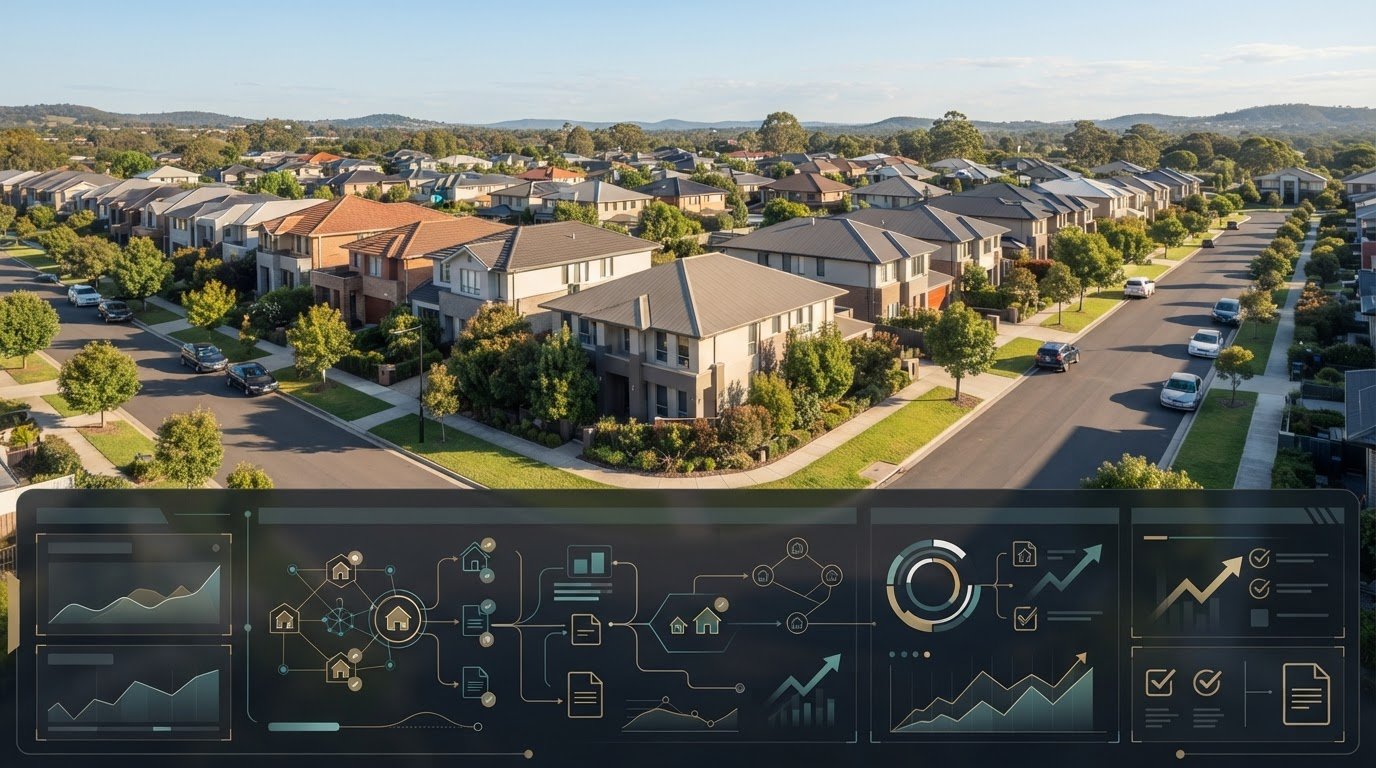
The app that manages a tenancy may still leave you managing the investment. For Australian property investors, finding a managed app alternative for australian property investors means looking beyond rent collection and maintenance tasks to the records that show how each property is performing.
If agent statements sit in one place, expense receipts in your inbox and compliance notes in a spreadsheet, getting a clear portfolio view takes extra work. A tool built for day-to-day tenancy management may not track the cash flow, tax records or state-specific compliance details you need as an owner. That distinction matters whether you use a property manager or manage a tenancy yourself.
This guide compares property management apps, accounting tools, spreadsheets and investor dashboards against practical Australian portfolio workflows. You’ll see what each option is designed to handle, where records can remain fragmented and how an investor-focused hub such as PropAlly differs from tools centred on tenancy operations or general accounting. The aim is to choose a system that brings the right property information together without duplicating work already handled by your property manager.
Key Takeaways
- Identify whether you need tenancy administration, financial tracking or a central view of investment property records before choosing a tool.
- Compare property management apps, accounting software, spreadsheets and investor dashboards by the records they cover and the manual work they leave behind.
- Assess a managed app alternative for australian property investors by how well it brings agent statements, inbox documents and property-level information together.
- Map your properties and existing record sources before moving documents into a new system, then review the information for consistency.
- See how an investor-focused dashboard can organise cash flow, tax, compliance and bond evidence without replacing tenancy management.
Managed app alternatives for Australian property investors: what are you replacing?
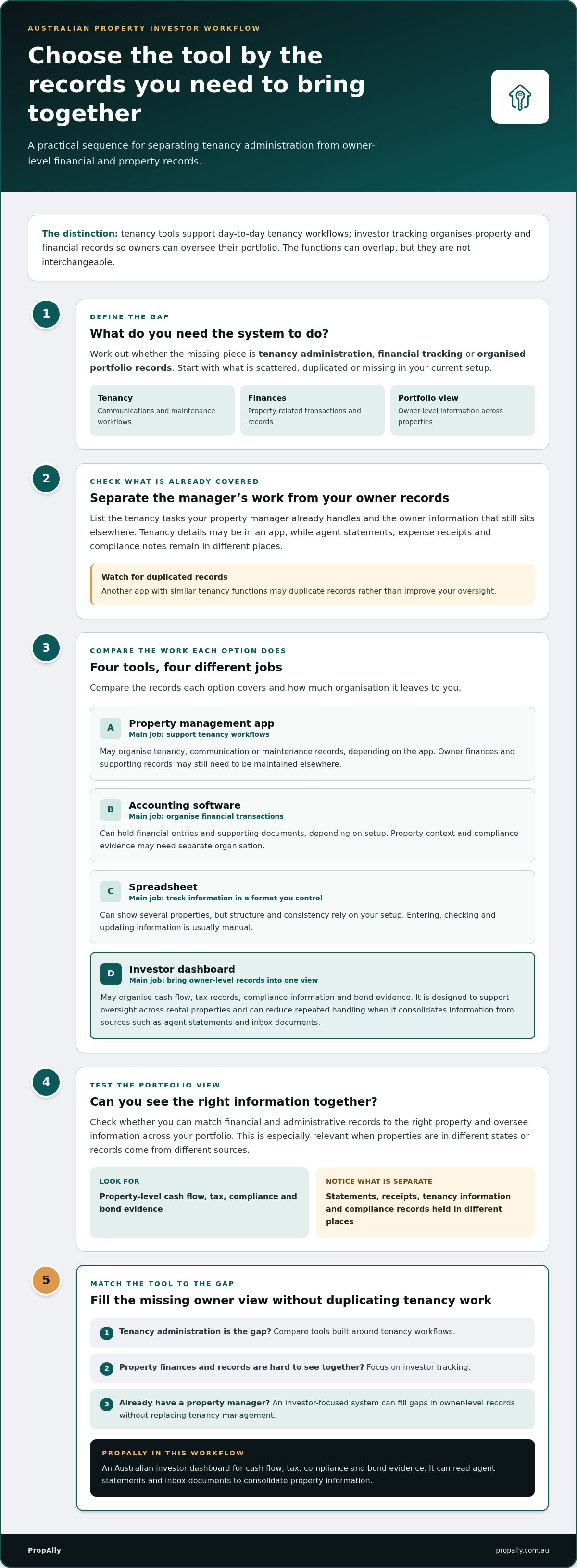
“Managed app” can mean several different things: tenancy administration, financial tracking or keeping portfolio records organised. These functions can overlap, but they aren’t interchangeable. Before choosing a managed app alternative for australian property investors, identify what’s scattered, duplicated or missing from your current setup.
Property management software supports tenancy workflows; investor tracking software organises property and financial records so owners can oversee their portfolio. The distinction matters even if you already have a property manager. A system that supports the manager’s day-to-day work may not give you the owner-level view you need across properties.
What does a property management app usually help organise?
Property management apps may support tenancy-facing tasks such as recording communications, handling maintenance requests or keeping tenancy information together. Workflows vary between apps. If a property manager already handles some of this administration, another app with similar functions could create duplicate records instead of improving oversight.
List what your existing arrangement covers. Which tenancy tasks are handled for you, and which owner records still sit in statements, email or spreadsheets? Those gaps point to the type of alternative worth comparing.
What does an investor-focused app organise instead?
An investor tracking app brings property-level financial and administrative records into an organised view. Depending on the system, these may include cash flow, tax records, compliance information and bond evidence. It focuses on the owner’s portfolio, not the coordination of everyday tenancy activity.
This view is useful when properties are in different states and their records come from different sources. Rather than treating each property as a separate folder, an investor-focused system can bring relevant information together for portfolio oversight. PropAlly provides an Australian investor dashboard for cash flow, tax, compliance and bond evidence, and can read agent statements and inbox documents to consolidate property information.
The right alternative depends on the task that’s fragmented or duplicated. If tenancy administration is the gap, compare tools built around those workflows. If you can’t readily see property finances and records together, focus on investor tracking. For wider context on tools that support property investors, see Property Management Tools for Investors.
Compare four managed app alternatives by the work they actually do
The right choice depends on the job you need done. A tenancy app, accounting tool, spreadsheet and investor dashboard may all hold property information, but each organises it for a different purpose. Compare them by the records you need to see together and the effort required to keep those records current.
| Option | Primary job | Records covered | Multi-property visibility | Likely manual handling |
|---|---|---|---|---|
| Property management app | Support tenancy-related workflows | May include tenancy, communication or maintenance records, depending on the app | Can help organise information across managed properties, depending on the system | Owner finances and supporting records may need to be maintained elsewhere |
| Accounting software | Record and organise financial transactions | Financial entries and supporting documents, depending on the setup | May require accounts or categories to be organised for each property | Property context and compliance evidence may need separate organisation |
| Spreadsheet | Track information in a format you control | Any records you choose to enter or attach | Can show several properties, but structure and consistency rely on your setup | Usually requires you to enter, check and update information manually |
| Investor dashboard | Bring owner-level property records into one view | May organise cash flow, tax records, compliance information and bond evidence | Designed to support oversight across rental properties | Can reduce repeated handling where it consolidates information from sources such as agent statements and inbox documents |
When is property management software the closer fit?
This category is the closer fit when your main gap is tenancy administration, such as organising tenancy communications or maintenance workflows. First separate what your agent already handles from the tasks you manage yourself. You don’t necessarily need to replace an existing property manager; you may simply need to fill gaps in your owner-level records. For more category context, see Property Management Software for Private Landlords Australia.
When do spreadsheets or accounting apps fall short?
Spreadsheets can work well when your records are straightforward and you’re comfortable maintaining the structure yourself. As sources multiply, it can take more effort to match a statement, receipt or compliance record to the right property. General accounting software can organise financial activity, but may not provide a single property-focused view of related evidence. These tools aren’t interchangeable: accounting records transactions, while investor tracking brings property information together for portfolio oversight.
If you’re comparing a managed app alternative for australian property investors, focus on where manual consolidation takes the most time. An investor dashboard such as PropAlly’s property investor dashboard brings cash flow, tax, compliance and bond evidence together across rental properties.
How to choose an Australian property investor app without duplicating work
Start with the work, not the feature list. A useful managed app alternative for australian property investors should address a clear gap in your portfolio records, rather than repeat tasks already covered by your accounting setup or property manager.
Map your current system before comparing apps. Note how many properties you oversee, where each record comes from and what you need to review across the portfolio. Separate tenancy tasks handled by an agent from owner-level work you do yourself. This helps you avoid adopting another workflow for the same job.
- Portfolio size: Decide whether you need a simple view of a small portfolio or consistent oversight across properties.
- Record sources: List agent statements, inbox documents, receipts and records you currently keep elsewhere.
- Oversight needs: Identify which property-level information you need to review together, and how often.
The best alternative consolidates the records and tasks you need to manage without duplicating work already handled elsewhere.
Which records and workflows should the app cover?
Assess each record type separately. Does the system help organise:
- Cash flow by rental property?
- Tax information and supporting records?
- Compliance information relevant to each property’s state?
- Bond evidence and related records?
Check whether documents and information can be associated with the right property, especially if your portfolio includes properties across different states. A record-keeping tool can help organise information for review, but that’s distinct from professional tax or financial advice.
How should investors assess automation and visibility?
Compare the steps involved in handling documents. If you currently enter details from agent statements or inbox documents by hand, consider whether an app can read those sources and bring the information into a property-level view. Then check how easily you can review what’s been captured and identify records that remain dispersed across folders or spreadsheets.
Automation is useful when it reduces repeated handling and makes records easier to oversee. It doesn’t remove the need to review information for accuracy. For more on reducing manual entry, see How to Automate Rental Property Data Entry.
Moving from scattered property records to a managed app
A smooth changeover doesn’t require you to sort every historical file at once. Start with the records you already use, then organise them property by property. This makes it easier to see whether a new system reduces repeated handling before you reorganise older records.
What should investors prepare before setting up a new system?
Before importing anything, make a simple inventory. List each rental property, note its state and identify where statements and supporting documents arrive. Include information held in email, folders, spreadsheets, accounting software or with your property manager. Group available records by property to reduce the risk of assigning documents to the wrong asset.
Note where the same information already exists. An agent statement may contain details you’ve entered separately, while an accounting system may already hold financial records. Mapping these overlaps helps you avoid maintaining duplicate workflows.
How can investors check that the new workflow is working?
Test the process with a small, relevant set of records before transferring more. A practical sequence is:
- List your properties. Create a clear property and state reference for organising records.
- Gather current documents. Start with recent agent statements, receipts and relevant property records already held.
- Map the sources. Record where each document arrives and note any information already held by an agent or accounting system.
- Import a starting set. Add the selected records or use the app’s available process to bring them into the system.
- Review the results. Check that each statement or inbox document appears under the intended property, then compare cash flow, tax and compliance information with the source records.
Look for misplaced documents, missing details or information that still needs to be entered by hand. Check extracted information for accuracy and completeness against the original documents. A convenient dashboard is only useful if its records make sense alongside the source material.
Keep the changeover incremental. Once the initial set is organised, note which recurring tasks remain and decide whether adding more records would improve your oversight. For more guidance on organising digital rental documents, see ATO Rental Property Records App.
PropAlly’s property investor dashboard brings property records into an investor-focused view.
How PropAlly offers an investor-focused alternative for Australian portfolios
PropAlly is an Australian property investor dashboard for organising owner-level records across rental properties. It brings cash flow, tax, compliance and bond evidence into a property-focused view, complementing rather than replacing tenancy management or every accounting tool in your setup.
This focus is relevant if your existing system handles daily tenancy tasks but you still piece together portfolio information from agent statements, email and separate property files. As a managed app alternative for australian property investors, PropAlly centres on consolidating records for oversight rather than coordinating tenancy operations.
What does PropAlly bring together for property investors?
The dashboard tracks information by rental property, including cash flow, tax, compliance and bond evidence. It can read statements from agents and documents in your inbox to consolidate property information. This can make it easier to review records from multiple properties together, including when your portfolio spans different Australian states.
State-specific compliance checklists and bond authority workflows help organise relevant property records. PropAlly also calculates tax using ATO-aligned methods. These features structure information for review; they don’t make the dashboard a tax adviser or a substitute for professional advice.
The practical value is a clearer connection between each property and its supporting records. Rather than searching separate sources to understand what’s on file, you can review relevant information in a central investor-focused view. Your property manager or accounting tools may still handle other parts of your workflow.
What is a sensible next step for comparing PropAlly?
Return to the record map from the previous steps. Note which information comes from an agent, which arrives in your inbox and which is already held in spreadsheets or accounting software. Then compare those sources with the cash flow, tax, compliance and bond records you want to oversee together. The aim is to consolidate a genuine gap, not duplicate a task that’s already working.
For details about the relevant plan, read PropAlly Starter Plan. If an investor dashboard fits the records you want to bring together, the Starter Plan can help you work towards a more organised view of your Australian property portfolio.
Bring your Australian property records into clearer view
The right system depends on the work you need it to do. Tenancy apps support day-to-day rental workflows, while accounting tools, spreadsheets and investor dashboards organise different records. Compare them by what they consolidate and what manual work remains, not just by the label “managed app”.
To choose a managed app alternative for australian property investors, map your current records and identify the gaps. A staged move lets you check that statements and supporting documents are connected to the right property before reorganising older files.
PropAlly is an Australian property investor dashboard for tracking cash flow, tax, compliance and bond evidence. It can read agent statements and inbox documents to consolidate information across properties and states, bringing relevant records into one investor-focused view.
Ready to organise your property records in one investor-focused dashboard? Explore the PropAlly Starter Plan.
Frequently Asked Questions
What is the difference between a property management app and an investor tracking app?
A property management app generally supports tenancy-facing tasks, while an investor tracking app organises owner-level property and financial records. Depending on the system, tenancy software may help with communication or maintenance workflows. An investor dashboard focuses on information such as cash flow, tax records, compliance and bond evidence across properties. The tools can serve different purposes, so compare them by the work you need to organise.
Can I use an investor app if I already have a property manager?
Yes. An investor app can help you oversee owner-level records without replacing your property manager or duplicating their tenancy workflows. First, list the tasks your agent handles and the records you still manage, such as statements, receipts or compliance information. Then look for a system that addresses those gaps. The aim is a clearer view of your investment records, not another place to repeat the same tenancy administration.
What should an Australian property investor app track?
An Australian property investor app can help organise cash flow, tax information, compliance records and bond evidence by rental property. If your portfolio spans states, state-specific compliance checklists and bond workflows may also be relevant. A managed app alternative for australian property investors should make it easier to associate records with the correct property and review them together. Record organisation supports oversight, but it isn’t professional tax or financial advice.
Is a spreadsheet enough to manage investment property records?
A spreadsheet may be enough if your portfolio and record sources are simple and you’re comfortable entering and checking information manually. It offers a flexible way to track property details. As statements, receipts and compliance records accumulate across properties, keeping entries consistent and easy to review may take more effort. Consider whether your spreadsheet helps you find the right supporting record for each property without extra searching or repeated data entry.
Can property investor apps automatically read rental statements?
Some investor apps can read rental statements and extract information for property records. PropAlly can automatically read statements from agents and documents in inboxes, helping consolidate information across properties and states. Review extracted details against the source documents for accuracy and completeness. Consider whether an automated workflow reduces manual handling and keeps each statement connected to the intended property.
How do I switch from a managed app or spreadsheet to another property system?
Begin by listing your properties and identifying where statements, receipts and other records currently sit. Note any overlapping information already held by your property manager or accounting system. Gather a useful starting set of current documents, import them and check that they appear under the right properties. Compare the system’s cash flow, tax and compliance information with the originals. Move across in stages, adding older records as needed.