

What if tax-time confusion starts with one receipt filed under the wrong property? If you’ve searched “track investment property expenses australia”, you’re likely looking for more than a place to store receipts. You need a clear record of what each transaction relates to and the evidence that supports it.
Property manager statements, invoices and email receipts can end up scattered across inboxes and folders. Manual entry adds another chance for errors, particularly if you manage more than one Australian property. A repeatable system makes records easier to review and helps you spot missing, duplicated or unclear transactions.
This guide explains how to organise rental expenses by property and transaction type, connect supporting documents to each record, and prepare information to review with your accountant. It also covers how tools such as PropAlly can consolidate property information and read details from agent statements and inbox documents. You’ll still need to check the information and seek professional tax advice where appropriate.
Key Takeaways
- To track investment property expenses australia, record the property, date, amount and description for each transaction.
- Follow a consistent workflow to capture expenses, assign them to the right property, attach evidence and review each entry.
- Compare spreadsheets, digital folders and property-specific software by setup, ongoing upkeep and how easily you can find records.
- Before tax time, check for missing documents, unclear transactions and expenses assigned to the wrong property.
- Choose an approach that suits your portfolio, document volume, properties across states and preferred review process.
Track investment property expenses in Australia by building a complete record
Expense tracking means recording property-related transactions, assigning each to the correct property and transaction type, and linking it to supporting evidence. A useful record shows what was paid, when, to whom and why, without requiring you to reconstruct the details from an old inbox or bank statement.
Keep record-keeping separate from tax decisions. Recording a cost does not establish that it is deductible. The tax treatment depends on the circumstances and relevant tax rules. Some investors consider the Negative gearing strategy when reviewing property finances, but an organised expense record is not a tax assessment. Ask a registered tax professional how an expense should be treated.
What details should an investment property expense record include?
Use the same core fields for every entry. A plain-language description is more useful than a cryptic bank reference, particularly when you review the transaction months later or share records with your accountant.
- Transaction date and amount: Record the date shown on the relevant transaction document and the amount paid.
- Supplier and description: Name the supplier and briefly describe the item or work, such as a plumbing call-out or annual insurance premium.
- Property and transaction type: Identify which property the cost relates to, then apply a consistent category for your own records.
- Evidence and follow-up: Attach the invoice, receipt or statement. Flag missing details, unclear descriptions or possible duplicates rather than guessing.
This structure helps keep expenses from getting buried in separate property manager emails, bank feeds and folders. If one document covers more than one property or transaction, note how you allocated it and retain the original evidence with the record.
Which records help explain a rental expense later?
Keep the document that best explains the transaction, such as a supplier invoice, receipt or property manager statement. Link it directly to the entry it supports, using a shared folder structure or a record-keeping tool that keeps documents alongside transactions. A file left in a general downloads folder can be difficult to match later.
Property manager statements can help you identify recurring costs and check which property a transaction relates to. Digital tools such as PropAlly can read information from agent statements and inbox documents, but review extracted details and follow up anything unclear. Before deciding how long to keep records, check the Australian Taxation Office’s current record-keeping guidance. Don’t set a deletion schedule based on assumptions.
Use a repeatable workflow to record each Australian rental property expense
A routine turns expense tracking from a catch-up task into a process you can follow whenever a receipt, invoice or property manager statement arrives. At its core, the search for “track investment property expenses australia” is about keeping each transaction connected to the right property and its evidence.
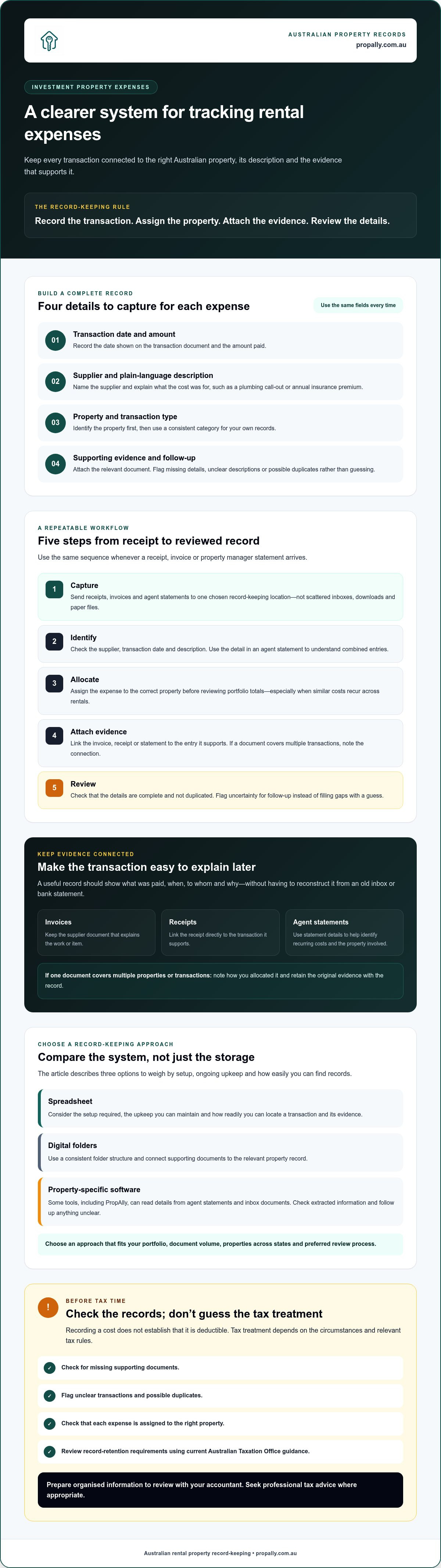
Capture each expense, identify the property, allocate a category, attach the evidence and review the entry.
- 1. Capture: Send each receipt, invoice and agent statement to one chosen record-keeping location. Don’t leave documents scattered across email, downloads and paper files.
- 2. Identify: Check the supplier, transaction date and description. If an agent statement combines several items, use its detail to understand the individual entries.
- 3. Allocate: Assign the transaction to the correct property before looking at portfolio totals. This is especially important when similar costs recur across multiple rentals.
- 4. Attach evidence: Link the invoice, receipt or statement to the entry it supports. If a document covers multiple transactions, explain the connection in your notes.
- 5. Review: Check that the details are complete and the transaction isn’t duplicated. Flag anything uncertain for follow-up instead of filling gaps with a guess.
How to capture and allocate expenses as they arrive
Choose a capture point you’ll use consistently, such as a dedicated digital folder or property tracking system. Add a clear description while the transaction is fresh. “Plumber, leaking tap, rental property” is easier to recognise later than a supplier name alone. Use property manager statements to check recurring transactions and confirm which property they relate to. Verify the allocation before combining figures across your portfolio.
If you use software that reads agent statements or inbox documents, treat extracted details as a starting point. Check them against the source, particularly when the property allocation or description isn’t clear. If you want to consolidate records beyond a spreadsheet, PropAlly’s property tracking dashboard is one option to consider.
How to review records before tax time
Set aside time to check entries against the underlying documents and relevant agent statements. Look for missing evidence, possible duplicates and transactions with no property assigned. These checks can help you find record-keeping gaps, but they don’t determine whether a cost is deductible.
Keep a short list of questions for your accountant. If you’re unsure how to classify a transaction for tax purposes, preserve its description and evidence, mark it for review and seek professional advice rather than guessing.
Compare spreadsheets, folders and software for tracking property expenses
The right method depends on your portfolio and the time you can give to upkeep. A spreadsheet may work for a straightforward portfolio with a manageable number of transactions. Digital folders can keep documents together, but they don’t automatically create a transaction summary. Property-specific software may bring records into one view, though you’ll still need to check entries and evidence.
Compare each option using the same criteria. The table outlines general trade-offs, not guaranteed features of any particular product.
| Approach | Setup | Upkeep | Visibility and evidence |
|---|---|---|---|
| Spreadsheet | Set up columns for property, date, amount, description and category. | Requires consistent manual entry, formula checks and backups. | Easy to scan when entries are current. Supporting documents need a separate filing system or clear links. |
| Digital folders | Create a consistent folder structure for each property and document type. | Requires regular filing and clear, consistent file names. | Useful for finding source documents, but comparing transactions may mean opening files or maintaining a separate index. |
| Property-specific software | Configure property records and categories to suit your workflow. | May reduce repeated entry when document-reading or import features are available, but review and corrections remain important. | Can bring property records and documents together. Check how clearly it shows allocations and flagged entries. |
When can a spreadsheet be enough for tracking expenses?
If you have a simple portfolio and a manageable flow of invoices and agent statements, a spreadsheet can provide a clear overview. Keep the structure consistent, enter transactions promptly, file each supporting document and maintain a backup. Repeated reconciliation, duplicate entries, unclear descriptions or costs you can’t confidently allocate are signs to review your process. They don’t automatically mean a spreadsheet won’t work.
When might property expense software be a better fit?
If you handle several properties, receive frequent documents or own properties across states, consider whether a central record would make review easier than switching between spreadsheets, inboxes and folders. Check whether the software supports the document reading, property allocation and review steps you need. Test how it handles an unclear or duplicated entry, not just how it displays completed records. For a related process, see guidance on automating rental property data entry.
For investors searching “track investment property expenses australia”, the useful comparison is the one that reflects their actual workload. Choose a system you can maintain and use to trace each transaction back to its property and evidence.
Make property expense records easier to check and share at tax time
A clear set of records makes it easier to answer an accountant’s questions without searching through multiple inboxes and folders. Before sharing your Australian rental property expense records, check that they show what each transaction relates to, which property it belongs to and where its supporting evidence is stored.
What should investors check before sharing expense records?
Review the records property by property, rather than relying only on a portfolio total. Use this pre-tax-time checklist:
- Check descriptions: Replace vague notes such as “maintenance” with a clear description based on the source document.
- Confirm property allocation: Make sure each transaction is assigned to the right property, especially when a statement covers multiple properties.
- Match evidence: Compare recorded entries with available invoices, receipts and property manager statements. Follow up on documents that appear to be missing.
- Look for inconsistencies: Flag possible duplicates, incomplete details and amounts that don’t match the supporting document.
- Mark open questions: Note unclear transactions for your accountant instead of silently changing a category or assuming a tax treatment.
This review checks record quality, not deductibility. An organised summary can help your accountant understand the transactions and ask focused questions, but it doesn’t replace professional tax advice. Check current Australian Taxation Office guidance on record-keeping and retention before deciding how long to keep documents.
How can investors keep a usable record trail across properties?
Use the same property names and expense descriptions in your spreadsheet, folders or software. Keep source documents accessible from the matching transaction, and make any allocation notes easy to follow. Consistency helps you and your accountant trace an entry without guessing which file or property it relates to.
If you’re preparing tax records, the separate guide to tracking rental property tax receipts can help you organise supporting documents. For readers searching “track investment property expenses australia”, a reliable record trail means each entry stays connected to its property and evidence, even when you review it months later.
A consolidated dashboard may suit investors who want property records together rather than spread across separate systems. Explore PropAlly for organised property records.
Choose an Australian property expense tracking system that fits your portfolio
The best system is one you can keep up to date and use to review your records. A simple spreadsheet may suit a smaller portfolio with few documents. If you manage several properties, receive frequent agent statements or own properties across states, a central system may make it easier to see what’s recorded and what needs attention.
Before choosing, check how the system fits your day-to-day workflow:
- Portfolio size: Can you distinguish each property clearly, including when reviewing combined totals?
- Document volume: Can you file invoices, receipts and statements without leaving them scattered across inboxes and folders?
- Property allocation: Can you identify and correct entries assigned to the wrong property?
- Review process: Can you find unclear descriptions, missing evidence or possible duplicates before sharing records?
- State coverage: If your properties are in different states, can the system keep their records distinct and accessible?
Match the tool to your actual workload, not a feature list alone. If you’re considering software, confirm its current plan features, property limits and document-processing inclusions before relying on them. Automated document reading may reduce repeated manual handling, but check extracted details against the source and make sure the review process suits you.
How can PropAlly support an organised expense workflow?
PropAlly provides an Australian property investor dashboard that consolidates information across properties and states, including cash flow, tax and property records. It can read information from agent statements and inbox documents, which may reduce repeated data entry. Review extracted details, as document reading doesn’t guarantee every transaction is complete or correctly allocated.
Use the dashboard as an organisational aid, not as a substitute for deciding how a transaction should be treated for tax purposes. PropAlly’s ATO-aligned tax calculations can help organise information, but the platform doesn’t provide financial or tax advice, determine whether an expense is deductible or guarantee ATO compliance.
If you’re considering a particular plan, review the Starter Plan overview and confirm current features and limits before choosing. For a broader view of portfolio review, see the guide to investment property performance tracking. These resources can help you assess whether the workflow fits your needs, but verify that a plan includes a feature before relying on it.
Investors looking to bring property records and supporting documents into one dashboard may find this approach worth exploring. Explore PropAlly’s property tracking dashboard.
Build a property expense system you can keep using
A reliable way to track investment property expenses australia-wide starts with a consistent habit: record each transaction, assign it to the right property, connect its evidence and review anything unclear. Choose a spreadsheet, folders or software based on your portfolio, document volume and the time you can give to upkeep. Clear records help you prepare information for your accountant, but they don’t replace professional tax advice.
If you want a central view, PropAlly’s dashboard consolidates property information across multiple properties and states. It can read details from agent statements and inbox documents, which may reduce repeated manual entry. Check extracted information against the source and confirm current plan features before choosing. The Free Plan is described as supporting one property, but verify its current terms before relying on that limit.
Explore PropAlly for clearer property expense tracking and see whether its approach fits your portfolio. Start with one consistent workflow, then refine it as your records grow.
Frequently Asked Questions
How do I track investment property expenses in Australia?
To track investment property expenses Australia-wide, use one consistent process: record each transaction, assign it to the correct property, describe it clearly and connect its supporting document. Review entries against invoices, receipts and agent statements to spot gaps or duplicates. A spreadsheet may suit a simple portfolio, while software can help consolidate records across properties. Ask your accountant about unclear tax classifications rather than guessing.
What expenses should I record for an Australian investment property?
Record costs connected with owning or operating the rental property, whether or not you know how they’ll be treated for tax. Examples may include insurance, council rates, repairs, loan-related charges and property manager fees. Include the supplier, date, amount, property and a plain-language description with each entry. Recording a cost doesn’t mean it’s deductible. Ask your accountant how each item should be treated in your circumstances.
Can I use a spreadsheet to track rental property expenses?
Yes. A spreadsheet can work if your transaction and document volume is manageable and you can maintain it consistently. Include fields for property, date, supplier, amount, description and category, then file the supporting document so it’s easy to find. Keep a backup and check for duplicates or unallocated entries. If you spend time repeatedly reconciling records or matching files, compare other tracking methods against your needs.
What records should I keep for rental property expenses?
Keep the documents that explain and support recorded transactions, such as invoices, receipts and property manager statements. Connect each document to the relevant entry and property, adding notes where an allocation needs explanation. Keep records for property acquisition or sale separately from routine rental expenses, as they may be relevant for different purposes. Check current Australian Taxation Office guidance on record-keeping and retention requirements.
How do I organise expenses for multiple investment properties?
Give each property a consistent name or identifier and use it across your expense records, folders and supporting documents. Record and review transactions by property before combining figures into a portfolio view. For shared statements or unclear allocations, add a note explaining what needs checking rather than making an assumption. A central dashboard or well-structured spreadsheet can make it easier to see which records belong to each Australian rental property.
Does property expense tracking software provide tax advice?
Not necessarily. Expense tracking software can organise transactions, documents and calculations, but that doesn’t make it financial or tax advice or determine whether a cost is deductible. PropAlly provides ATO-aligned tax calculations as an organisational aid, but it doesn’t provide tax or financial advice. Review extracted information against source documents, and ask a qualified tax professional about classifications, deductions or how the rules apply to your circumstances.