
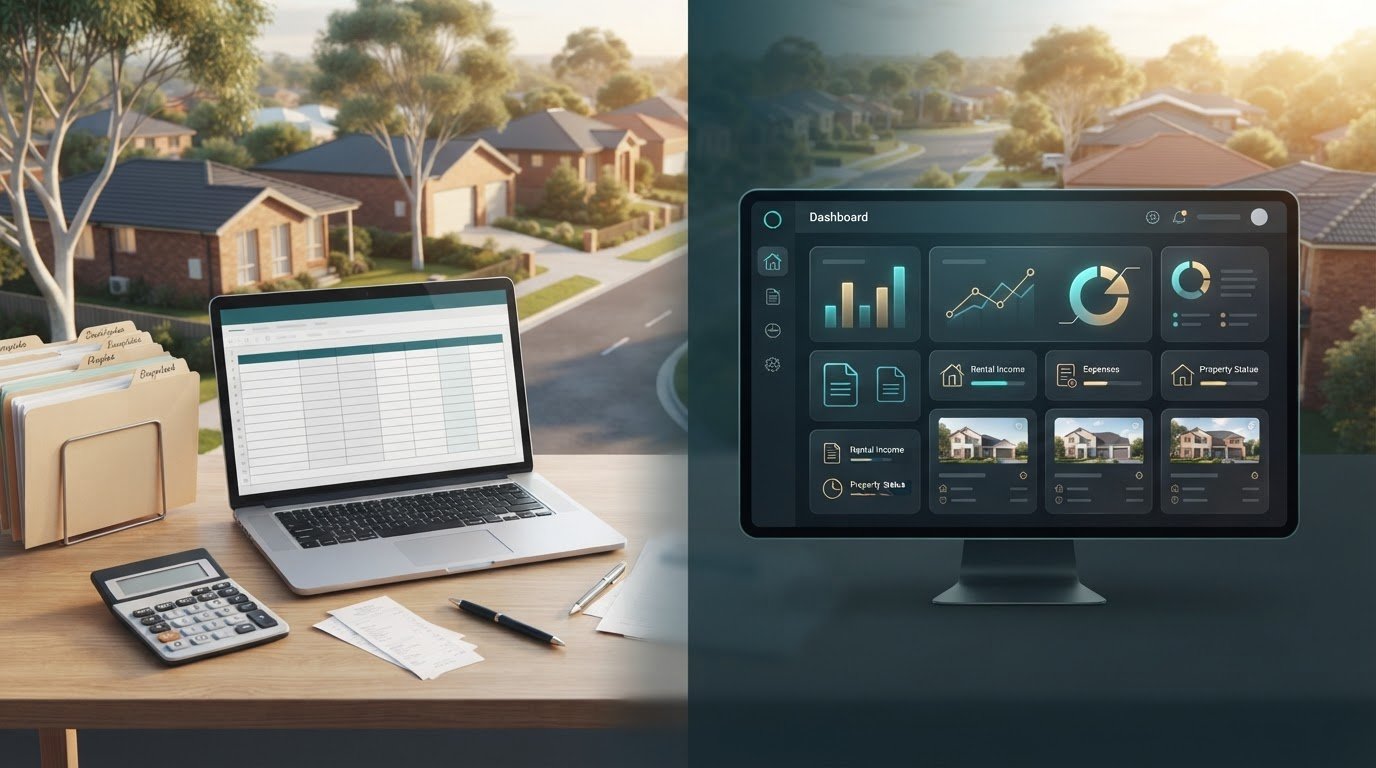
What if the tool that gives you the most control is also the one that leaves you chasing receipts at tax time? The excel property management template vs landlord cloud dashboard decision matters when rental income, expenses and supporting documents are spread across spreadsheets, emails and agent statements. Excel is familiar and flexible, but every transaction you enter adds another detail to update and check.
That’s the trade-off for Australian investors: hands-on control versus a more centralised workflow. A cloud dashboard can bring cash flow, agent statements, inbox documents and property records together, while supporting state-specific compliance and bond workflows. Document reading can reduce repetitive data entry, but you’ll still need to check captured information against its source.
This comparison looks at the practical differences in administration, record keeping and portfolio visibility. You’ll see when a spreadsheet can be enough, where automation can save repetitive effort, and how an Australian-focused tool such as PropAlly can organise rental records in one workspace. The aim is to choose a system that keeps your information accessible and easier to review without adding unnecessary complexity.
Key Takeaways
- The excel property management template vs landlord cloud dashboard choice comes down to how much hands-on updating you want and how your records need to work together.
- Use consistent categories and keep dated source documents alongside income and expense records to make later reviews more straightforward.
- Compare flexibility, repeat administration, document storage and visibility across properties before choosing a system.
- Use a five-step check of your records, recurring tasks, document flow, state-specific needs and preferred workflow to guide your decision.
- See how an Australian-focused dashboard such as PropAlly can bring cash flow, tax, compliance and bond evidence into one workspace, with a Free Plan for one property.
Excel property management template vs landlord cloud dashboard: what changes day to day?
The main difference is who does the organising. An Excel property management template is a workbook you set up, update and maintain yourself. A landlord cloud dashboard is online software for viewing and organising details such as cash flow, expenses and property documents.
Both can help you keep track of an Australian rental property. With Excel, you decide where information goes and how it’s updated. A dashboard brings selected property information into an online workspace. It fits within the broad software category described as a property management system, but an investor record-keeping dashboard doesn’t manage the tenancy for you.
| Day-to-day task | Excel template | Cloud dashboard |
|---|---|---|
| Setup | You choose or adapt the workbook structure. | You enter or organise information within the software’s workspace. |
| Updates | You enter and check each record. | Some document-reading features can help consolidate information, which you still need to review. |
| Access | Access depends on where the workbook is saved and how it’s shared. | Property information is viewed through an online dashboard. |
| Documents | Receipts and statements may stay in email unless you file or record them. | Selected documents and property information can be brought into a central view. |
| Portfolio view | You can create separate sheets or workbooks, then maintain the structure. | Information across properties can be consolidated within the dashboard. |
What an Excel property management template handles well
Excel works well when you want a tracking system you can shape yourself. Set up columns for rent received, repairs, insurance and other expense categories, then use formulas to total the figures. The trade-off is ongoing upkeep: you enter details, check formulas and dates, maintain consistent categories and keep a backup. Agent statements and emailed receipts stay separate unless you file them or record their details in the workbook.
What a landlord cloud dashboard changes
A dashboard brings selected information into a property-level view. PropAlly can read agent statements and inbox documents to help consolidate records across properties and states, reducing repetitive transcription. Check captured information against the source document, as document reading doesn’t guarantee accuracy. The dashboard organises investor records; it doesn’t handle tenancy management on your behalf.
That’s the practical distinction in the excel property management template vs landlord cloud dashboard comparison: a spreadsheet offers hands-on flexibility, while a dashboard can reduce the work involved in gathering recurring records into one place.
How spreadsheets and landlord dashboards handle Australian rental records
A useful rental record is more than a figure in a cell. It should be traceable to the statement, receipt or note that explains it. That link matters when you review rental income and expenses, prepare information for tax time or compare activity across properties.
A number tells you what you recorded; supporting evidence shows where it came from and what it relates to.
Keeping rental income, expenses and agent statements together
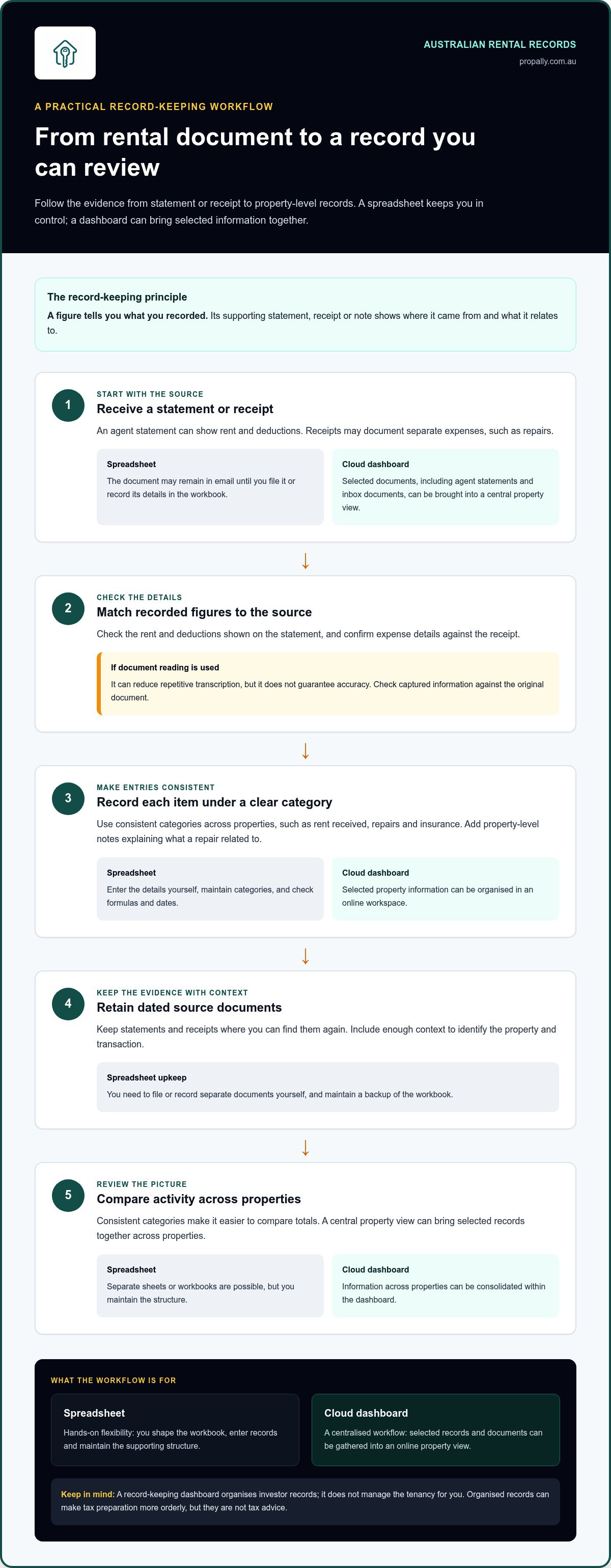
Take a property manager’s statement. With a spreadsheet, you receive the document, check the rent and deductions shown, enter the figures under consistent categories, then file the statement where you can find it again. You may also need to enter separate expenses from receipts and add property-level notes, such as what a repair related to. If categories change between properties or months, comparing totals becomes harder.
A dashboard can bring selected records and documents into a central property view. PropAlly can read agent statements and inbox documents, helping consolidate information and reduce repetitive transcription. Treat this as a workflow aid, not a guarantee: check extracted figures against the original statement or receipt before relying on them. Research on PropTech in the rental sector offers broader Australian context for the shift towards digital tools. For your own records, the practical test is whether each entry remains clear and verifiable.
Whichever method you use, keep categories consistent across properties and retain dated source documents with enough context to identify the property and transaction. An organised system can make tax preparation more orderly, but it isn’t tax advice. Ask a registered tax professional how a particular expense should be treated.
Tracking bonds and compliance across Australian states
Bond records and relevant compliance processes can differ between states and territories. With a spreadsheet, you might keep separate notes and reminders for each property, then update them yourself as circumstances change. That gives you control, but depends on your records and reminders staying current.
An Australian-focused dashboard can organise bond evidence and provide state-specific compliance checklists and bond authority workflows. These features help structure records across a portfolio; they don’t determine your legal obligations. For questions about a particular state or territory, consult current official guidance. The excel property management template vs landlord cloud dashboard choice is ultimately about how you’ll keep evidence connected to each rental record.
For a central workspace for Australian rental records, explore PropAlly’s investor dashboard.
Which is better for your portfolio: an Excel template or a cloud dashboard?
There isn’t one right answer for every Australian investor. The excel property management template vs landlord cloud dashboard decision depends less on a tool’s feature list than on how much information you handle, how often records arrive and whether you can keep your process up to date.
| Consideration | Excel template | Cloud dashboard |
|---|---|---|
| Flexibility | Adapt columns and formulas to your preferred tracking method. | Use the workspace and record views provided by the software. |
| Repeat administration | Enter, categorise and check records manually. | Some workflows can consolidate information and reduce repetitive entry, with review still required. |
| Evidence storage | Supporting documents need to be filed and linked to entries by you. | Property information and selected documents can be organised centrally. |
| Portfolio visibility | Build and maintain your own sheets or workbooks for each property. | View consolidated records across properties in a shared workspace. |
When an Excel template may be enough
A spreadsheet can be a practical fit if your records are straightforward, you’re comfortable using formulas and you reliably update the workbook as transactions occur. You don’t need paid software simply because you own a rental property. A well-maintained workbook may give you the control you want.
Watch for common weak points: a changed formula can affect totals, categories can drift between entries, and receipts can be difficult to match to figures when they’re stored elsewhere. Regular checks and a clear document-filing routine help keep the workbook useful.
When a landlord cloud dashboard may be a better fit
A dashboard may suit you better if you’re handling several properties, keeping records across states or repeatedly processing agent statements and other documents. It can bring cash flow, tax, compliance and bond evidence into a more central view, making portfolio oversight less fragmented.
Consider your review habits, too. A dashboard can organise records and reduce repetitive administration, but it doesn’t remove the need to check information against source documents. Tax-related features can support record organisation, but they aren’t a substitute for advice from a registered tax professional.
Choose the system you can maintain consistently. If your spreadsheet stays accurate, accessible and supported by organised evidence, it may continue to work well. If updating it has become a regular catch-up task, a dashboard could better match the way your portfolio operates.
How to decide between a property management spreadsheet and dashboard
Choose based on the work your records create, not the longest feature list. This five-step check helps you compare your current process with what a dashboard could organise before deciding whether to keep your spreadsheet or move some workflows online.
- List the records. Note how you capture rental income, expenses, agent statements, receipts, bond evidence and property-level notes.
- Count recurring tasks. Identify how often you enter figures, reconcile statements, update reminders or prepare portfolio reviews.
- Assess document flow. Check where emails, receipts and source statements arrive, and whether you can readily match them to spreadsheet entries.
- Check state needs. If your properties span states or territories, consider whether separate bond and compliance records are becoming difficult to organise.
- Choose the workflow. Compare those needs with the available tools, then select the system you can keep accurate and current.
Audit your current property record-keeping workflow
Map the system you already use: spreadsheets, agent emails, receipts, tax records and compliance reminders. Look for repeated manual entry, documents you can’t quickly locate and portfolio reviews that take longer than expected. Separate essential records from optional reports so the excel property management template vs landlord cloud dashboard decision stays focused on the work that matters.
For a closer look at reducing repetitive entry, see the guide How to Automate Rental Property Data Entry for Your Australian Portfolio. Treat automation as one part of the comparison. The aim is a clear, reviewable record, not simply fewer clicks.
Plan a controlled move from Excel to a dashboard
If you decide to switch, start with current property details and the source documents you need for ongoing record keeping. You don’t have to move every historical file into the new workspace. Decide what needs to be readily accessible, then establish a routine for checking imported or manually entered details against original statements and receipts.
For Australian record-keeping context, consult ATO Rental Property Records App: The 2026 Investor’s Guide to Compliance, and check current official guidance for your circumstances. A tool can help organise information, but it doesn’t replace your own review or professional tax advice.
If a central workspace fits your record flow, explore PropAlly’s Australian investor dashboard to organise rental cash flow, tax, compliance and bond evidence.
Use PropAlly as a cloud dashboard for Australian rental property records
For investors who want to organise rental records beyond a workbook, PropAlly provides an Australian-focused dashboard for property record keeping. It brings cash flow, tax, compliance and bond evidence into a central view, helping you see key information for each rental property while keeping your own review in the process.
Bring Australian property records into one dashboard
PropAlly can read agent statements and inbox documents to help consolidate information across properties and states, reducing the need to transcribe every detail manually. Check captured information against the original documents. Document reading can streamline a workflow, but it doesn’t guarantee every figure or detail is correct.
For Australian records, PropAlly includes state-specific compliance checklists, bond authority workflows and ATO-aligned tax calculations. These features help organise investor information across different state and territory contexts. ATO alignment describes the platform’s calculations; it isn’t ATO endorsement or a guarantee of compliance. PropAlly is record-keeping software, not a property manager or a provider of financial or tax advice.
Start with a plan that matches your portfolio
The Free Plan covers one property. Paid plans are available for portfolios of up to twenty properties, and optional email document add-ons support document workflows. Match the plan and workflow to your portfolio’s needs rather than choosing based on feature count alone. If you’re considering the Starter Plan, the guide PropAlly Starter Plan: The Professional Hub for Australian Property Investors is a useful next step.
The excel property management template vs landlord cloud dashboard decision still comes down to the system you can maintain and review consistently. If a central workspace would make your records easier to access, explore the Starter Plan and choose the workflow that suits your portfolio.
Choose a record-keeping workflow you can maintain
The excel property management template vs landlord cloud dashboard choice comes down to how you manage your records. Excel offers direct control when you’re comfortable entering and checking information yourself. A cloud dashboard can bring selected property records together and reduce repetitive administration, but you’ll still need to review the details and keep supporting documents organised.
For Australian investors, a system should make rental income, expenses, statements, receipts, bond evidence and compliance records easier to access and review. PropAlly brings cash flow, tax, compliance and bond evidence into an Australian-focused dashboard. Its document reading can help consolidate agent statements and inbox information across properties and states.
The Free Plan covers one property, with paid plans available for portfolios of up to twenty properties. Choose the workflow that fits your portfolio and record-keeping habits. Explore PropAlly and bring your property records into one dashboard.
Frequently Asked Questions
Is an Excel property management template enough for a rental property?
Yes, an Excel template can be enough if your records are straightforward and you consistently update and check them. You can track rent received, expenses, agent statement figures and property notes in a workbook you control. Keep dated receipts and statements organised alongside entries, and check formulas and categories regularly. If maintaining the spreadsheet becomes difficult or documents are scattered, a dashboard can provide a more central way to organise your records.
What is the difference between an Excel template and a landlord cloud dashboard?
The excel property management template vs landlord cloud dashboard difference is mainly how information is entered and organised. With Excel, you maintain the workbook, enter figures and manage supporting documents yourself. A cloud dashboard provides an online workspace for viewing selected property records and can help consolidate statements and other documents. Either way, review information against its source documents and keep records organised for later reference.
Can a landlord cloud dashboard replace Excel for Australian rental properties?
Yes, it can replace Excel as your main tracking workspace if it suits the way you record rental activity and organise evidence. Before moving, identify the information you rely on, such as income, expenses, agent statements, receipts and property notes. Decide which source documents to bring across, then check imported or manually entered details against the originals. You may still prefer to keep a spreadsheet for particular calculations or personal reporting.
Is cloud property software ATO compliant?
Using cloud software doesn’t automatically make your tax records compliant. You’re still responsible for keeping appropriate source documents and checking that recorded income and expenses match the evidence. PropAlly provides ATO-aligned tax calculations, but that isn’t ATO endorsement or a guarantee of compliance, and the platform doesn’t provide tax advice. For guidance on your tax position or how to treat an expense, speak with a registered tax professional.
How do I move rental property records from Excel to a cloud dashboard?
Start by listing the records you actively use, then organise current property details and relevant source documents such as agent statements and receipts. Choose which historical files need to be readily accessible rather than assuming every old file must be transferred. Once records are imported or entered, compare key figures and dates with the originals. Keep your existing workbook and document archive available while you confirm the new workflow is working for you.
Can one dashboard track rental properties in different Australian states?
Yes. PropAlly can consolidate information across properties and states, with state-specific compliance checklists and bond authority workflows to help organise records. This can be useful when you want a shared view of rental cash flow, tax, compliance and bond evidence across a national portfolio. State and territory processes can differ, so use current official guidance for legal questions and review dashboard records against their original documents.
Does PropAlly manage rental properties for landlords?
No. PropAlly is a record-keeping dashboard for Australian property investors, not a property management service. It helps organise information such as cash flow, tax, compliance and bond evidence, and can read agent statements and inbox documents to consolidate records. Investors remain responsible for reviewing captured information and managing their own property arrangements. The dashboard supports administration and oversight; it doesn’t manage tenancies or provide financial or tax advice.