
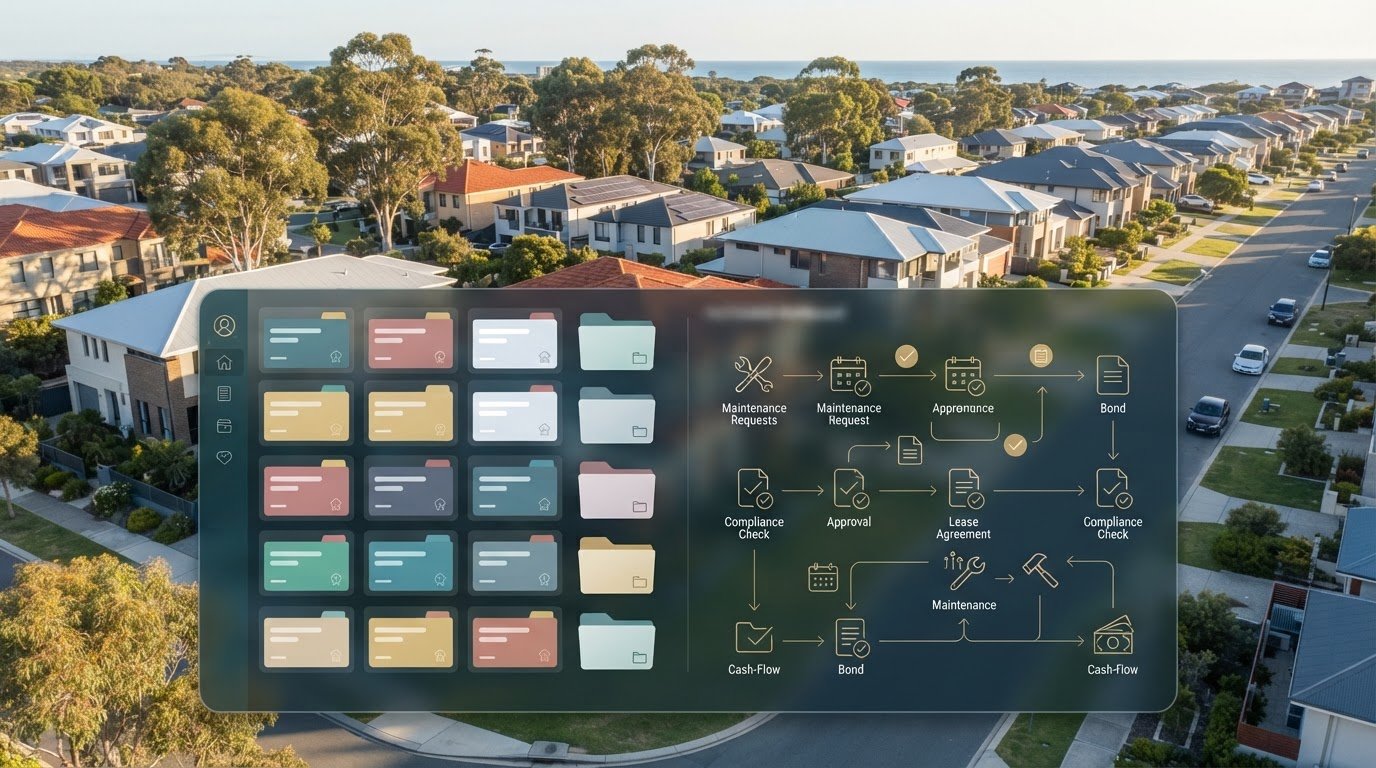
As automation becomes part of Australian property administration, landlords are weighing a practical question: build a rental system in Airtable, or use software designed to organise recurring property tasks? That’s the heart of the airtable template vs automated landlord software australia decision. A template gives you room to shape your own records, but you’re responsible for setting up and maintaining the workflow.
A flexible setup can be a straightforward way to organise rental information. The trade-off is the ongoing work of keeping records consistent as documents and portfolio needs change. Purpose-built software takes a different approach, organising recurring administration around property workflows.
This guide compares setup effort, ongoing upkeep and Australian rental workflows to help you choose an approach that suits your portfolio and appetite for admin. You’ll see how each option handles practical record-keeping, then use a decision framework to assess which system best supports the way you manage rental information.
Key Takeaways
- An Airtable template gives you control over fields and categories, while you remain responsible for designing and maintaining the workflow.
- Compare how each option handles agent statements, rental expenses, bond evidence and compliance checklists across your properties.
- Use a four-step check: map your tasks, count document sources, identify gaps and assess the upkeep you can sustain.
- The airtable template vs automated landlord software australia decision often comes down to whether your rental workflow is stable and simple or growing and document-heavy.
- Explore how a portfolio dashboard can bring cash flow, tax, compliance and bond evidence into one view.
Airtable template vs automated landlord software: what is the real difference?
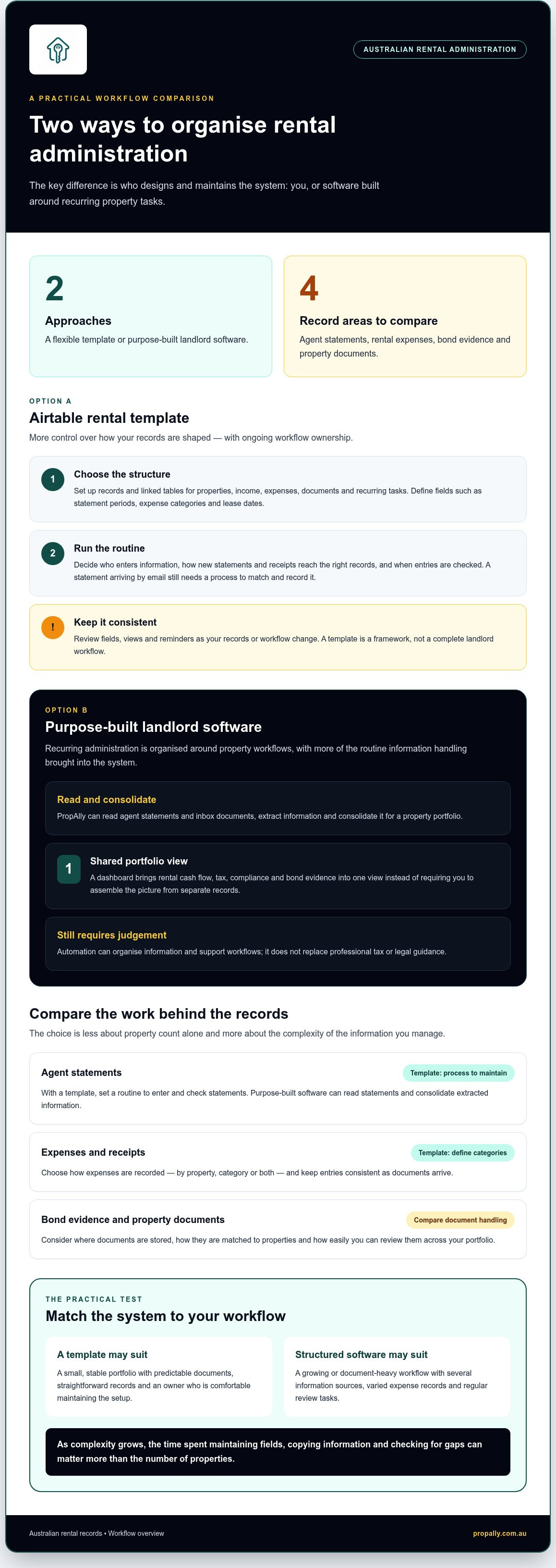
The difference is who designs and maintains the system. An Airtable rental template gives you a starting structure. You decide how to adapt it, what information to record and how to keep it current. Automated landlord software is designed to organise recurring property administration, bringing relevant records and tasks into a purpose-built workflow.
That distinction matters in Australia, where investors may need to organise agent statements, rental expenses, bond evidence and property documents alongside portfolio-level information. The question behind airtable template vs automated landlord software australia isn’t simply which tool has more features. It’s which approach suits the work you need to manage.
What does an Airtable rental template help you organise?
A template might include linked tables for properties, rental income, expenses, documents and recurring tasks. You could add fields for statement periods, expense categories, lease dates or the location of bond records, then create views to review one property or your whole portfolio. The structure can be adapted to your preferred tracking method.
But a pre-built base is a framework, not a complete landlord workflow. You still decide how categories are defined, how information moves between tables, who enters it and when records are reviewed. If an agent statement arrives by email, for example, a template won’t necessarily read it and transfer details into the right records. You’ll need a process to do that yourself, either manually or through automations you configure.
What makes landlord software automated?
Purpose-built software moves more of the recurring organisation into the system. PropAlly can read agent statements and inbox documents, extract information and consolidate it for a property portfolio. Its dashboard brings rental cash flow, tax, compliance and bond evidence into a shared view, rather than requiring you to assemble the picture from separate records.
Automation doesn’t mean every decision is made for you. Software can organise information and support workflows, but it isn’t a substitute for professional tax or legal guidance. The broad context of property management includes responsibilities and processes that technology can help organise; a tracking tool doesn’t become an adviser or property manager.
Property count alone won’t settle the choice. One investor with a straightforward, stable process may be comfortable maintaining a custom template. Another with a similar-sized portfolio but several document sources, varied expense records and regular review tasks may prefer a more structured workflow. As complexity grows, the time spent maintaining fields, copying information and checking for gaps can matter more than the number of properties.
In short, Airtable offers more control over the shape of your records, along with more responsibility for keeping the process working. Automated landlord software is built to reduce manual consolidation through workflows designed for recurring rental administration. The practical test is whether you want to maintain the system yourself or have software organise more of that routine work.
Airtable template upkeep: where flexibility can create recurring admin
A configurable template can be shaped around the way you track Australian rentals. You choose the fields, categories and views, and can keep the setup lean if your records are straightforward. The trade-off is ownership: someone must decide how information is entered, check that it stays consistent and adjust the process when your portfolio or record-keeping needs change.
What must an investor build and maintain?
Start with the structure: property records, income and expense categories, document references, useful views and any reminders you want to manage. Then decide how each new statement, receipt or bond document will get into the right place, and who will check the entry. A short field guide can prevent confusion later, especially if you share the workload.
- Define each field, including whether an expense is recorded by property, category or both.
- Set a consistent routine for entering and checking agent statements and receipts.
- Review views and reminders when your records or workflow change.
The maintenance burden depends on how you build the Airtable setup. One investor may update a simple base by hand; another may add automations or connect other tools. Either way, more properties and document sources can mean more coordination. For example, a statement saved in an inbox still needs to be matched to the right property and checked against the recorded figures unless you have a process to handle that step.
Australian workflows can also involve state-specific information. If you track tenancy documents or tasks in Victoria, the Residential Tenancies Act 1997 (Victoria) is an example of an official source relevant to that jurisdiction. A template can hold your records, but you’re responsible for reviewing whether its fields and routines still suit the information you need to manage.
When does a template remain a sensible fit?
A lightweight setup may suit a small, stable portfolio with predictable documents and a straightforward way to record income and expenses. It can also work well if you enjoy tailoring views and fields and are comfortable maintaining the system. Don’t judge it only by how quickly you can set it up. Consider the time you’ll spend updating it each month, correcting inconsistencies and refining the workflow.
As document sources multiply or tasks become harder to coordinate, maintenance may start to outweigh the value of customisation. That’s the practical tension in airtable template vs automated landlord software australia: control can be useful, but recurring admin still needs to be manageable. If manual consolidation is becoming the sticking point, explore PropAlly’s portfolio dashboard as another way to organise rental information.
Compare Australian landlord workflows: records, bonds and portfolio oversight
A rental workflow needs to do more than store information. It should make the right document and property record easy to find, while keeping state-specific tasks distinct. In the airtable template vs automated landlord software australia comparison, the key difference is how much of that organisation you design and repeat yourself.
| Workflow | Airtable template | Automated landlord software |
|---|---|---|
| Setup | You define property fields, categories and views to suit your records. | The system provides a property-focused structure for recurring administration. |
| Updates | You establish how to enter and check agent statements, expenses and bond evidence. | Document reading can extract information from agent statements and inbox documents for consolidation. |
| Documents | You decide how files are named, stored and linked to each property. | Records can be brought together in a central portfolio view. |
| State-based tasks | You create and maintain your own labels, reminders and checklists. | State-specific checklists and bond authority workflows can support administration. |
| Portfolio oversight | You build views that show the information you choose to track. | A dashboard can present cash flow, tax, compliance and bond evidence across properties. |
Can a template handle state-based records and bond workflows?
Yes, if you design it carefully. Investors with properties in different states can label each property by jurisdiction and keep relevant bond evidence, documents and task records linked to it. You’re responsible for maintaining those labels and checklists as the workflow changes. Purpose-built software can provide state-specific checklists and bond authority workflows, so you don’t have to construct every process from scratch.
State-specific workflows turn a national portfolio into a set of local processes, so records and checklists need to stay linked to the property’s jurisdiction. Tenancy processes differ around Australia. Treat a template checklist as an organisational aid, not confirmation of current requirements. Verify relevant details with the official authority for the state or territory where the property is located.
How do the tools support ATO-focused record organisation?
A template can provide a consistent place to record rental income, expenses and supporting receipts, but you need to file and categorise each item yourself. A consolidated system can bring rental records together across properties, and PropAlly provides ATO-aligned tax calculations. Organised information can support preparation; it isn’t financial or tax advice, and calculations don’t guarantee a particular tax outcome.
For another record-keeping reference, the ATO rental property records app guide explains an option for organising rental property information. Whichever tool you use, keep each transaction connected to its supporting evidence. That makes it easier to review a property’s records without relying on memory or searching through scattered files.
Choose between an Airtable template and landlord software using your workflow
Make the decision based on the work you actually do, not a hypothetical portfolio. A tidy setup for one property may become harder to manage as statements arrive from different agents, records spread across inboxes and property-specific tasks accumulate. Use this four-step check to see where the pressure sits.
- Map your tasks. List the regular work, from recording rent and expenses to filing documents and reviewing property records.
- Count document sources. Include agent statements, email attachments, receipts and any other places you retrieve rental information.
- Identify gaps. Note where figures are copied by hand, evidence is difficult to locate or a task relies on memory.
- Test the upkeep. Estimate the effort needed to keep fields, records and routines consistent as the portfolio changes.
Then compare the options against your priorities:
- Control: Airtable gives you room to shape fields and views; dedicated software provides a more defined rental-administration structure.
- Setup effort: A template needs your decisions about categories and processes. Software starts with workflows designed for recurring property records.
- Automation: A template may rely on manual entry or automations you configure. Software such as PropAlly can read agent statements and inbox documents for consolidation.
- Australian workflow fit: With a template, you design and maintain state labels and checklists. Purpose-built tools can include state-specific checklists and bond authority workflows.
Which system fits a hands-on investor?
A template may suit you if your records are predictable and you’d rather shape the system yourself than adopt a dedicated workflow. Test it with recent agent statements, rental expenses and bond evidence. Can you file each item consistently, find it across properties and understand the records when reviewing a different tax period? If that process feels manageable, hands-on customisation may be a good fit.
Which system fits an investor seeking less manual processing?
Repeatedly handling statements or searching across inboxes can be a sign that manual processing deserves a closer look. Automated reading can extract information for consolidation, while you remain responsible for reviewing records and deciding how to use them. For a practical overview of this approach, see the guide to automating rental property data entry. Investors focused on performance measures may also find the property portfolio performance tracker guide relevant.
A small portfolio with a stable routine may need little more than a clear, well-maintained structure. A growing, multi-property portfolio can involve more documents, records and review points, making consolidation more valuable. The airtable template vs automated landlord software australia decision comes down to the balance you want between designing your own process and reducing repetitive handling. If a central portfolio view better matches your workflow, explore PropAlly’s landlord dashboard.
How PropAlly brings Australian rental records into one managed workflow
If your decision comes down to reducing manual consolidation, PropAlly offers an Australian property-investor dashboard that brings recurring rental administration into one portfolio view. It gives investors a focused option in the airtable template vs automated landlord software australia comparison, particularly when property information is spread across agent statements, inboxes and separate records.
What does PropAlly bring together for Australian investors?
The dashboard organises key areas of property oversight in one place. You can track information across properties and view rental cash flow, tax, compliance and bond evidence together, rather than assembling each view yourself. That central view supports oversight; you remain responsible for reviewing information and managing your own records.
- Cash flow and tax: Keep rental financial information visible across the portfolio, including ATO-aligned tax calculations.
- Documents: Automated reading can extract information from agent statements and inbox documents for consolidation.
- Australian workflows: State-specific checklists and bond authority workflows support property administration.
- Portfolio records: Bring cash flow, tax, compliance and bond evidence into a shared dashboard view.
That’s a different starting point from a general-purpose template. You don’t have to build the structure of every property record from scratch, though you still need to review what the software organises and maintain your own oversight. State-specific workflows can help organise tasks, but they don’t guarantee that every tenancy requirement has been met.
PropAlly is software for property investors, not a property management service. Its tax calculations aren’t tax advice. Use an organised view to prepare and monitor records, and seek appropriate professional guidance for advice about your circumstances.
How can investors take the next step?
Match the plan to the job you want your system to do. If your priority is a central property-data hub rather than designing and maintaining your own template, the Starter Plan is an option to explore. PropAlly also has a Free Plan for one property, giving investors a way to use a dedicated dashboard for a single rental.
Before choosing, return to your workflow: which records take the most effort to gather, and what would you want to see together when reviewing your portfolio? A clear answer helps you assess whether a dedicated system fits your needs, without assuming every investor needs the same setup.
Explore the PropAlly Starter Plan to see how a central property-data hub could fit your rental administration.
Set up your next step with confidence
Your rental records should support clear decisions, not become another system you have to work around. As your portfolio changes, revisit whether your current process still gives you the control and visibility you need. That’s the practical question at the heart of airtable template vs automated landlord software australia: which setup will remain manageable as your day-to-day administration evolves?
Choose one recurring task that currently takes too much effort. Then consider what a more organised workflow would look like, from handling incoming documents to keeping state-related records accessible. PropAlly brings together portfolio oversight and Australian rental workflows, including document reading, state-specific checklists and bond authority processes. It’s a software tool for organising information, not a substitute for property management or professional tax advice.
If a central property-data hub feels like the right next step, explore the Starter Plan and see how it could fit your workflow. A more deliberate system can help you stay focused on the properties themselves, with your records easier to oversee as your needs grow.
Explore the PropAlly Starter Plan and take the next step towards clearer portfolio oversight.
Frequently Asked Questions
Can I use an Airtable template to manage rental properties in Australia?
Yes. An Airtable template can give you a place to record property details, rent received, expenses and supporting files, but you choose the structure and maintain it. For example, use a consistent property identifier on each receipt and statement so a review doesn’t depend on remembering a file name. If your holdings span states, label records clearly and verify relevant workflow details with official sources.
Is automated landlord software better than an Airtable template?
Neither is best for every portfolio. For Australian investors, the airtable template vs automated landlord software australia comparison is about where you want the effort to sit: customising your records or using a system designed for recurring rental administration. Test each approach against a typical month of work, such as processing an emailed agent statement and a repair receipt. Note the manual steps and any information you still can’t see clearly.
Can Airtable automatically read property manager statements?
Airtable can support configured workflows, but don’t assume a template alone reads agent statements. Check what your setup actually does: can it capture figures from a PDF or email attachment, where does it put them, and can you inspect the source? Trial a sample statement and compare any extracted details with the original before relying on the resulting record. This helps reveal gaps in the process.
What should Australian landlords compare before choosing property software?
Compare how easily you can retrieve a transaction with its receipt, review income and expenses by property, and distinguish records by state. For instance, check whether bond evidence is accessible from the property record or only through an inbox search. Also consider how you’ll review extracted figures and keep checklists current. Tenancy processes vary across Australia, so verify specific details with the relevant state or territory authority.
Does landlord software replace an accountant or property manager?
No. Software can organise property information, but it doesn’t provide personal tax advice or take on a property manager’s role. If you’re unsure how an expense should be treated, or need guidance on a tenancy matter, take the relevant documents and questions to an appropriately qualified professional. Keep source records accessible so discussions can draw on evidence rather than estimates or recollections.
How do I move from an Airtable template to landlord software?
Make the transfer a controlled records exercise, not a quick copy-and-paste. List each property, record category and linked document, then standardise names and dates. Import a small sample first. Reconcile figures and open the attached source files to spot missing links or changed fields. Once the sample checks out, transfer the remaining records and retain access to the original base while reviewing the new system.
Is a free landlord software plan enough for one property?
It may be, if the records and workflows included suit your needs. PropAlly offers a Free Plan for one property. Before choosing, list the information you need to organise, such as income, expenses and supporting documents, then compare it with the plan details. If statement reading or state-specific workflows matter to you, include those in your assessment rather than assuming every plan covers the same tasks.